Apps / Pinwright | Always on Top
Pinwright | Always on Top
LCTR · Utilities & tools
Any window, always on top.
Try it free in the Microsoft Store, then buy once for 2.99 USD.
US price. The Store shows the price for your country.
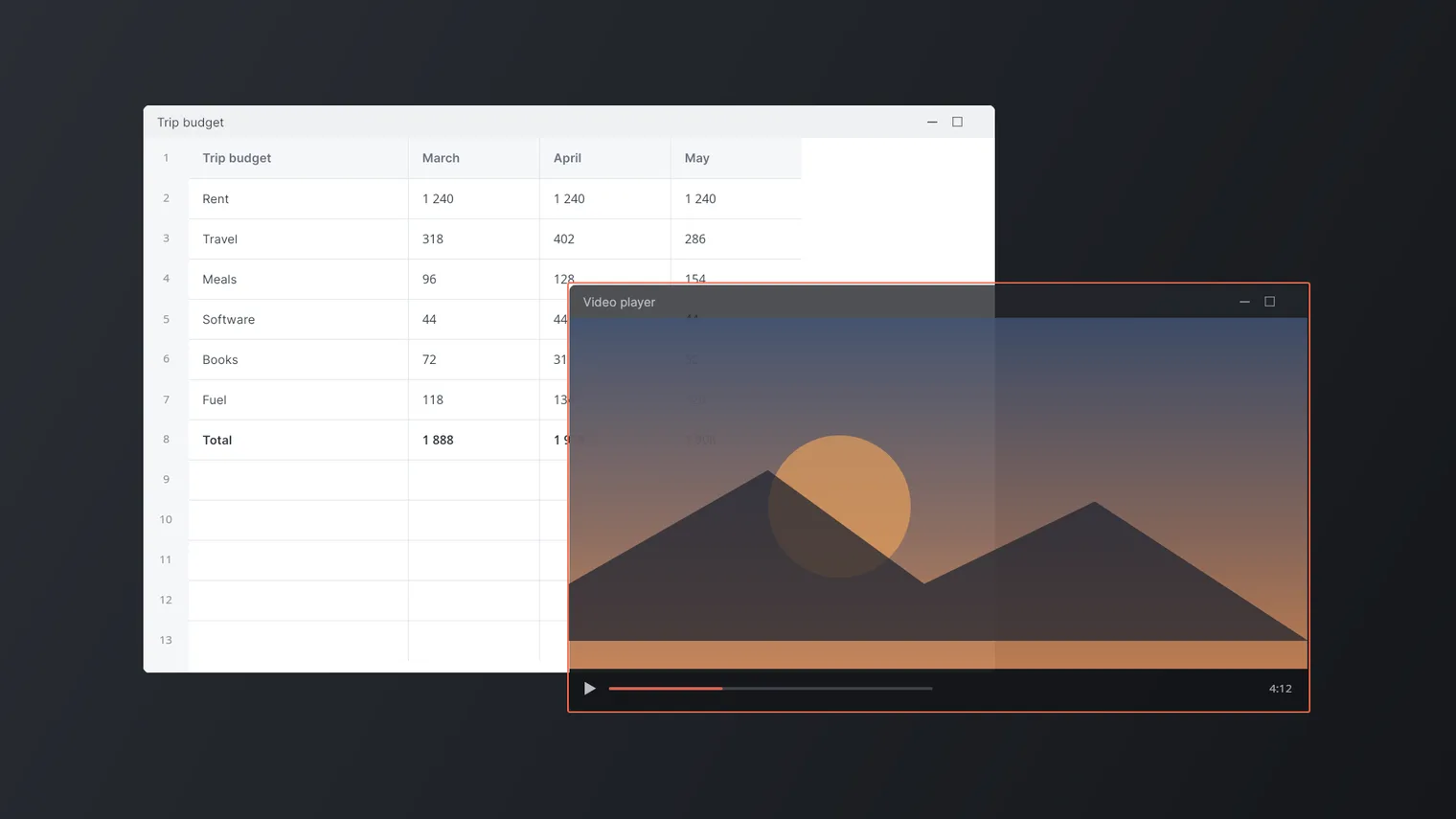
Keep a video over your spreadsheet 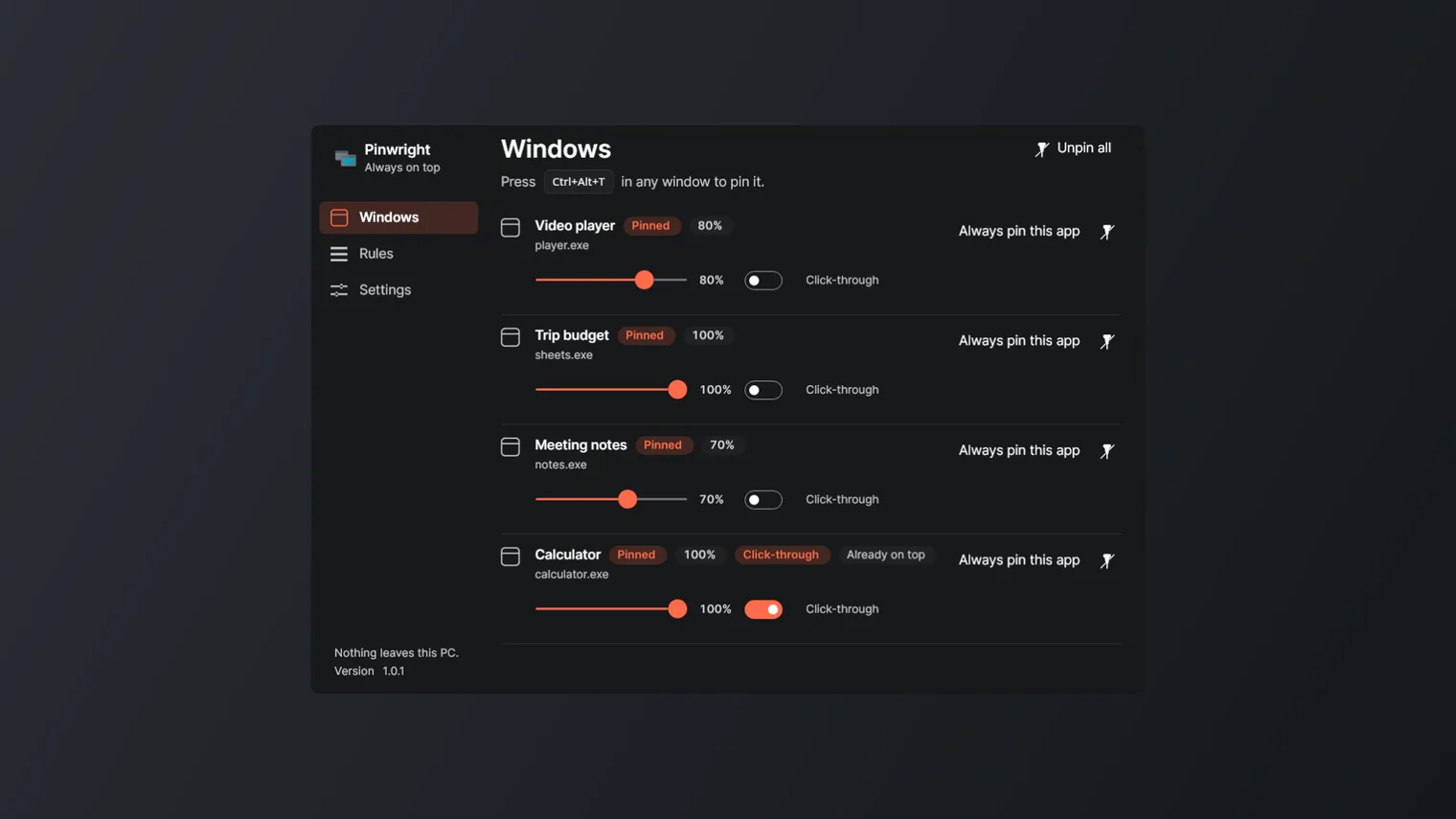
Every pinned window in one list 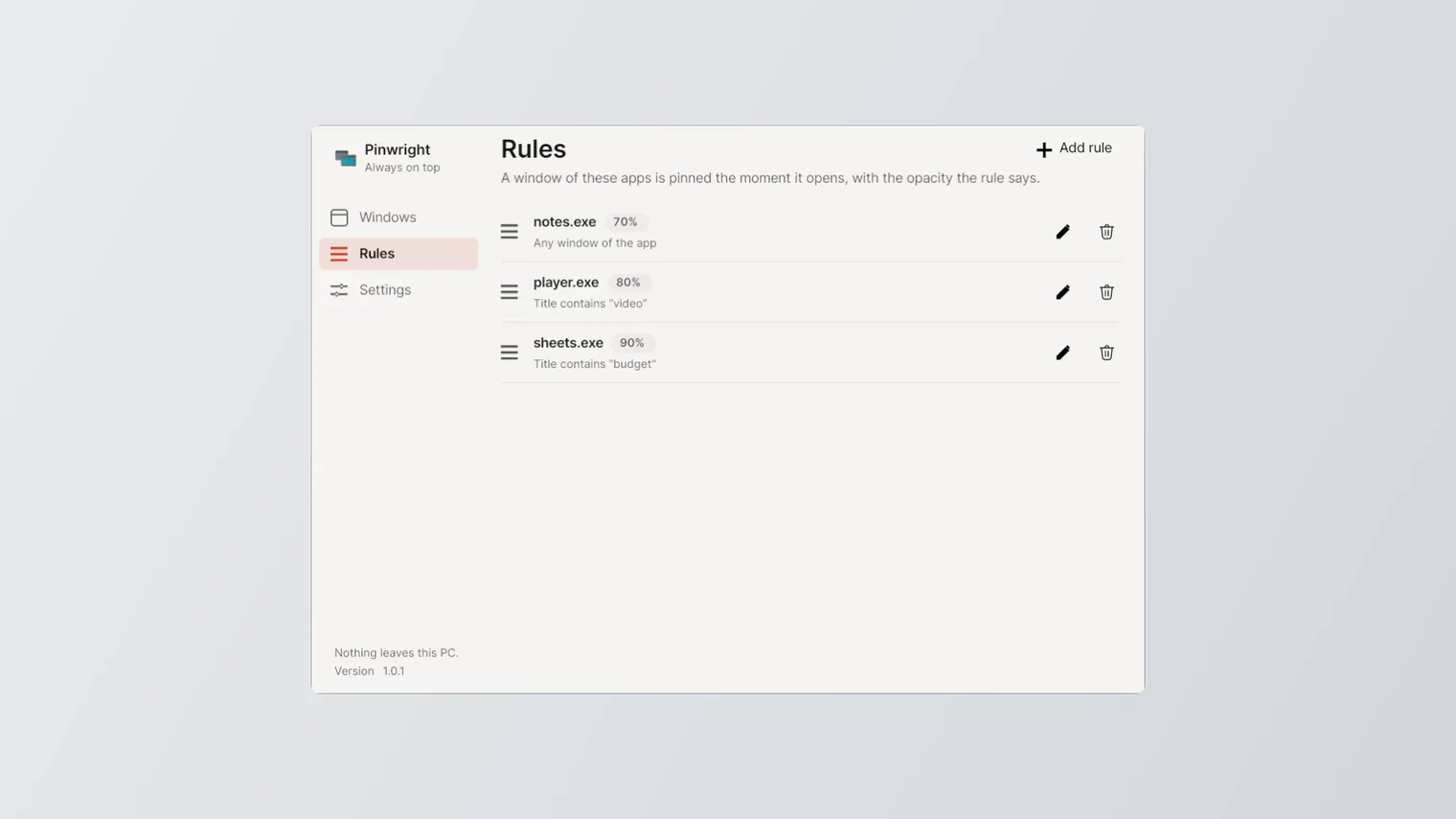
Rules pin an app's windows the moment they open 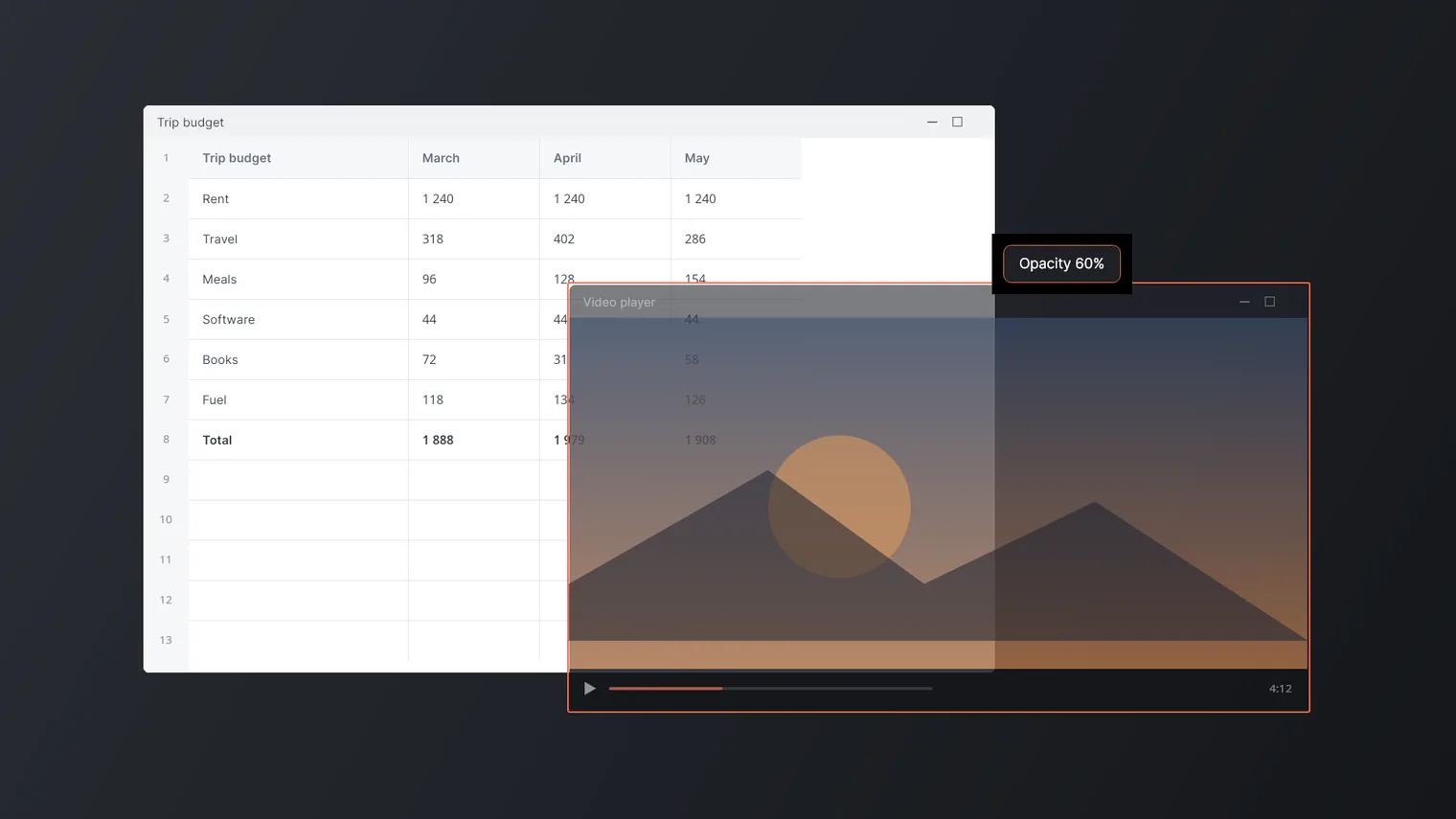
Change opacity from 100 % down to 20 % 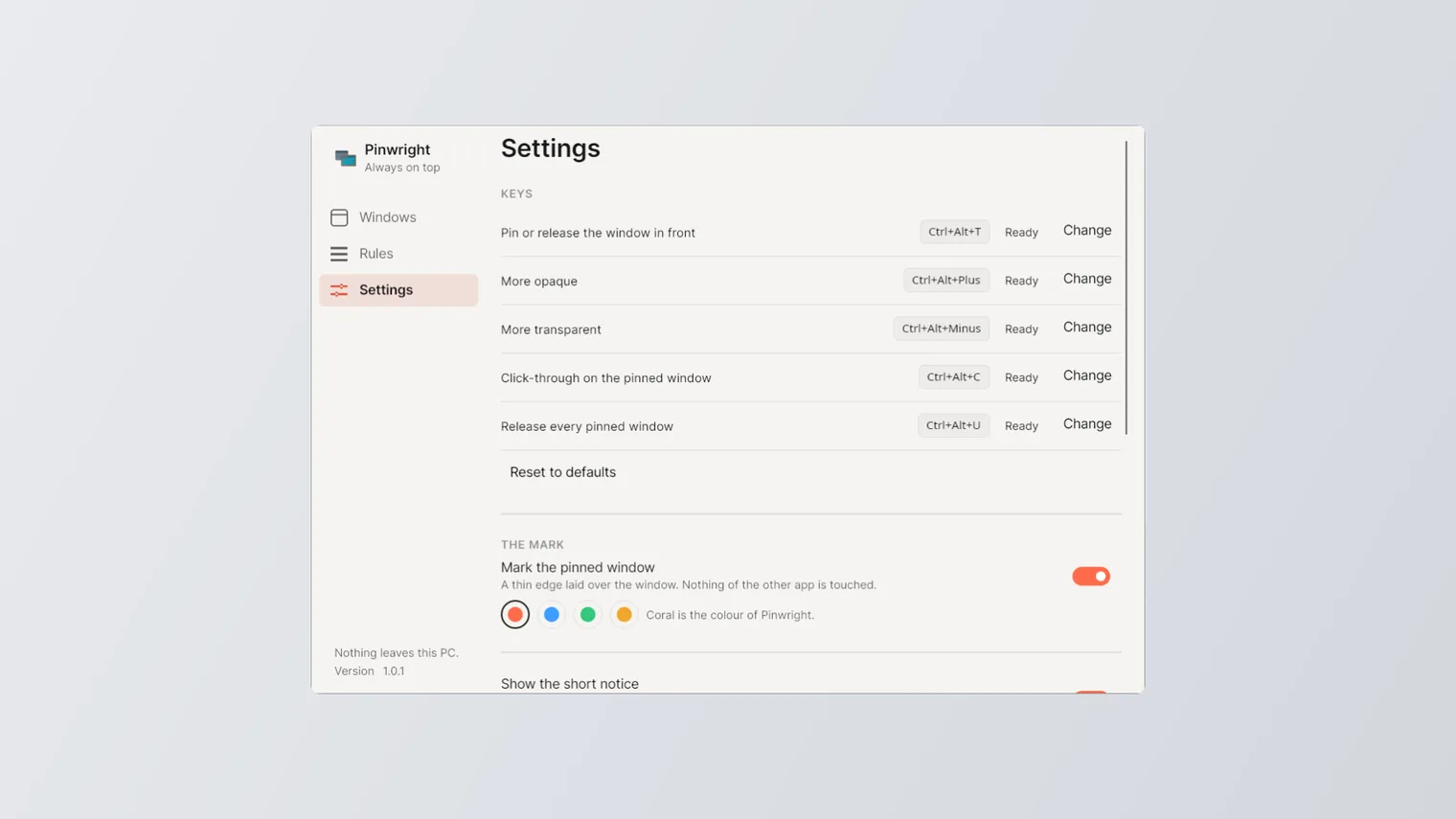
Every key can be changed in Settings 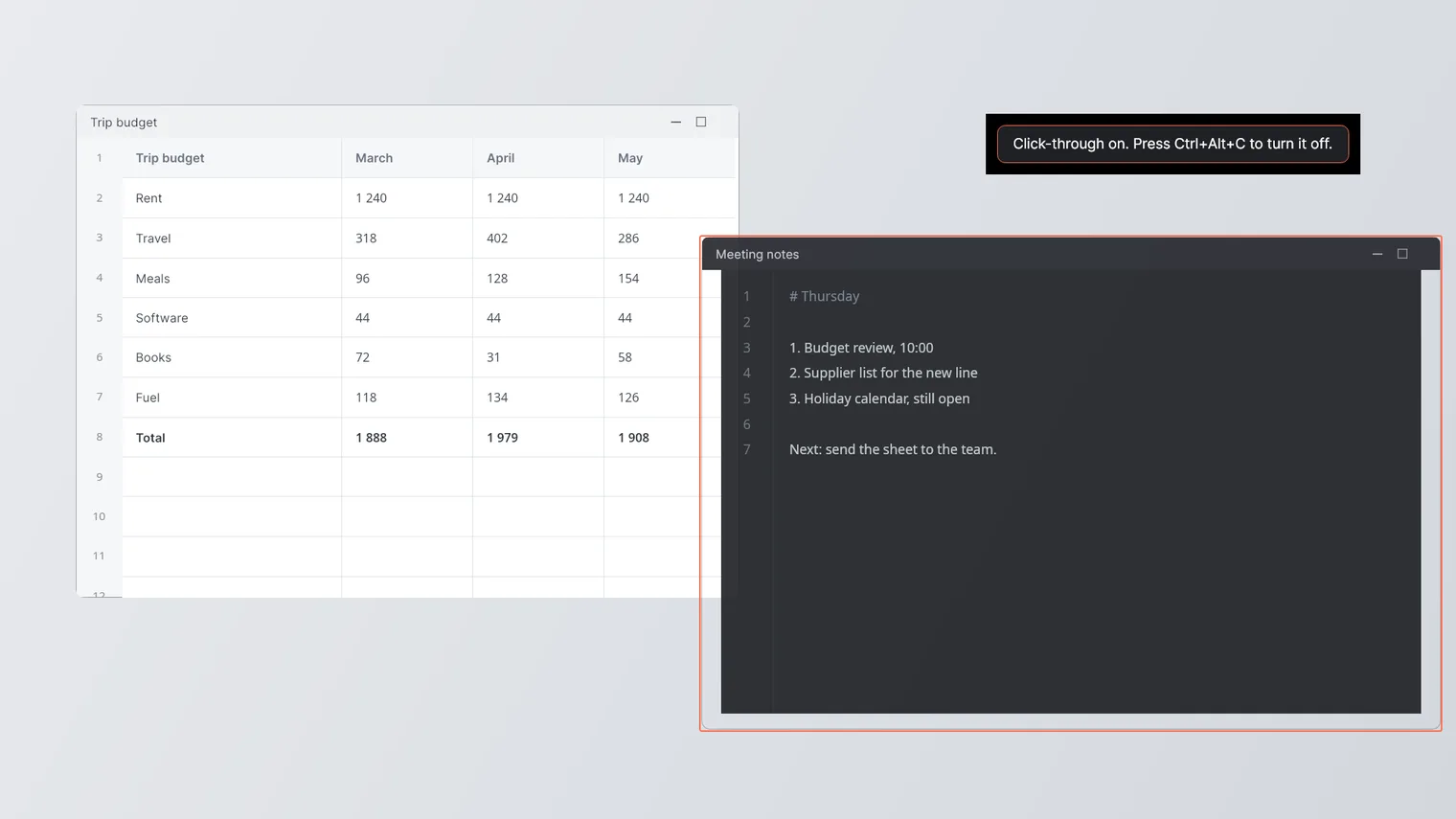
Click through a window to the editor under it
Description
Press one key to hold a window above the others. Make it see-through and let the clicks pass to what is underneath. Rules pin your apps by themselves. No account. Works offline.
For anyone who follows a video, a chat or a calculator while working, or keeps a tutorial or a meeting over the editor or the game.
It works on almost any window. Windows of apps running as administrator cannot be pinned, and the desktop, the taskbar and Pinwright's own windows are never pinned. Opacity and click-through apply to the pinned window, not to the whole screen.
Features
- Ctrl+Alt+T holds the window in front above every other window, and the same key lets it go.
- Opacity from 100 % down to 20 % in steps of ten, with the wheel or with Ctrl+Alt+plus and Ctrl+Alt+minus.
- Click-through on the pinned window (Ctrl+Alt+C) so the clicks reach whatever is under it.
- Ctrl+Alt+U releases every window at once.
- A thin coral edge over the pinned window, drawn by the app and following the window as it moves; can be turned off, and its colour changed.
- The list of what is held right now, with the icon, the title, the process and the state, and a slider and a click-through switch on every row.
- Rules by app, and by a piece of the title if you want one; a window of that app is pinned the moment it opens, at the opacity the rule says.
- On exit every window is put back exactly as it was found, topmost flag, opacity and click-through included, even if the app fails.
- Every key can be changed in Settings, which says when a combination is already taken by another app.
- Lives in the notification area; closing the window leaves it working, and it can start with Windows.
- 100 % offline. No account, no telemetry, no advertising and nothing sent anywhere.
Questions
Is it a subscription?
No. You pay once in the Microsoft Store and the app is yours, with updates.
Can I try it first?
Yes. Try it free in the Microsoft Store first. If you keep it, it is a one-time purchase of 2.99 USD, no subscription.
Do I need an account?
No account and no sign-in. Only the Microsoft Store account you already use on Windows.
Does it work offline?
Yes. Everything runs on your PC. Your files are never uploaded.
Which files does it open?
It works on almost any window. Windows of apps running as administrator cannot be pinned, and the desktop, the taskbar and Pinwright's own windows are never pinned. Opacity and click-through apply to the pinned window, not to the whole screen.