Apps / Wattwright | Battery Health
Wattwright | Battery Health
LCTR · Utilities & tools
Is your laptop battery worn out?
Try it free in the Microsoft Store, then buy once for 0.99 USD.
US price. The Store shows the price for your country.
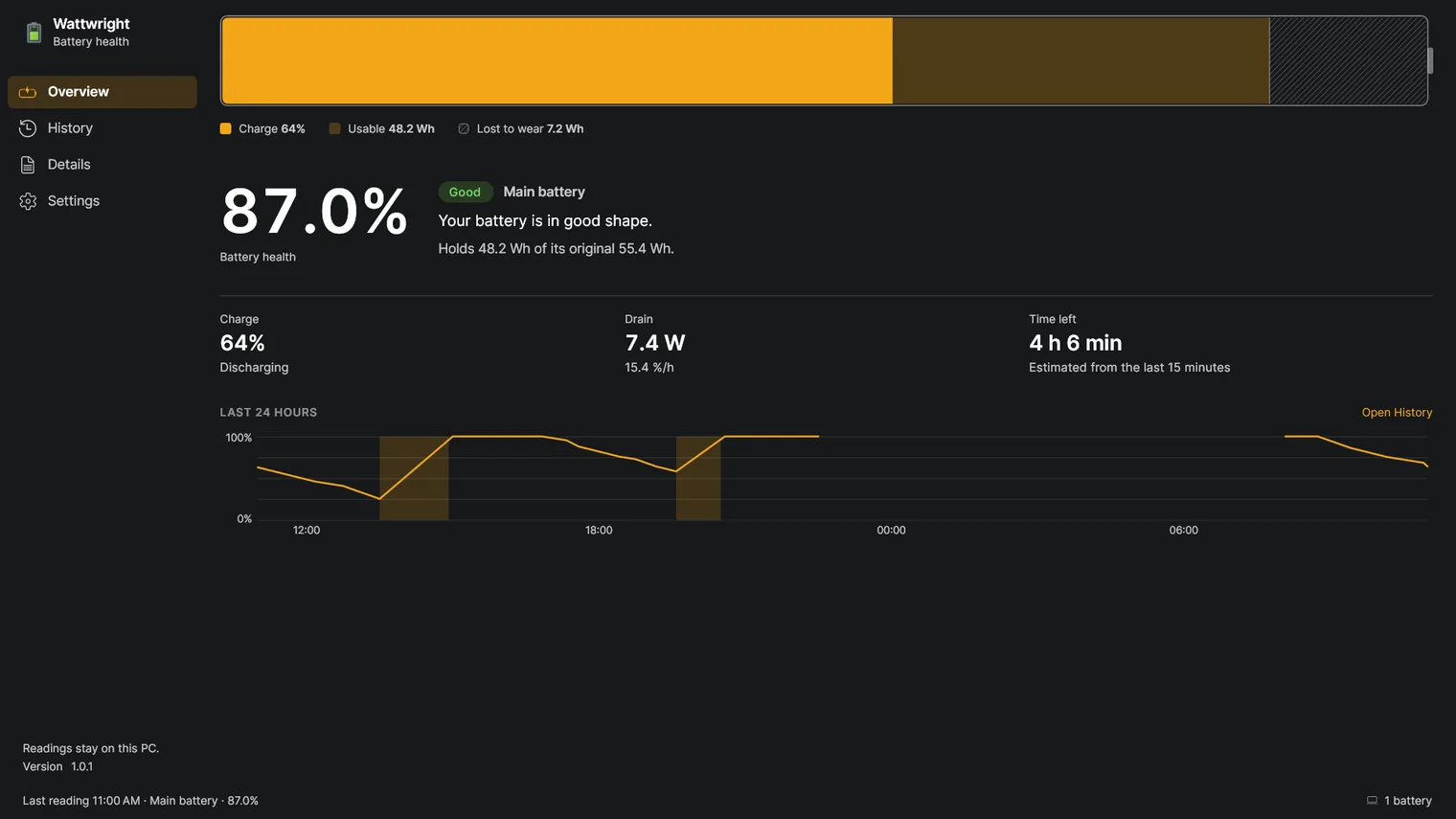
Battery health in percent, at a glance 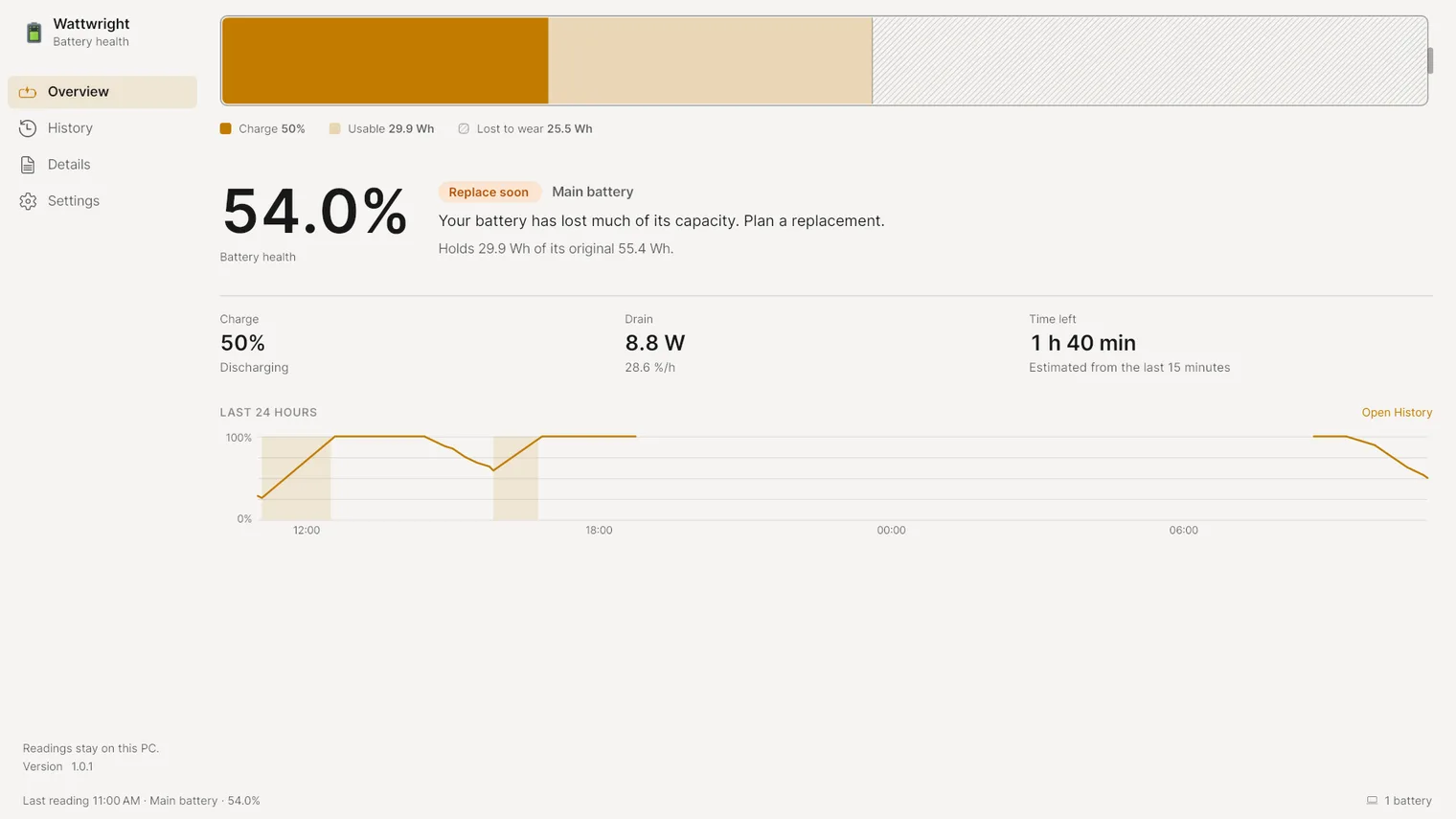
A verdict when the battery is due for a replacement 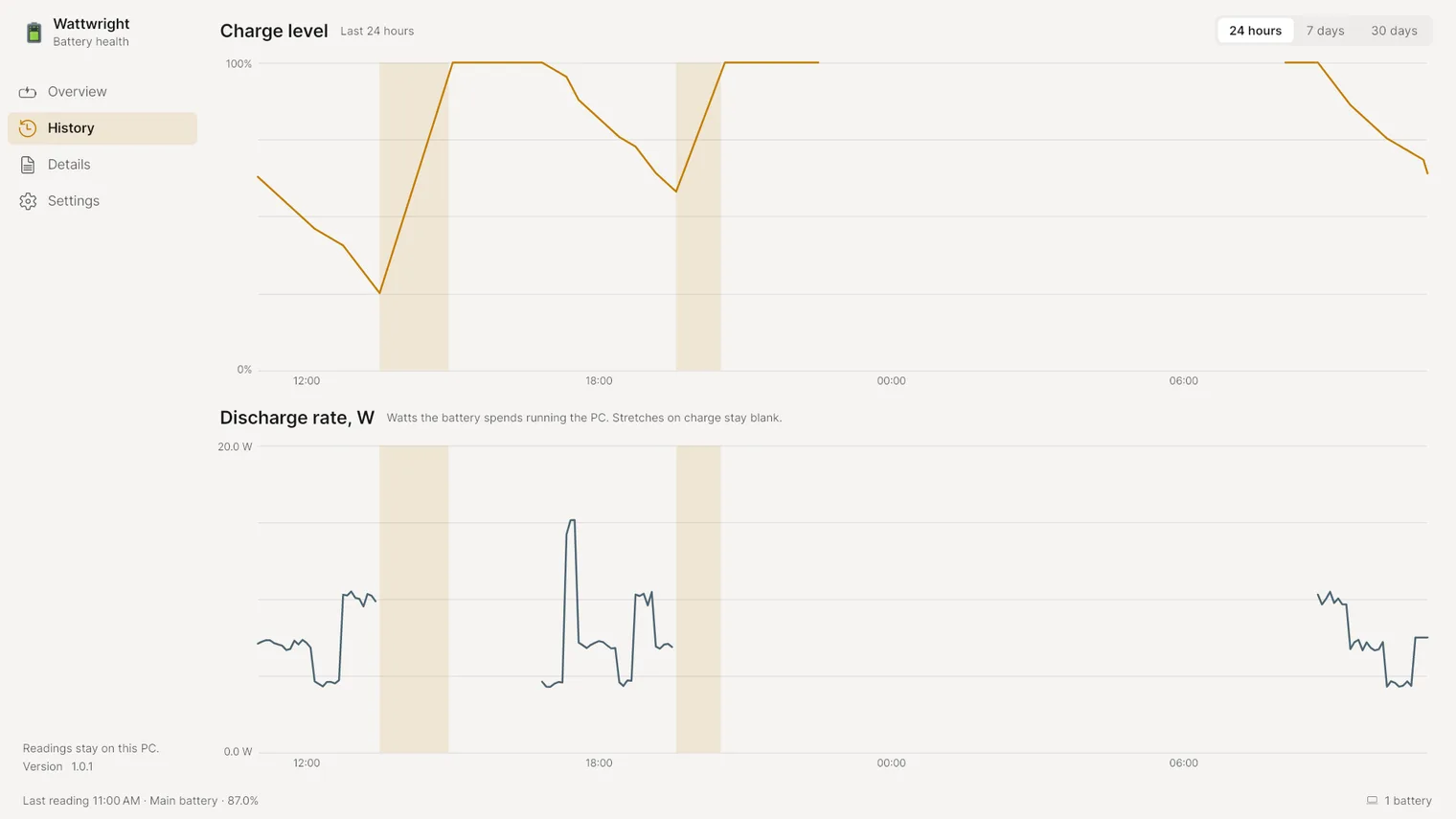
24 hours of charge and discharge 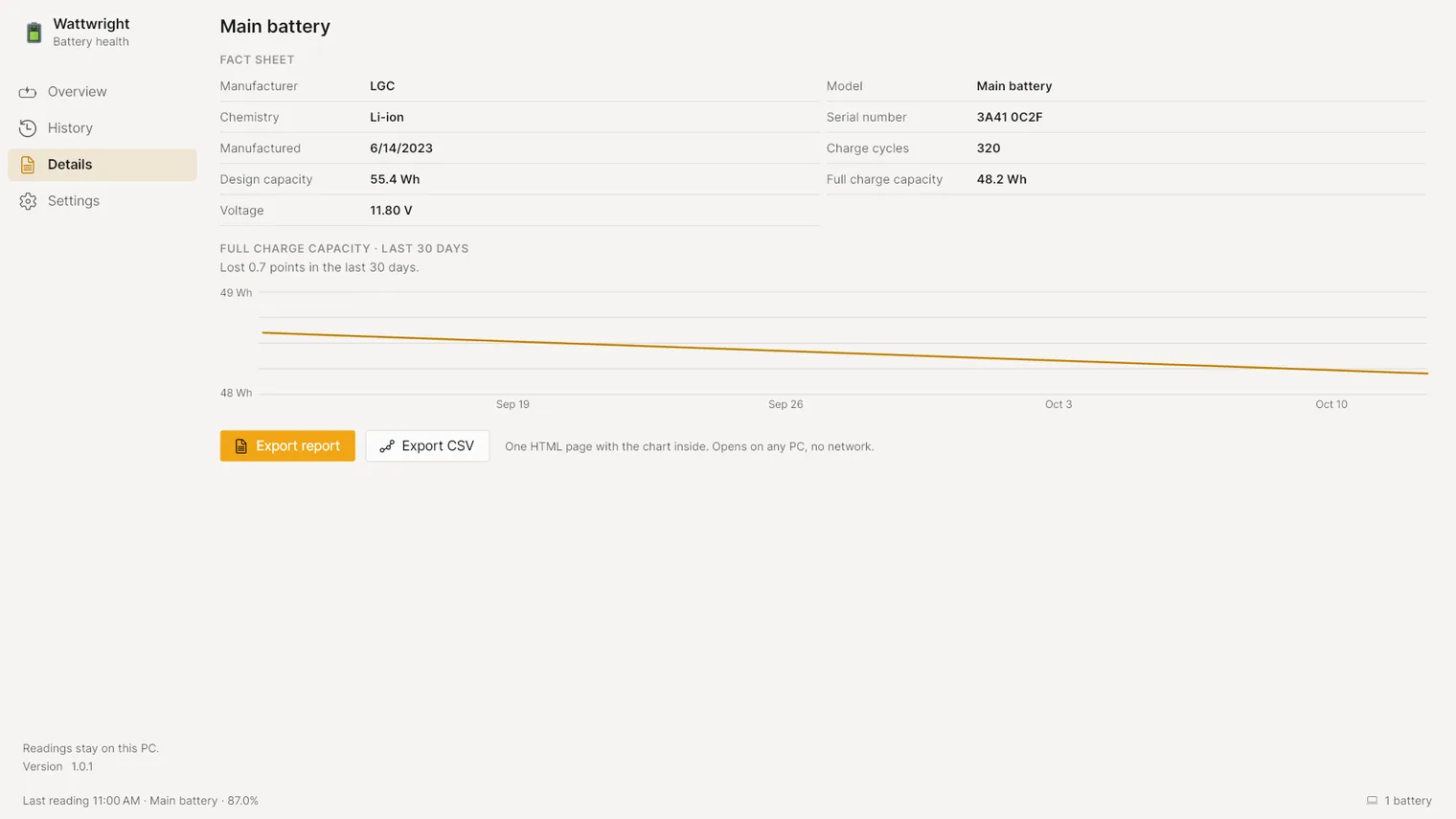
Maker, model, cycles and capacity 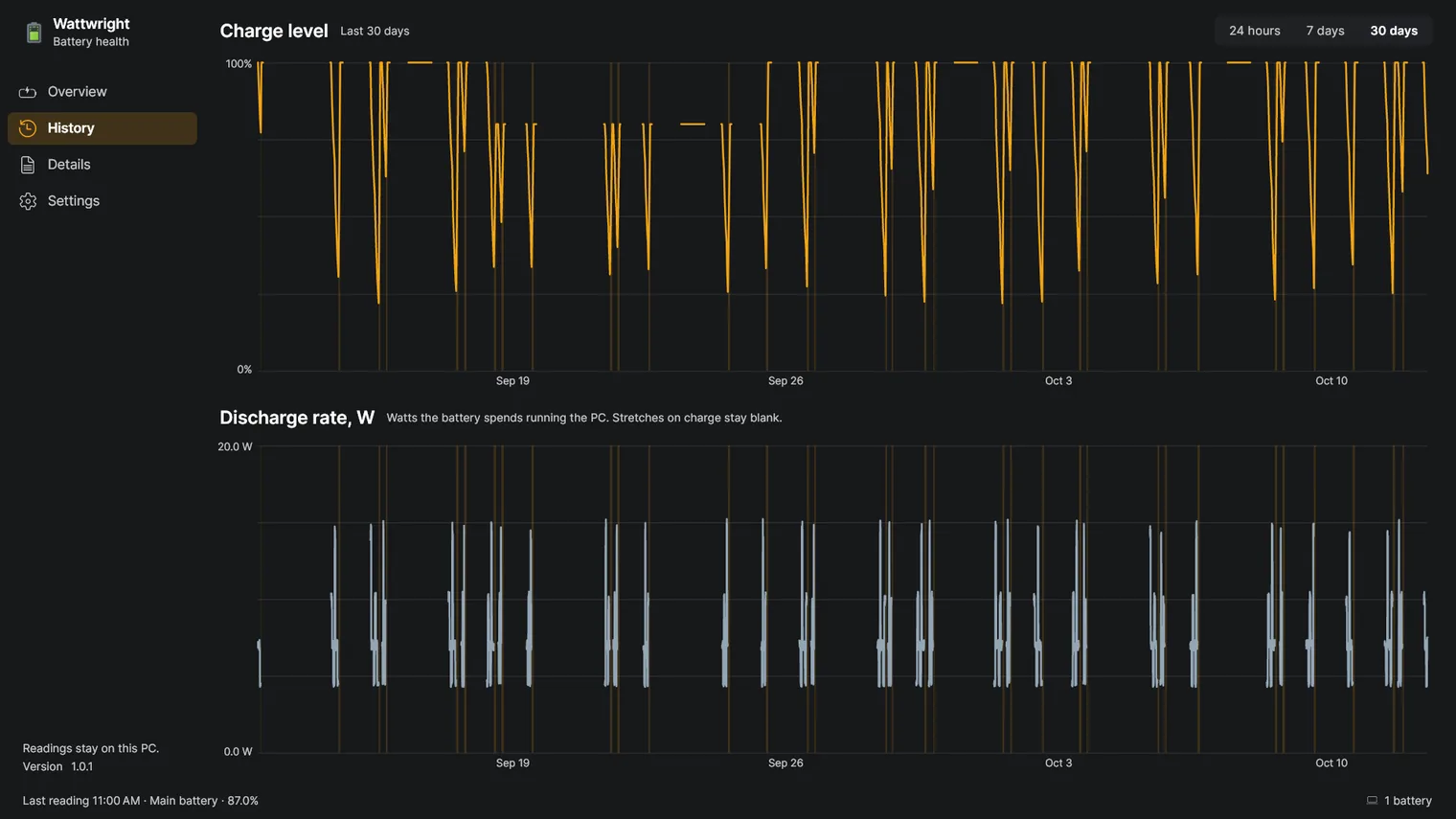
30 days of history 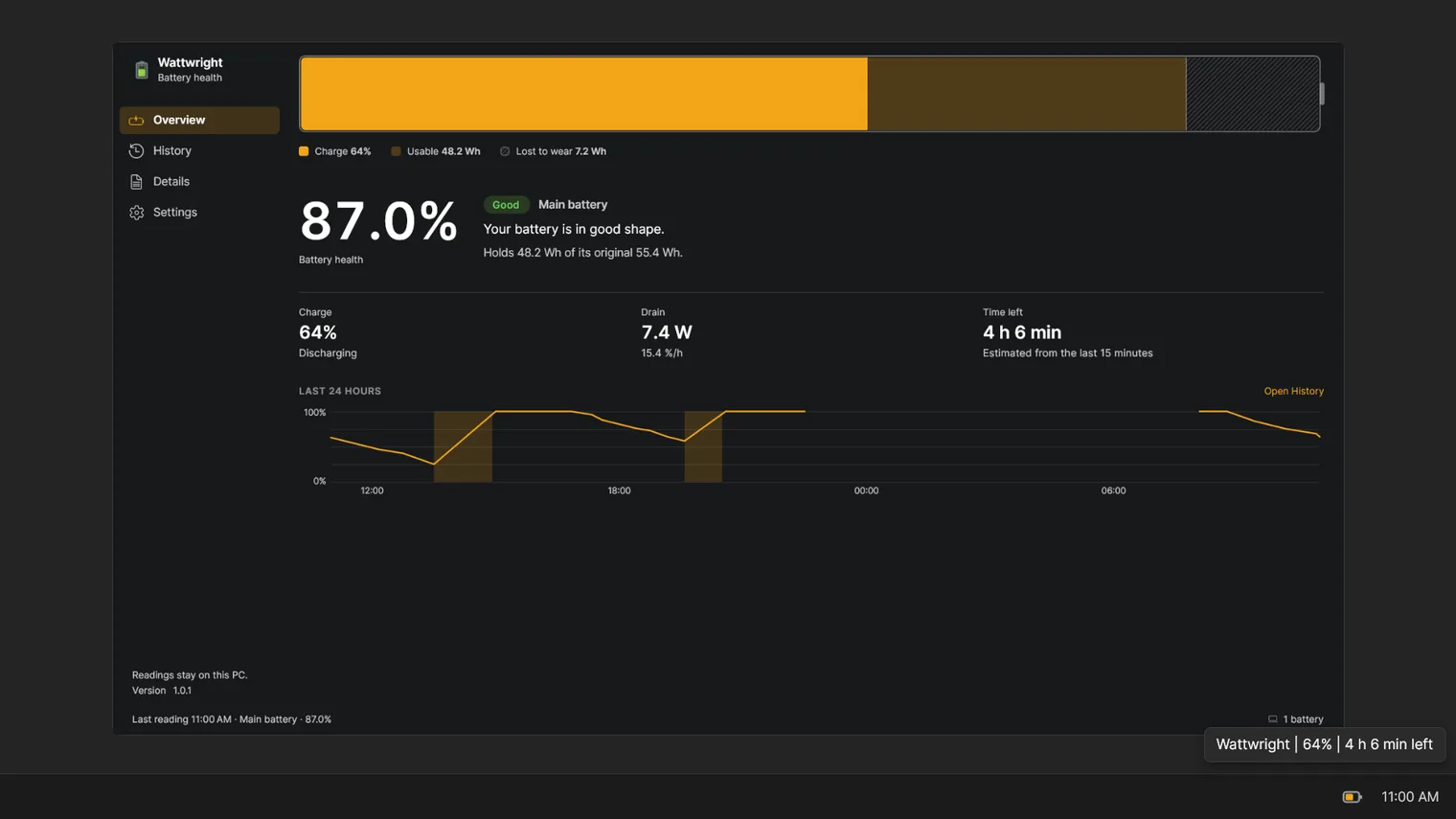
Charge and time left in the tray
Description
See battery health in percent, how fast it drains, and a plain verdict: good, worn or time to replace. Keeps 30 days of history. No account. Works offline.
For anyone whose laptop lasts less than it used to, and for buyers of a second hand laptop who want to check the battery before paying.
It measures the battery Windows reports, on a laptop with a battery. Bluetooth mice, headsets and phones are not measured. If the firmware reports no design capacity, it shows the charge but no health, and says why. Charge limits depend on each maker and are not part of the app.
Features
- Battery health in percent, from the capacity the pack holds today against its design capacity.
- A verdict with its figures (Good, Fair, Replace soon, Replace now), including a fast capacity drop in the last 30 days.
- Discharge rate in watts and in percent per hour over the last 24 hours, with the time left at the current draw.
- 30 days of charge level and discharge rate charts, with the stretches on the charger shaded and the gaps where the PC was off left blank.
- Fact sheet with maker, model, chemistry, serial number, manufacture date, charge cycles, design capacity, full charge capacity and voltage.
- One page HTML report and a CSV of the history, written on the PC and opening offline.
- Lives in the notification area with the charge and the time left in its tooltip; closing the window keeps it recording.
- Can start with Windows (on by default) and can be turned off in Settings or in Windows.
- Light and dark themes, following Windows by default.
- 100% offline. No account, no telemetry and nothing sent anywhere; the readings stay in the app's own folder on this PC.
Questions
Is it a subscription?
No. You pay once in the Microsoft Store and the app is yours, with updates.
Can I try it first?
Yes. Try it free in the Microsoft Store first. If you keep it, it is a one-time purchase of 0.99 USD, no subscription.
Do I need an account?
No account and no sign-in. Only the Microsoft Store account you already use on Windows.
Does it work offline?
Yes. Everything runs on your PC. Your files are never uploaded.
Which files does it open?
It measures the battery Windows reports, on a laptop with a battery. Bluetooth mice, headsets and phones are not measured. If the firmware reports no design capacity, it shows the charge but no health, and says why. Charge limits depend on each maker and are not part of the app.