Apps / Stuck | Sticky Notes That Stay on Top
Stuck | Sticky Notes That Stay on Top
LCTR · Productivity
Sticky notes that stay on top.
Try it free for 7 days in the Microsoft Store. After the trial your notes stay readable; writing needs the purchase.
US price. The Store shows the price for your country.
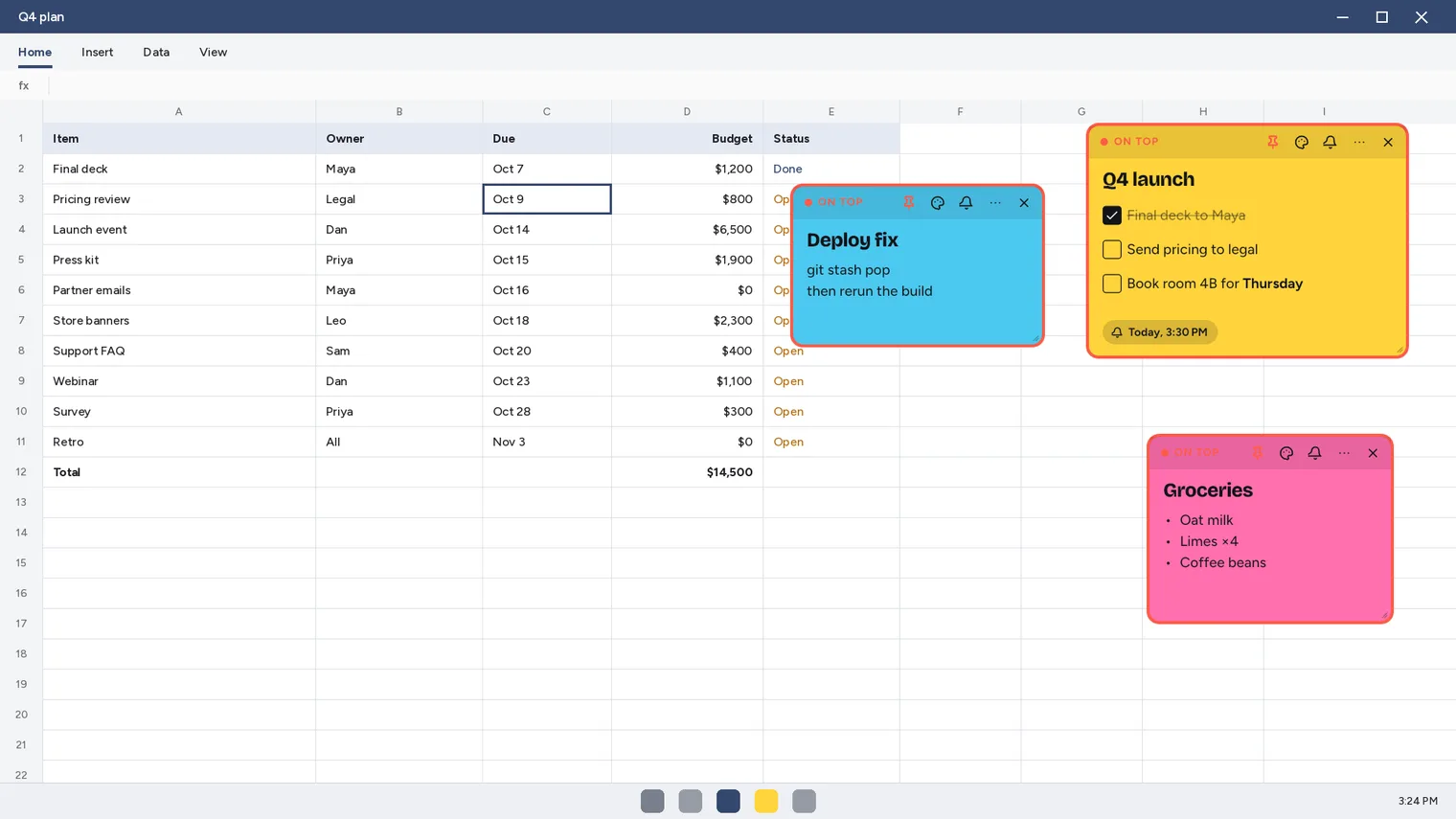
A pin keeps a note on top of every window, even a maximized one 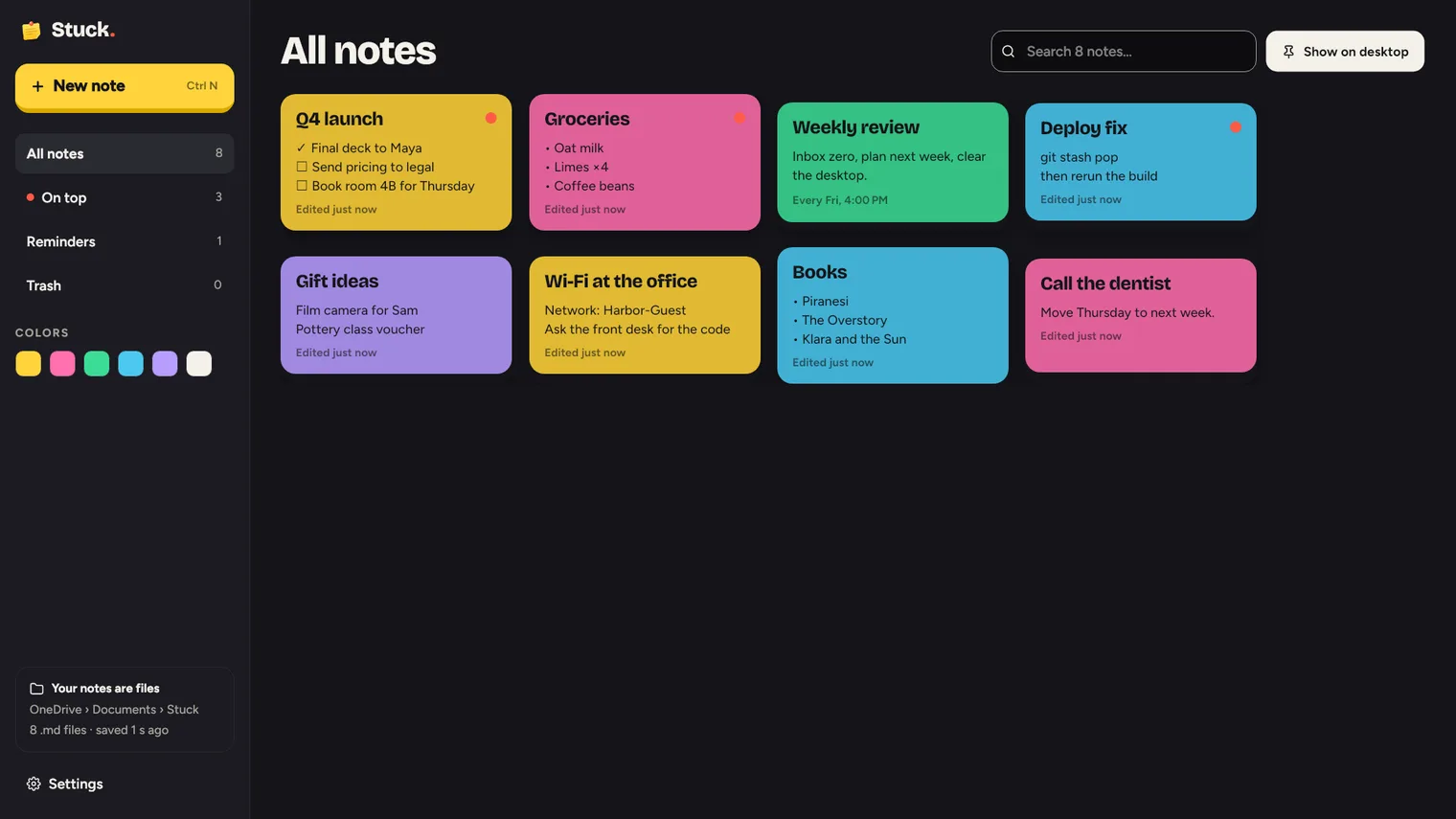
Every note in one list, with search and colors 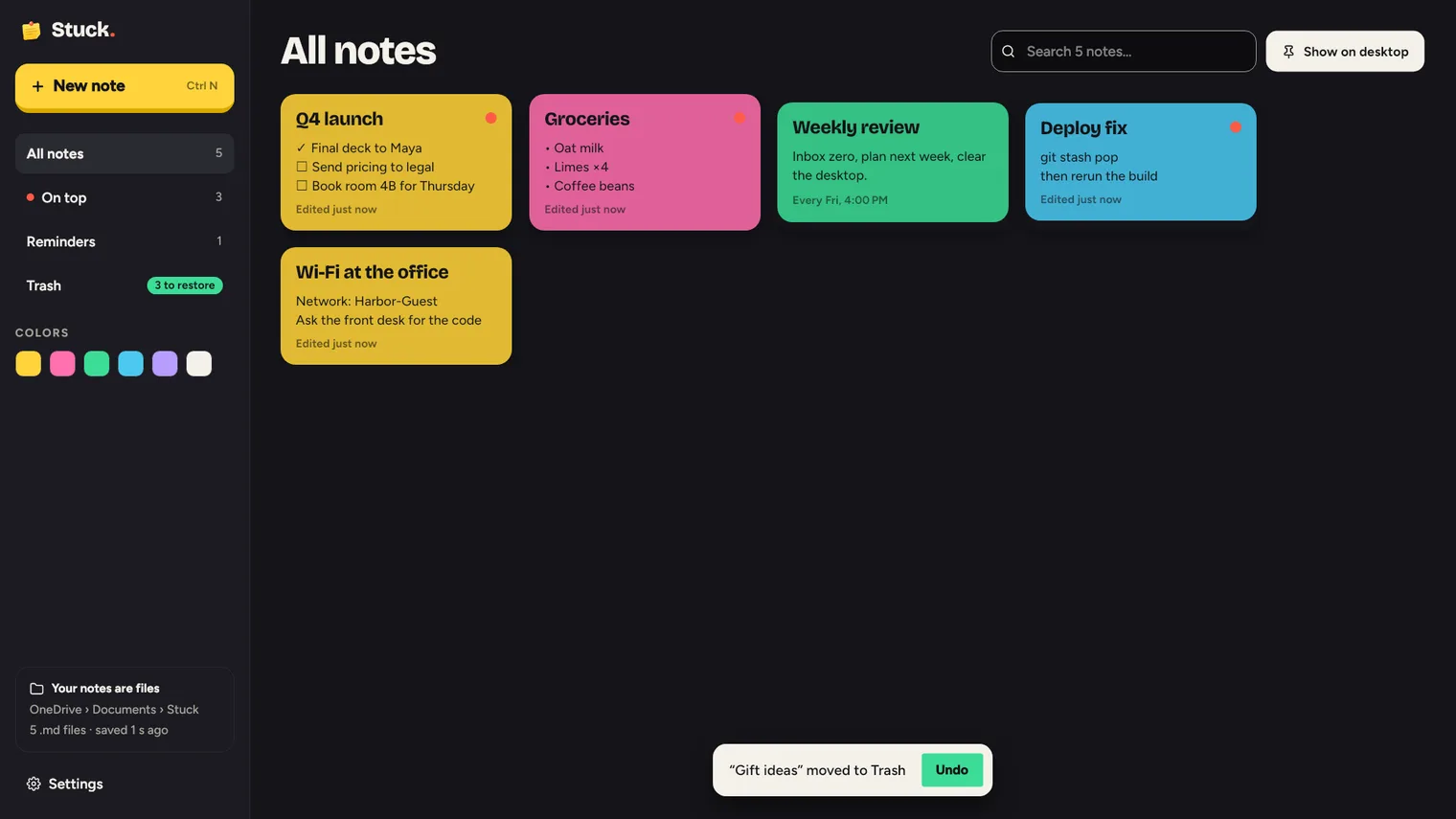
Delete a note and Undo it, or restore it from the Trash 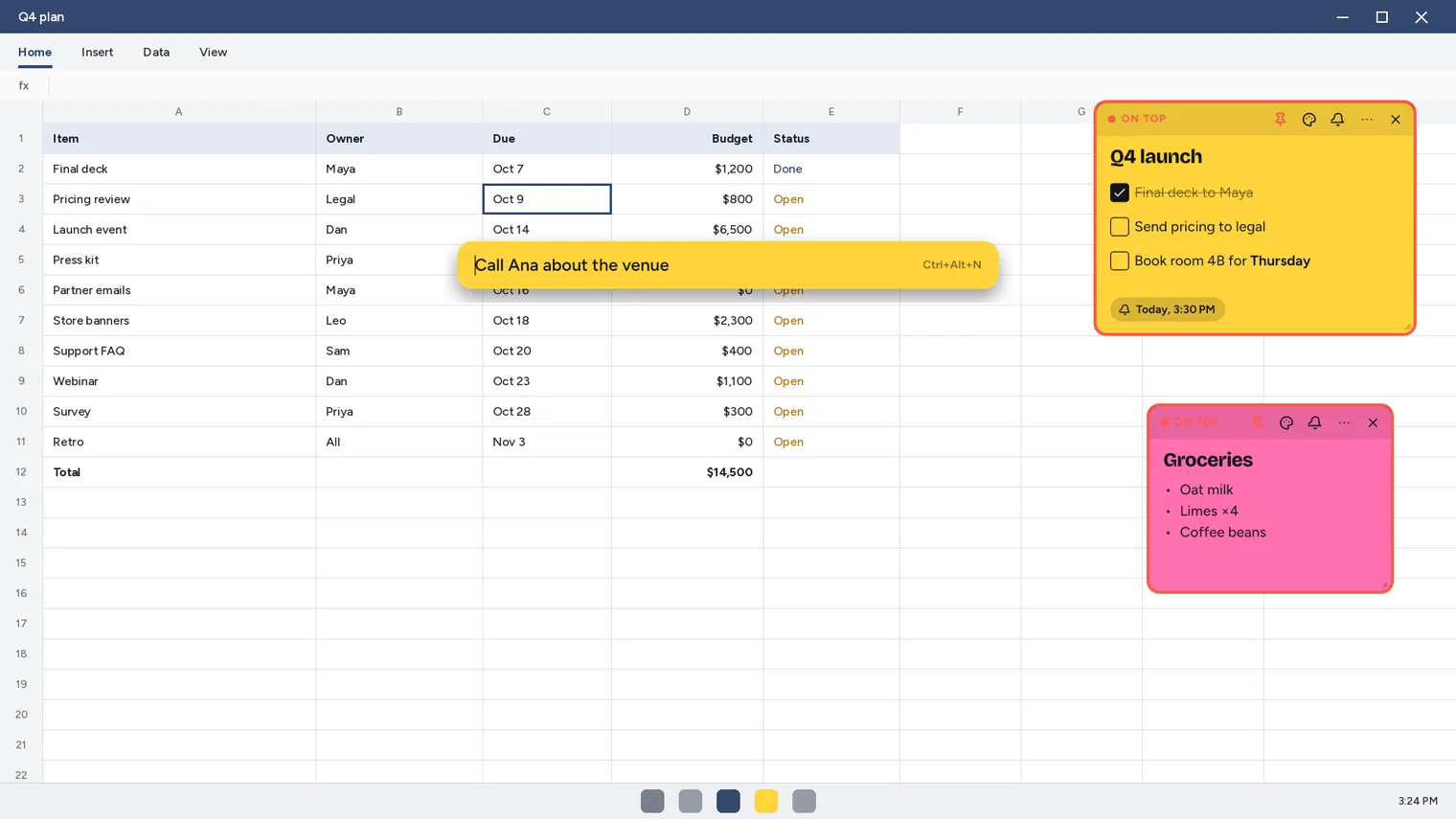
Press Ctrl+Alt+N from any app to jot a note 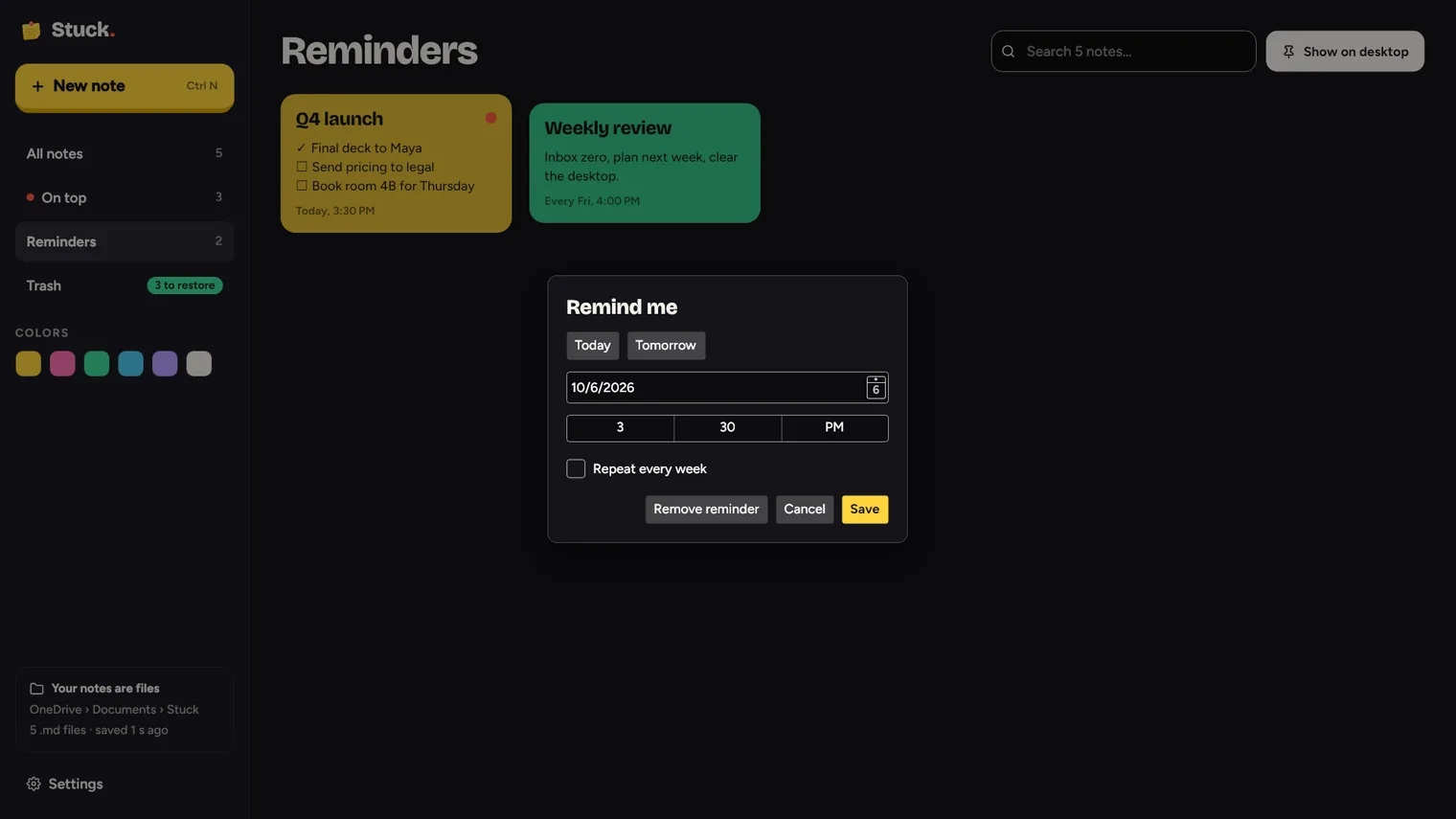
Reminders arrive as Windows notifications 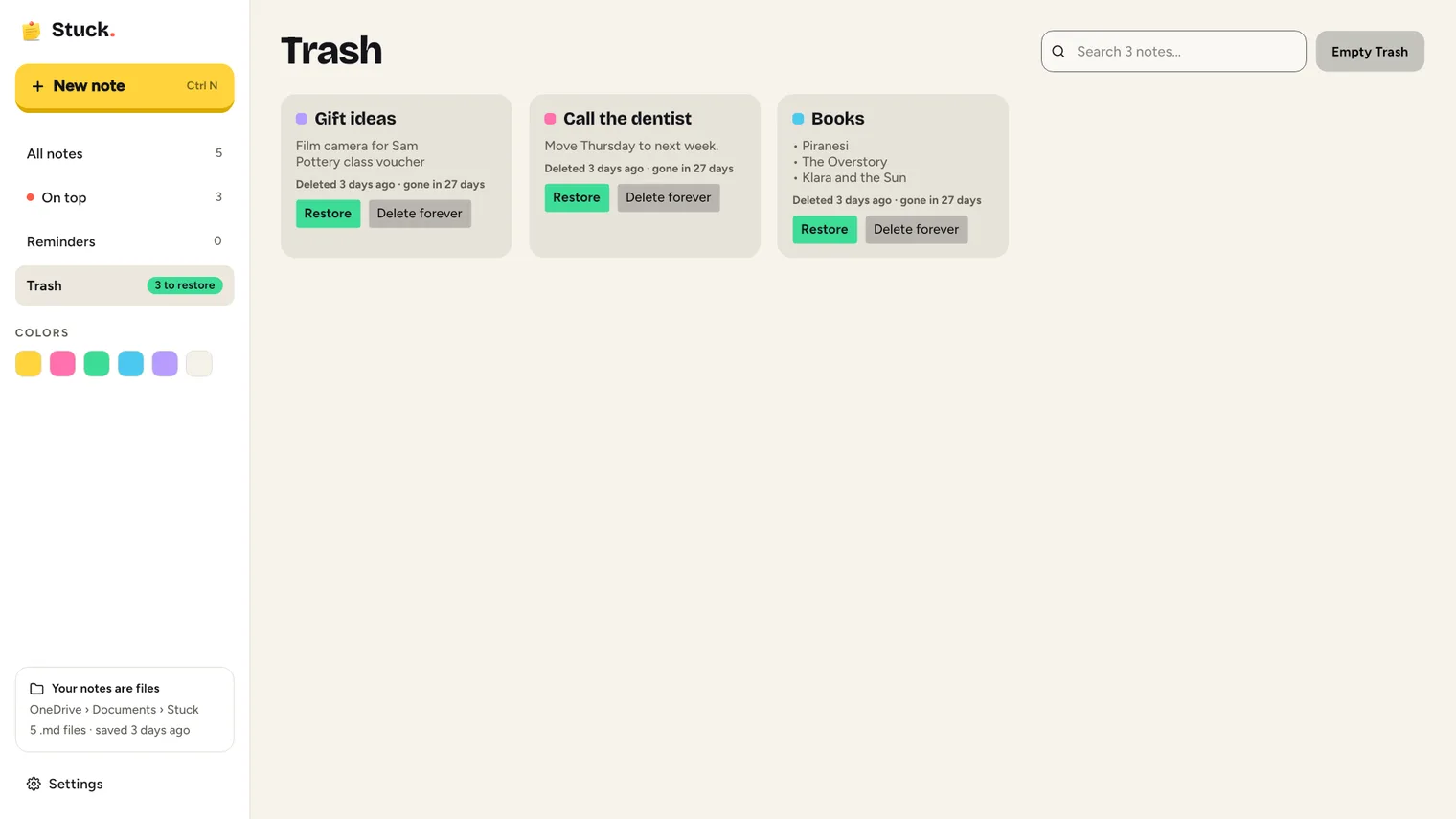
Deleted notes wait 30 days in the Trash
Description
Pin a note over any window, jot one from anywhere with a shortcut, and never lose one: deleted notes wait 30 days. Notes are plain Markdown files you own. No account. Works offline.
For anyone who keeps lists, reminders and quick notes on the desktop while working in other apps.
Every note is a .md file in a folder you choose, so you can open it in any text editor, back it up or keep it in OneDrive.
Features
- A pin on every note keeps that note on top of other windows, including maximized ones; notes on top get a red outline.
- Deleting a note moves it to the Trash for 30 days, with Undo right after deleting and Restore from the Trash.
- Every note is a Markdown (.md) file in a folder you pick (Documents\Stuck by default, or a OneDrive folder); edits made in other apps show up in the note.
- A global shortcut (Ctrl+Alt+N by default) opens a quick bar from any app; Enter turns what you typed into a note.
- One-time or weekly reminders appear as Windows notifications, also when Stuck is closed, with Snooze 10 min and Done.
- Checklists you tick with one click, bullets, bold text and a title line.
- Six note colors, transparency per note, and notes remember their size and place on this PC.
- A main window lists every note, with search, color filters, On top, Reminders and Trash sections.
- Starts with Windows (can be turned off) and lives in the notification area.
- English and Spanish, light and dark themes.
- Paste a screenshot or picture into a note with Ctrl+V, or drop an image file on it; pictures are saved in an images folder next to the notes and show on the cards in the main window.
Questions
Is it a subscription?
No. You pay once in the Microsoft Store and the app is yours, with updates.
Can I try it first?
Yes. For 7 days everything works. After that you can still read and copy your notes; writing and creating new ones needs the purchase.
Do I need an account?
No account and no sign-in. Only the Microsoft Store account you already use on Windows.
Does it work offline?
Yes. Everything runs on your PC. Your files are never uploaded.
Which files does it open?
Every note is a .md file in a folder you choose, so you can open it in any text editor, back it up or keep it in OneDrive.