Apps / Pulsewright

Pulsewright
LCTR · Utilities & tools
Find out what is slowing your PC down.
Try it free for 7 days in the Microsoft Store, then buy once for 4.99 USD.
US price. The Store shows the price for your country.
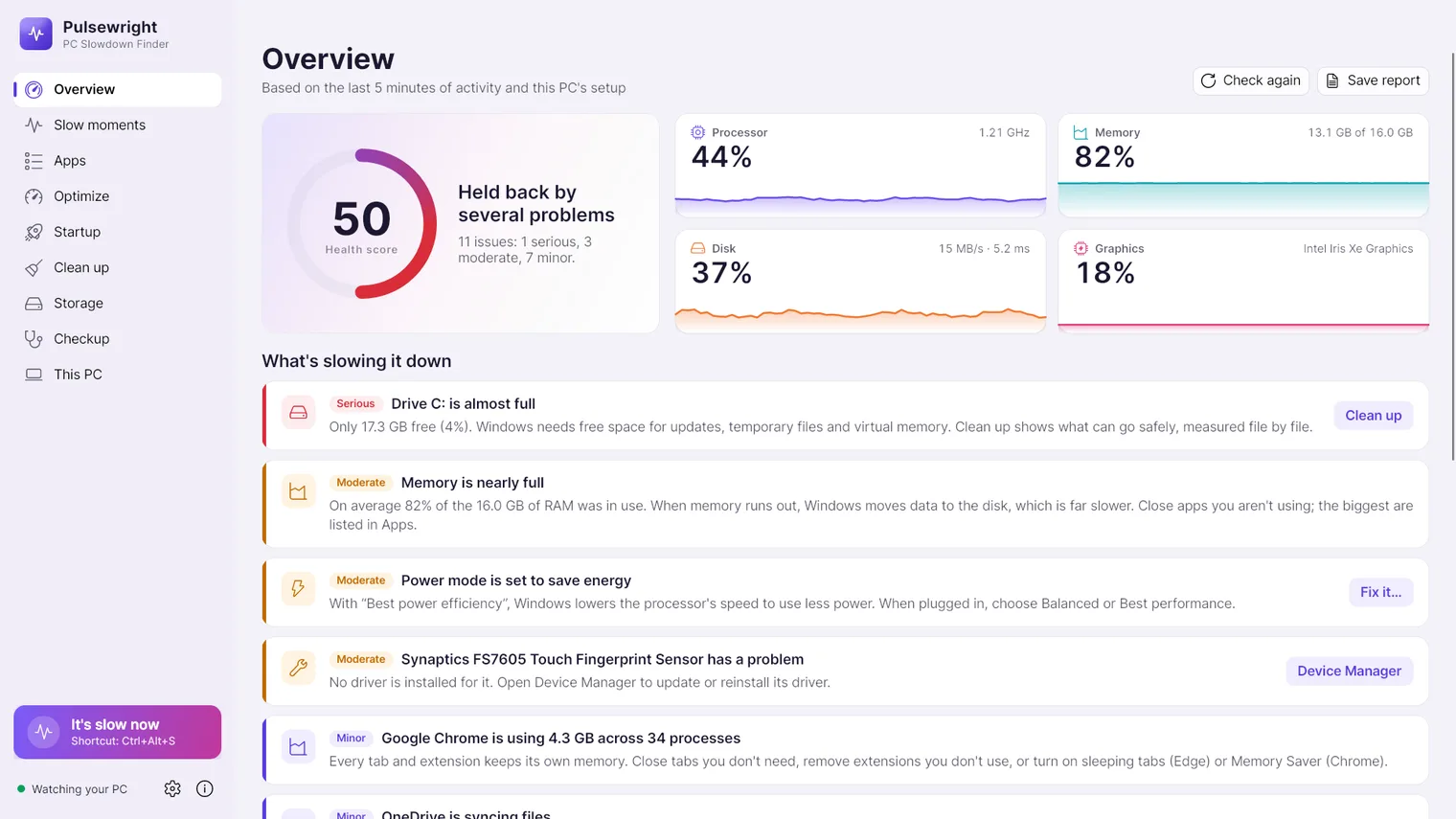
Live processor, memory, disk and graphics use, with a health score 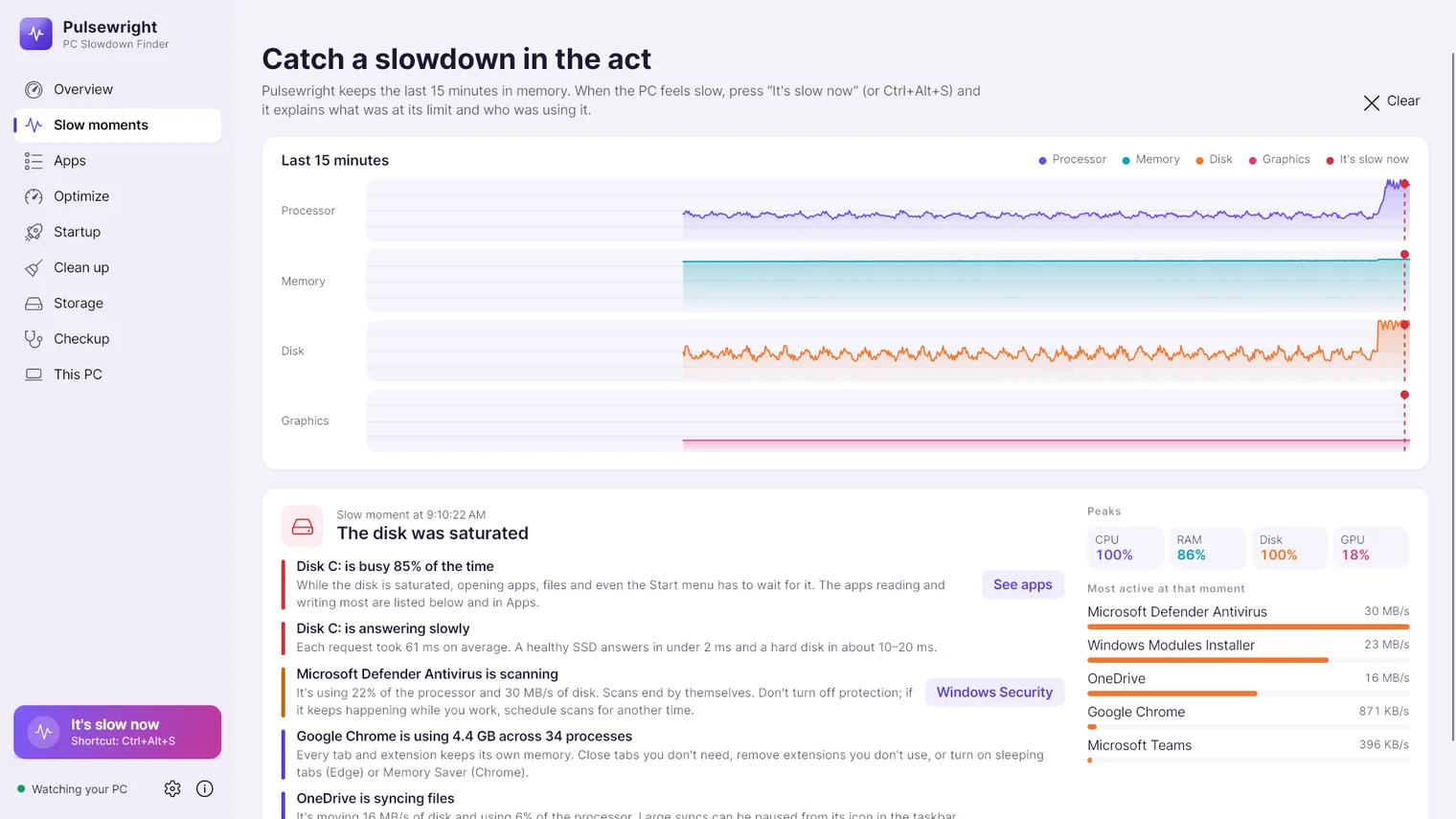
Press "It's slow now" and see what was at its limit at that moment 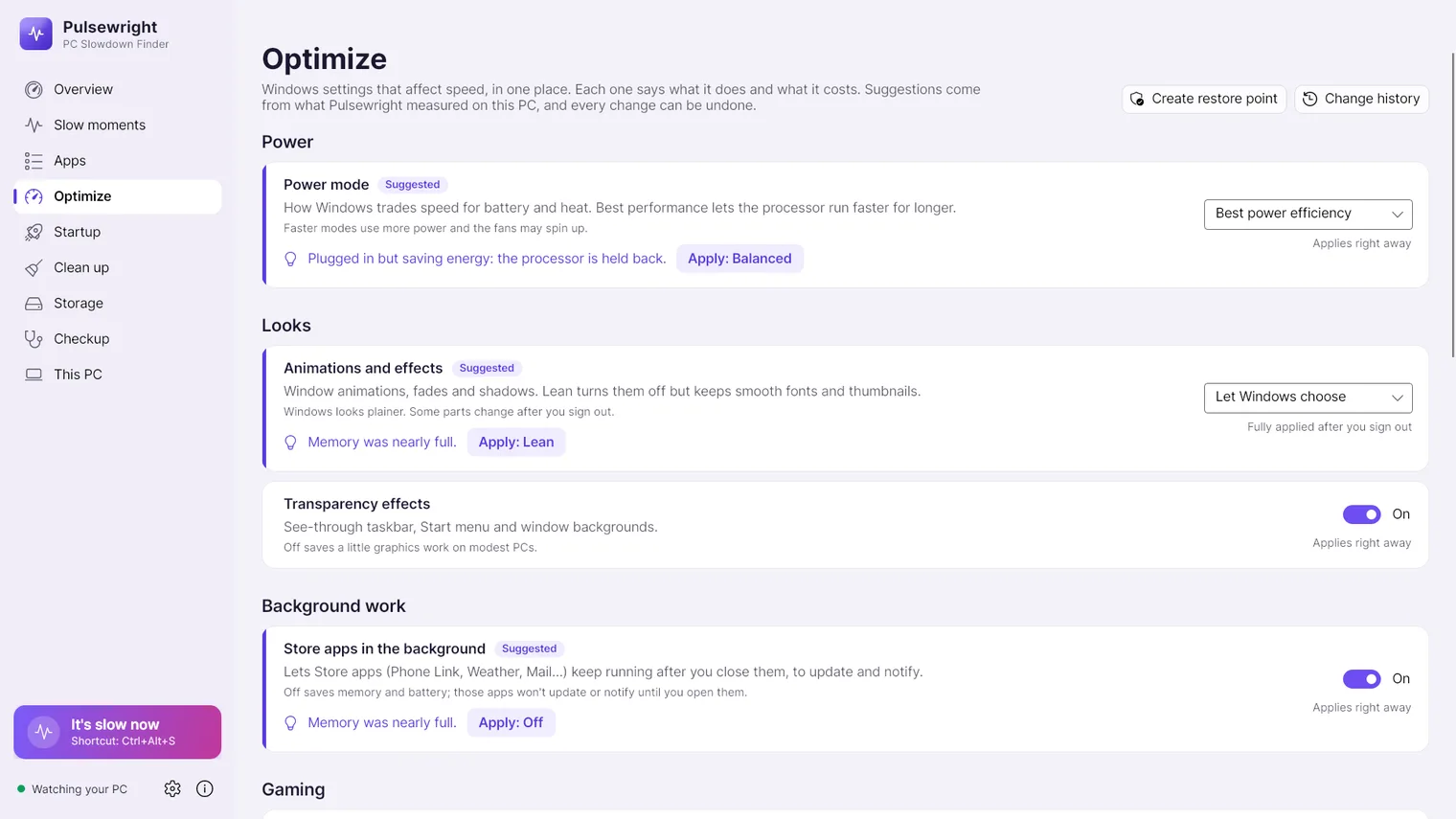
Windows settings that affect speed, each with a one-click undo 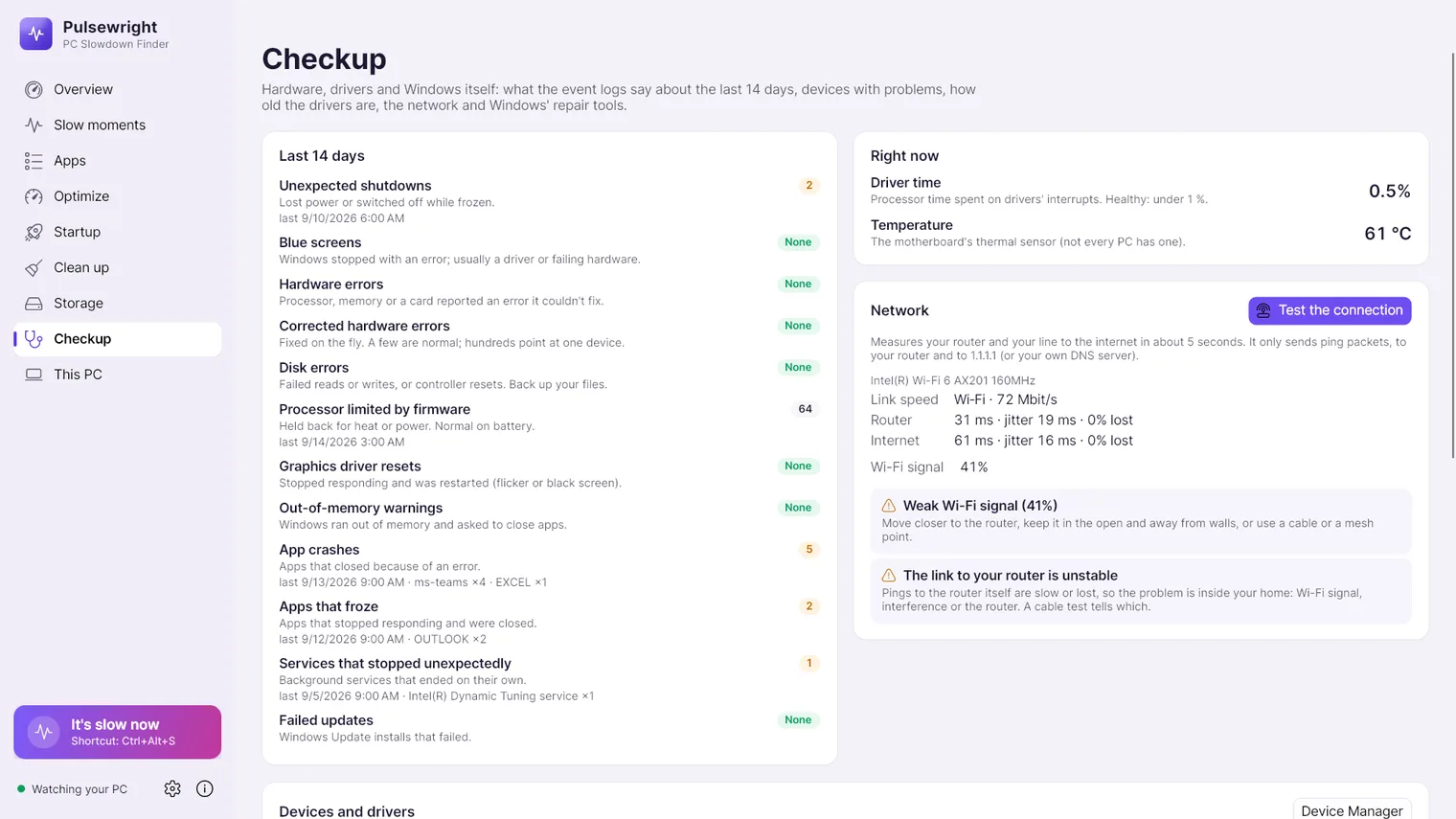
A checkup of Windows' logs from the last 14 days: crashes, errors, failed updates 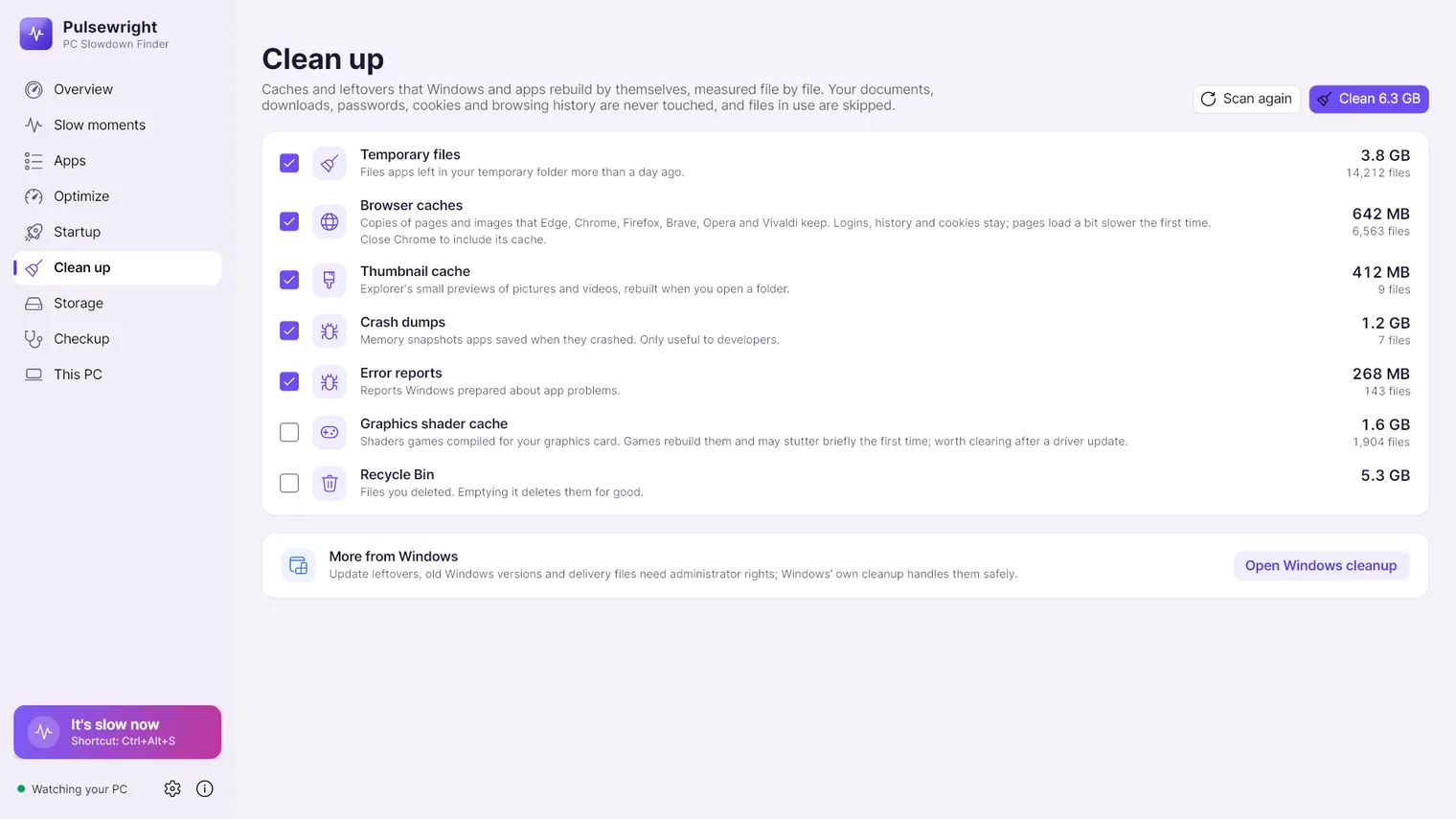
Measure and clear temporary files and caches, never your documents 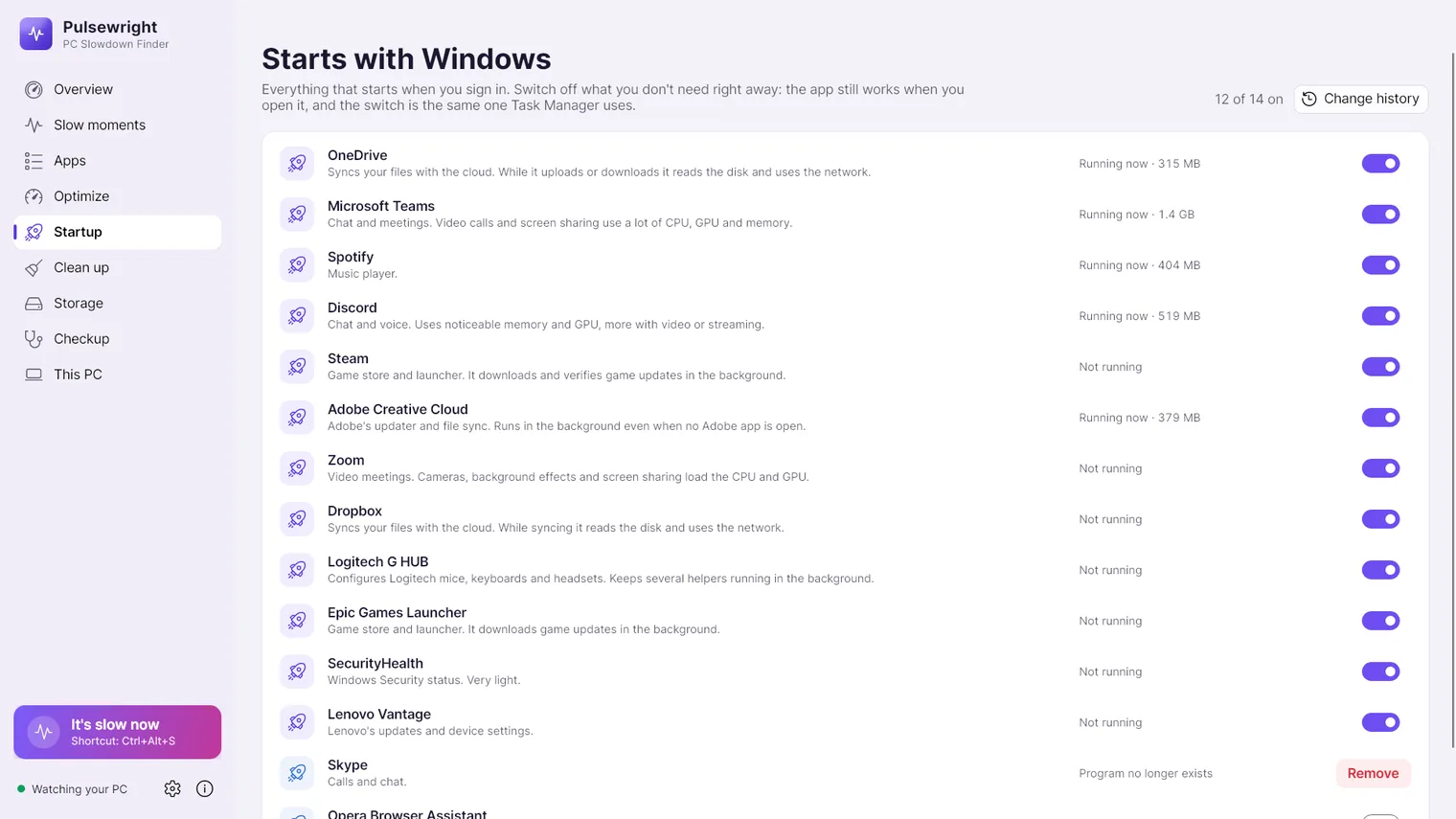
Turn startup apps on or off, with undo 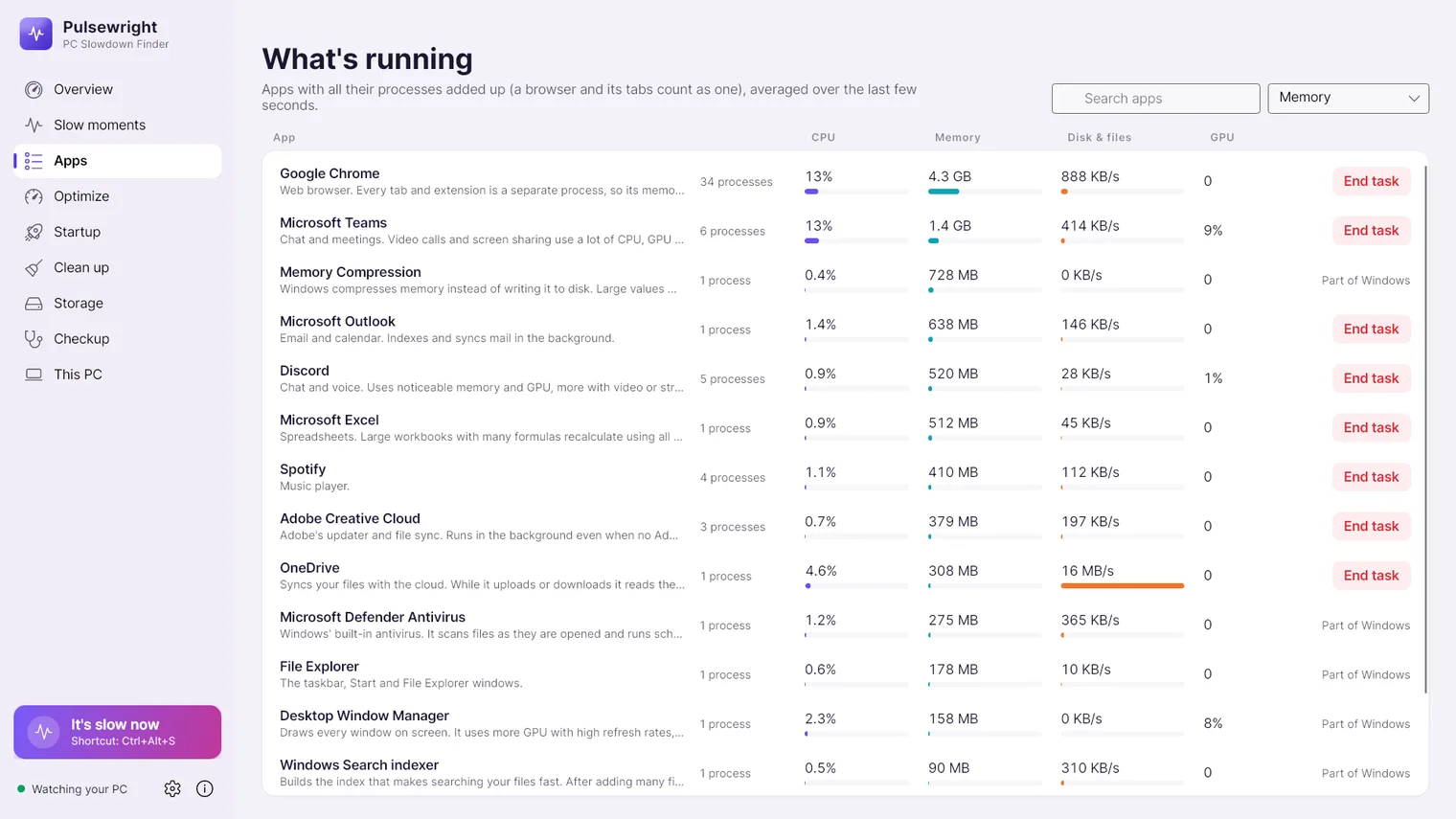
Apps grouped as you know them: a browser and all its tabs count as one 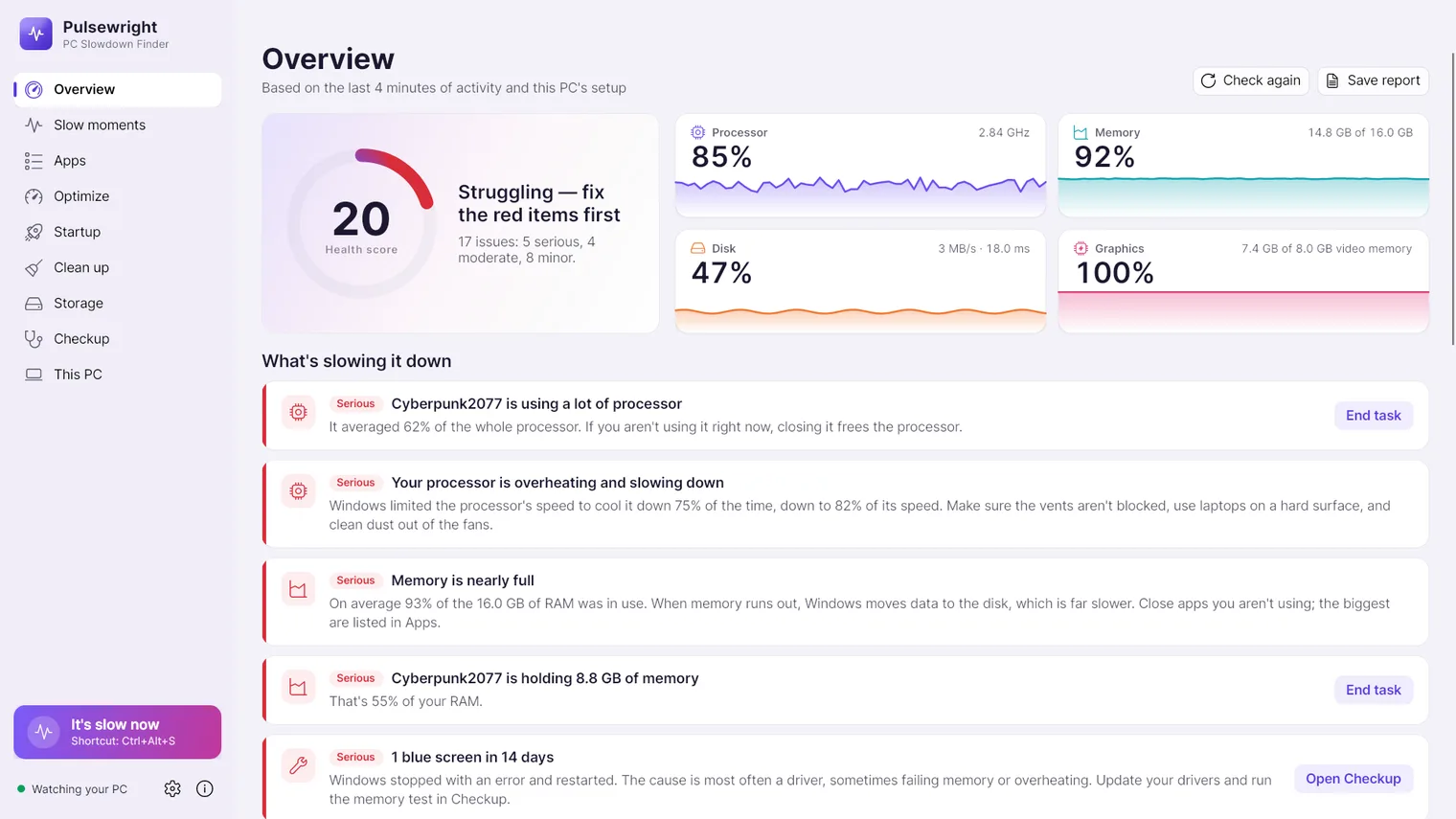
Game Mode and background recording settings for gaming 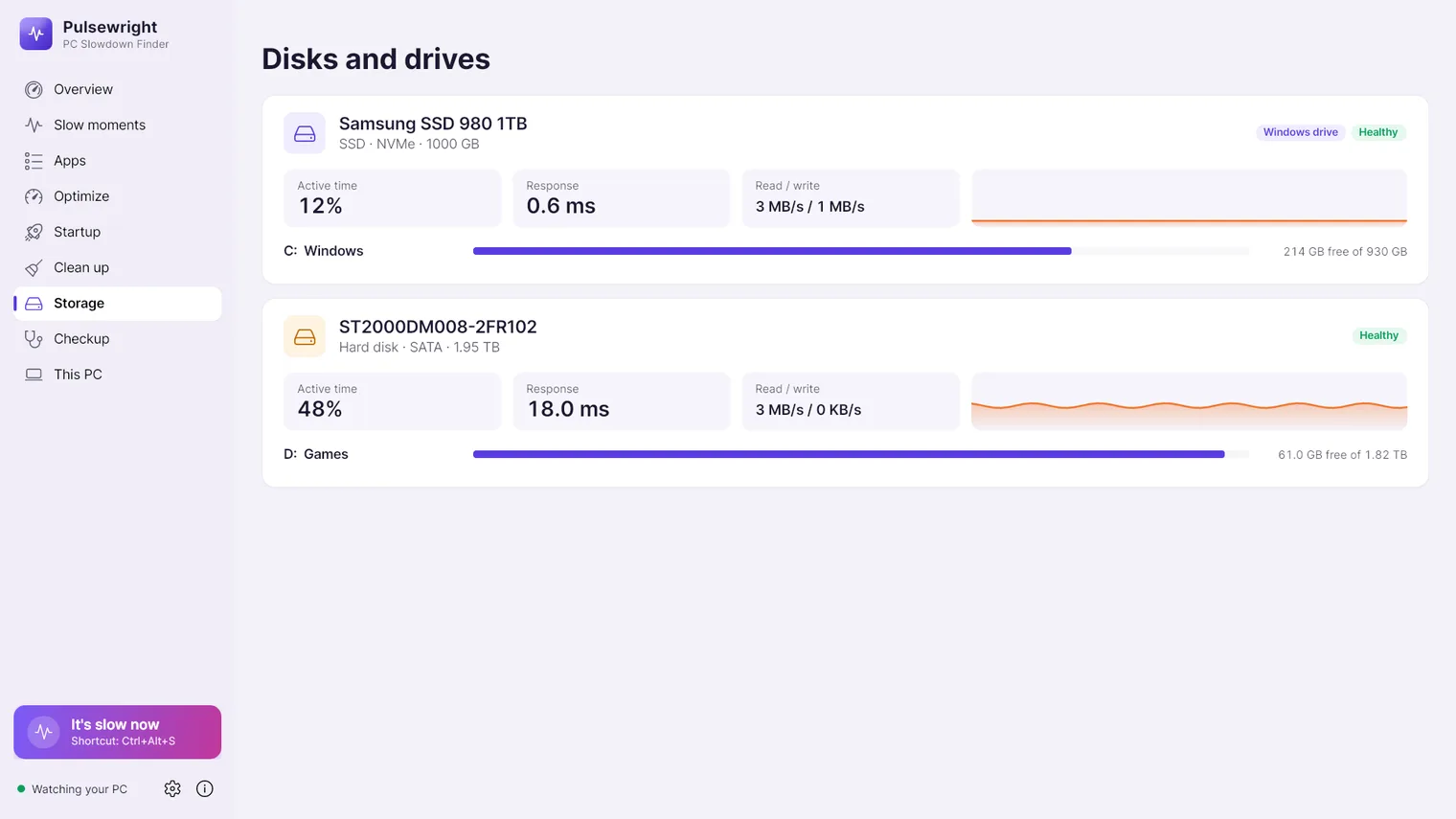
Check every disk: type, health, busy time and free space 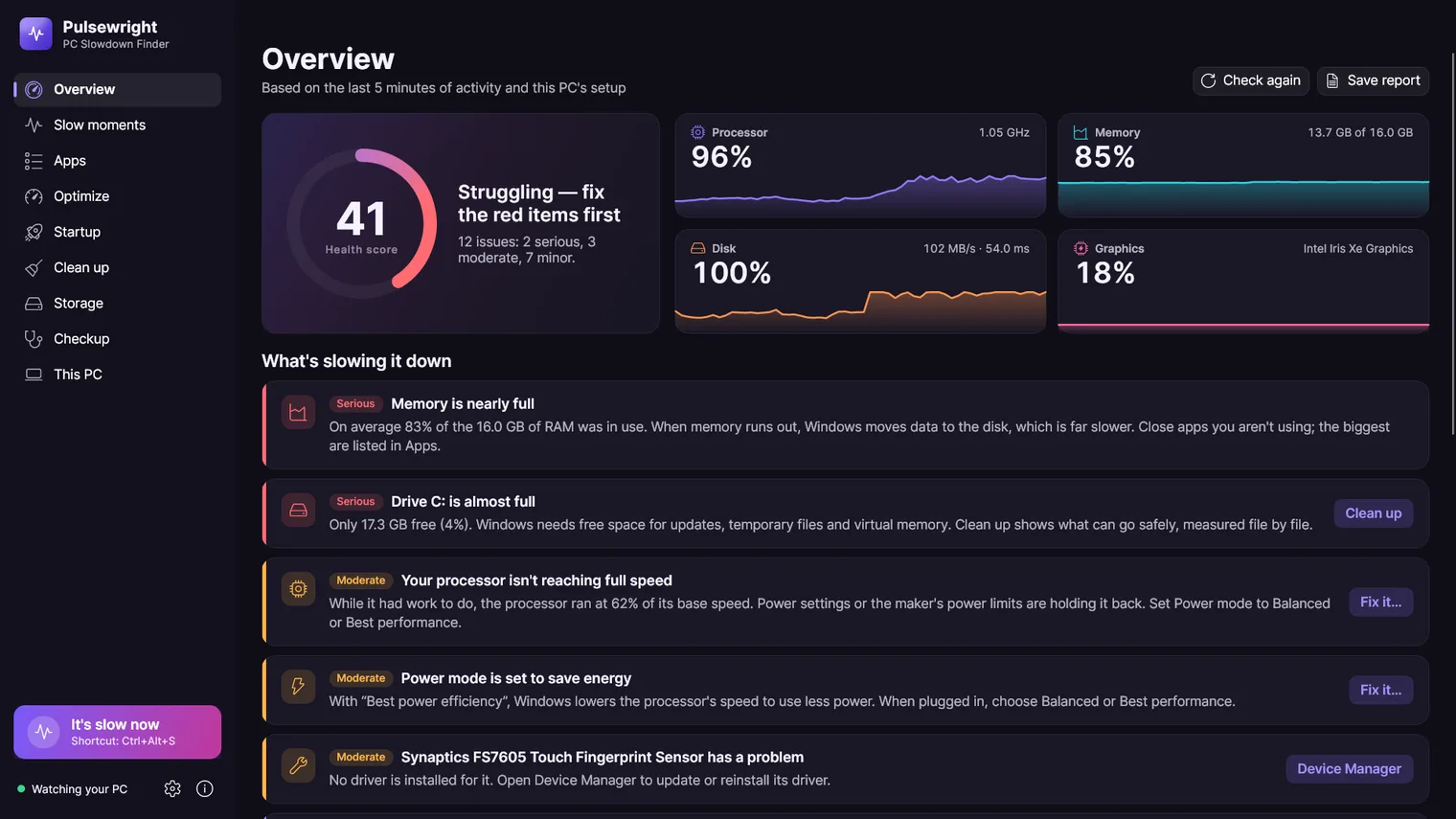
Dark mode
Description
Live use of the processor, memory, disk and graphics card, a plain-words list of what is slowing things down, and fixes you can undo with one click. No account. Works offline.
For anyone whose PC feels slow and who wants to know why, the app, the disk, the memory, the heat or a setting, before paying for repairs or new hardware.
It reads what Windows itself reports, so temperatures in degrees are not shown on PCs that do not report them. It has no registry cleaner and makes no change that weakens security. Nothing changes until you click, and every change can be undone. Windows 11 64-bit only.
Features
- Shows live processor, memory, disk and graphics use with one-minute charts and a 15-minute history.
- Gives a health score and a list of what slows the PC down, most serious first, each with the numbers behind it.
- An "It's slow now" button and the Ctrl+Alt+S shortcut, from any app, explain what was at its limit at that moment and which apps were using it.
- Groups processes by app (a browser and all its tabs count as one), with processor, memory, disk and graphics use, and can end an app after asking.
- Checks every disk: SSD or hard disk, health reported by Windows, busy time, response time and free space.
- Detects full memory, Windows using the disk as memory, apps whose memory keeps growing, single-channel memory and memory running below its rated speed.
- Detects a processor that is overheating and slowing down, power modes that limit speed, energy saver and running on battery.
- Recognises background work that slows a PC for a while (Windows Update, antivirus scans, search indexing and cloud sync) and says it will finish on its own.
- Checks startup apps, time since the last restart, pending restarts, graphics driver age, more than one antivirus and a disabled page file.
- Each finding offers a fix: a setting the app can change for you, or the Windows Settings page that fixes it. Nothing changes until the user clicks.
- An Optimize page with Windows settings that affect speed (power mode and plan, animations, transparency, background Store apps, Storage Sense, hibernation, fast startup, Game Mode, Game Bar background recording, GPU scheduling, SysMain and search indexing) each with what it costs and a suggestion for this PC.
- Every change is recorded with its previous value. Undo one change or all of them from the history; the history survives restarts.
- Settings that need administrator rights show the normal Windows permission prompt; the app itself runs without administrator rights.
- Turns startup apps on or off and removes entries whose program no longer exists, with undo.
- Measures and clears temporary files, browser caches, the thumbnail cache, crash dumps, error reports, the graphics shader cache and the Recycle Bin. Files in use and browsers that are open are skipped; logins, cookies, history and documents are never touched.
- A Checkup page that reads Windows' logs from the last 14 days (unexpected shutdowns, blue screens, hardware and disk errors, graphics driver resets, low memory, app crashes and hangs, failed updates) plus devices with problems, driver versions, firmware date and driver latency.
- An optional connection test that measures Wi-Fi signal and pings the router and the DNS server (or 1.1.1.1) to tell a slow PC from a slow connection.
- Starts Windows' own repair tools (system file check (SFC), image repair (DISM), disk check, memory test) and creates a restore point.
- Explains in plain words what common processes are, including the Windows services inside each Service Host.
- Saves a full report as an HTML file to keep or send to whoever helps with the PC.
Questions
Is it a subscription?
No. You pay once in the Microsoft Store and the app is yours, with updates.
Can I try it first?
Yes. Try it free for 7 days in the Microsoft Store first. If you keep it, it is a one-time purchase of 4.99 USD, no subscription.
Do I need an account?
No account and no sign-in. Only the Microsoft Store account you already use on Windows.
Does it work offline?
Yes. Everything runs on your PC. Your files are never uploaded.
What does it check?
It reads what Windows itself reports, so temperatures in degrees are not shown on PCs that do not report them. It has no registry cleaner and makes no change that weakens security. Nothing changes until you click, and every change can be undone. Windows 11 64-bit only.