Apps / Photo Pro Edition
Photo Pro Edition
LCTR · Photo & video
Open and edit PSD files without a subscription.
Free 7-day trial in the Microsoft Store. After it, your files still open for free.
US price. The Store shows the price for your country.
Buy for Windows | instant .zip14-day money-back guarantee. Pay once on Gumroad and download the .zip right away. Unzip it, run the .exe, no account and no key. If Windows says «Windows protected your PC», click More info, then Run anyway: the app is new and Windows does not know it yet.
Pay once. Own it. No subscription.
No subscription. One-time payment. Works offline, no account.
$24.99 once, instead of paying every month. See all five Pro apps
Teams: 5 seats $87.99. One payment, no subscription. Each seat is one computer of your organization. Perpetual use, updates to the current major version included. Terms in LICENSE.txt in the download.
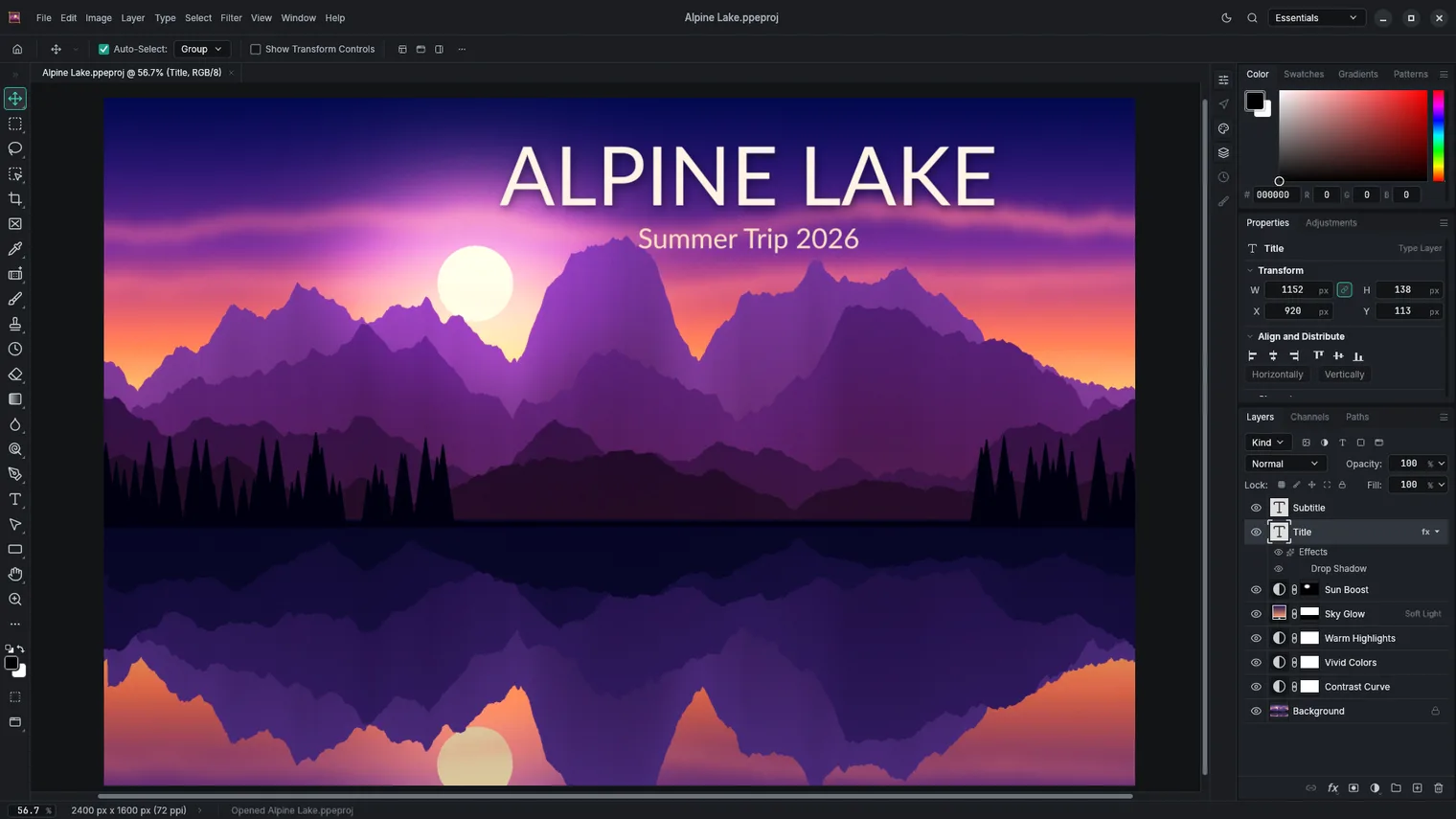
Work with layers, groups and blend modes 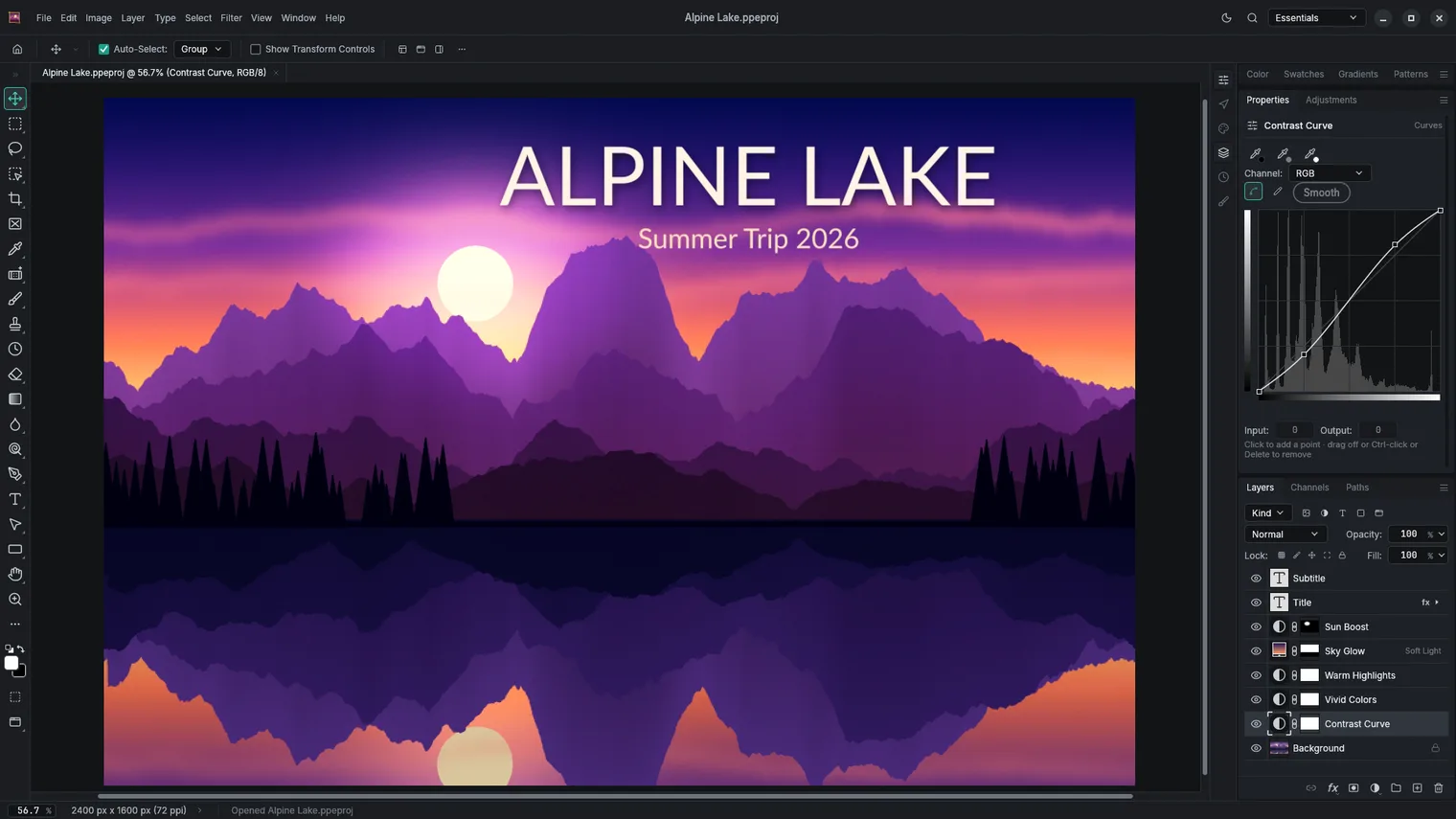
Adjust tones with editable adjustment layers 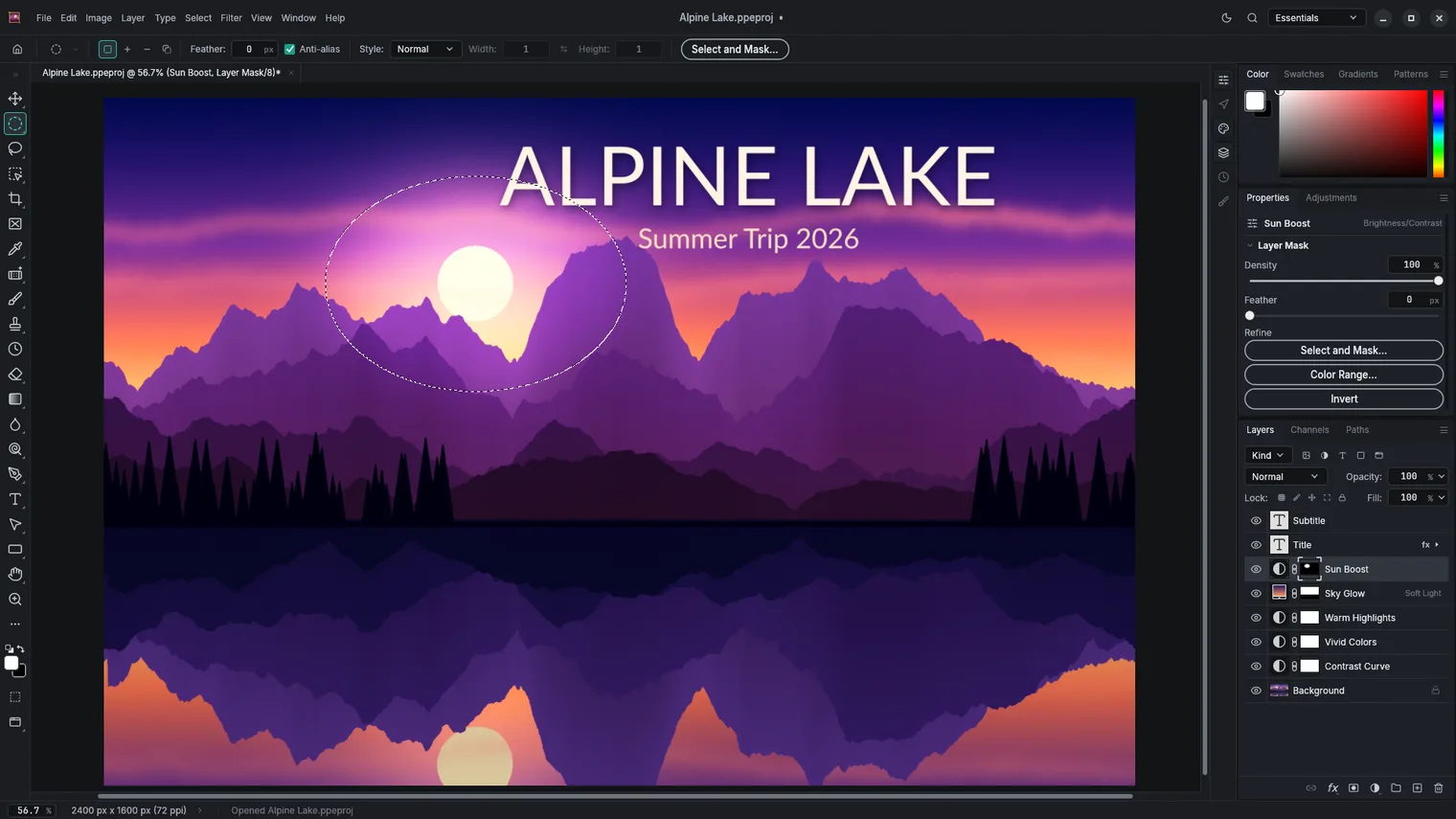
Cut out with masks and Select Subject 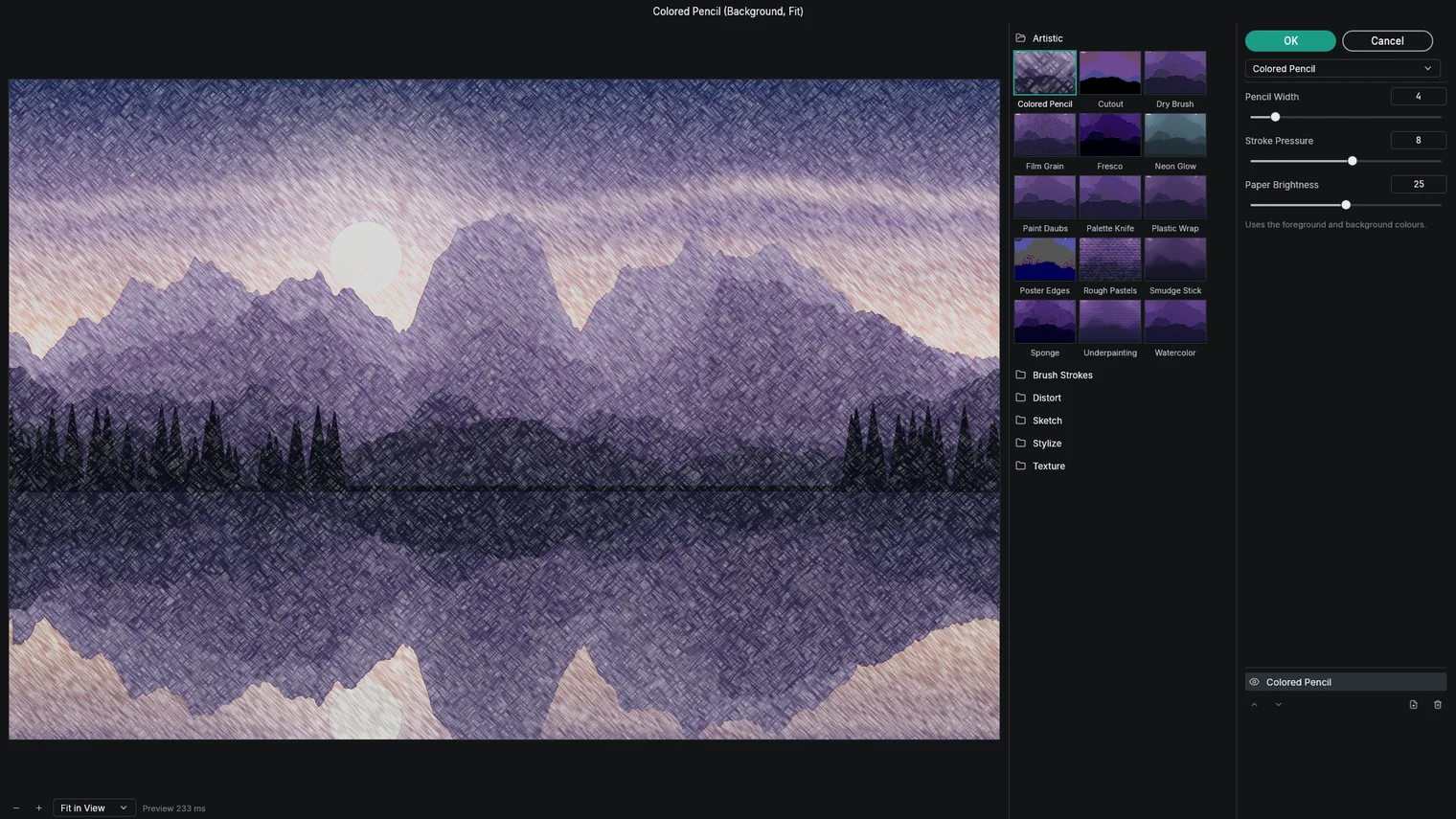
Apply filters with a live preview 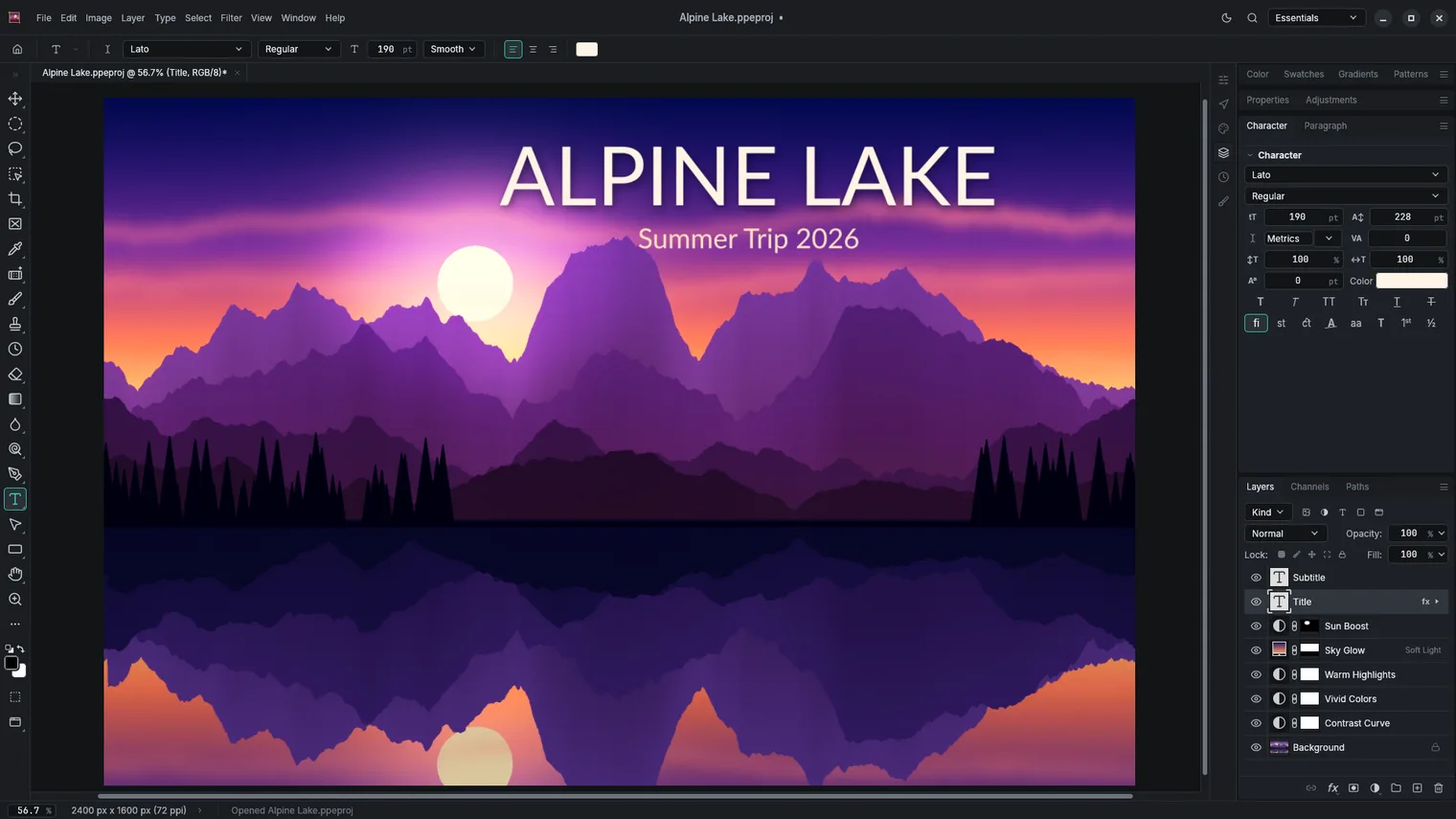
Text layers that stay editable 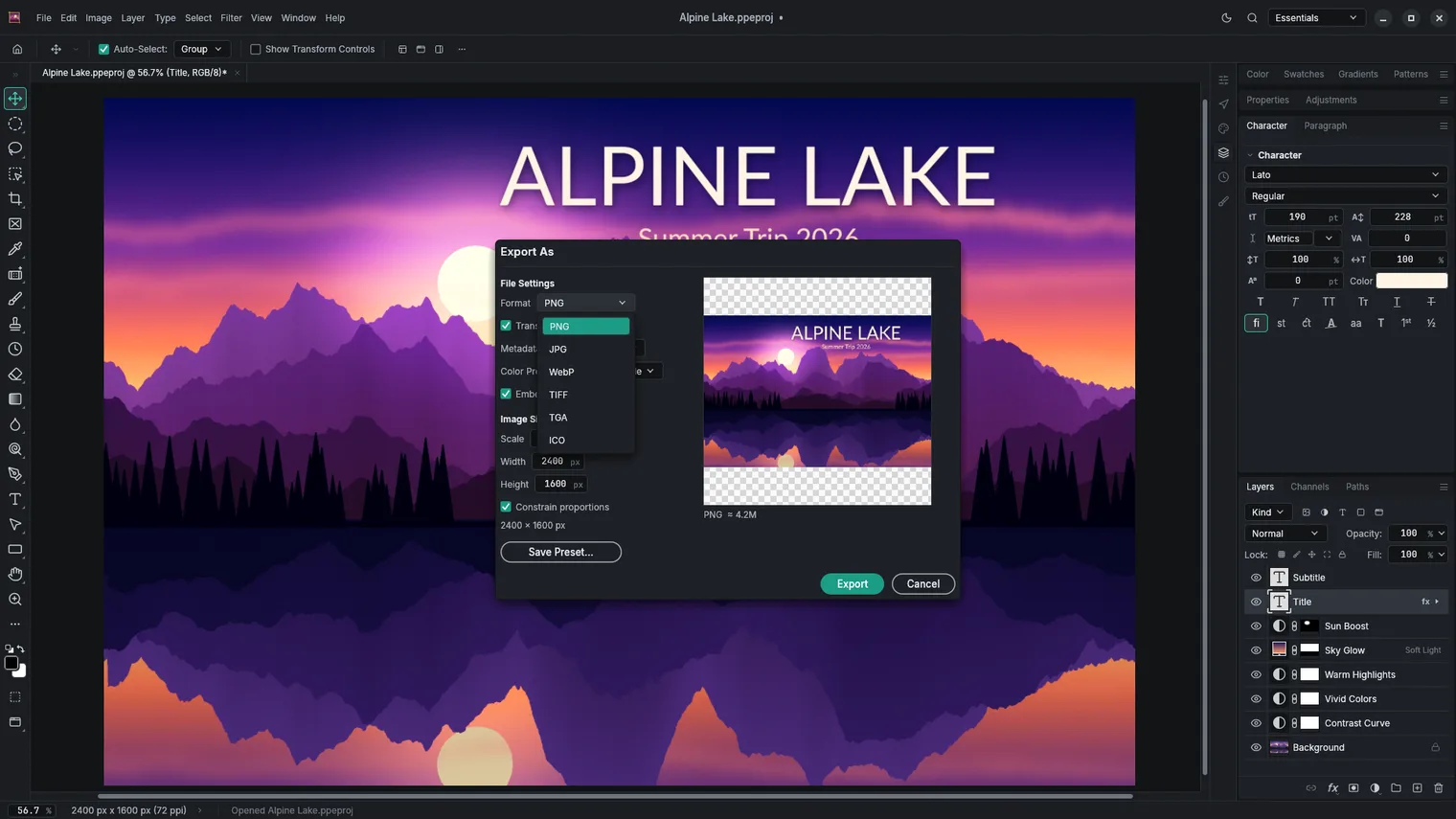
Save as PSD, PNG, JPEG, WebP and more
Description
Layers, masks, adjustment layers, brushes and Remove Background, in a photo editor you buy once. Works offline.
For designers who receive PSD files, photographers and anyone who retouches images.
Opens and saves layered PSD and PSB, PNG, JPEG, WebP, TIFF, camera raw and DNG.
Features
- Opens and saves layered PSD and PSB files with groups, masks, adjustment layers, layer styles, text and smart objects.
- Opens and saves PNG, JPEG, WebP, TIFF, BMP, GIF (first frame), Targa, OpenEXR, Radiance HDR and OpenRaster files, and opens SVG files as editable shapes.
- Layers, groups, blend modes, opacity, layer masks, vector masks, clipping masks and layer styles such as drop shadow and stroke.
- Adjustments such as Levels, Curves, Hue/Saturation, Color Balance, Black & White and Exposure, as editable adjustment layers.
- Filters for blur, sharpen, noise, distort and stylize, with a live preview.
- Brushes, eraser, clone stamp, healing brush, gradients and fill, with pen pressure.
- Marquee, lasso, magnetic lasso, magic wand, quick selection, Color Range and Select Subject; Remove Background masks out the background of a photo on the PC.
- Crop, straighten, Image Size and Canvas Size, free transform, warp and perspective.
- Text layers with fonts, sizes, colors and paragraph settings that stay editable.
- Opens camera raw photos and DNG files with exposure, white balance and tone controls.
- Color management with ICC profiles, RGB, CMYK, Grayscale and Lab modes, and 8, 16 and 32-bit images.
- Actions record steps and replay them on one image or a folder of images.
- Light and dark themes.
- The interface comes in 21 languages, including English, Spanish, French, German, Italian, Portuguese and Japanese.
Questions
Is it a subscription?
No. You pay once in the Microsoft Store and the app is yours, with updates.
Can I try it first?
Yes. The Store offers a free 7-day trial with every feature.
Do I need an account?
No account and no sign-in. Only the Microsoft Store account you already use on Windows.
Does it work offline?
Yes. Everything runs on your PC. Your files are never uploaded.
Which files does it open?
Opens and saves layered PSD and PSB, PNG, JPEG, WebP, TIFF, camera raw and DNG.