Apps / Namewright | Batch Rename
Namewright | Batch Rename
LCTR · Utilities & tools
Rename hundreds of files at once.
Try it free in the Microsoft Store, then buy once for 3.99 USD.
US price. The Store shows the price for your country.
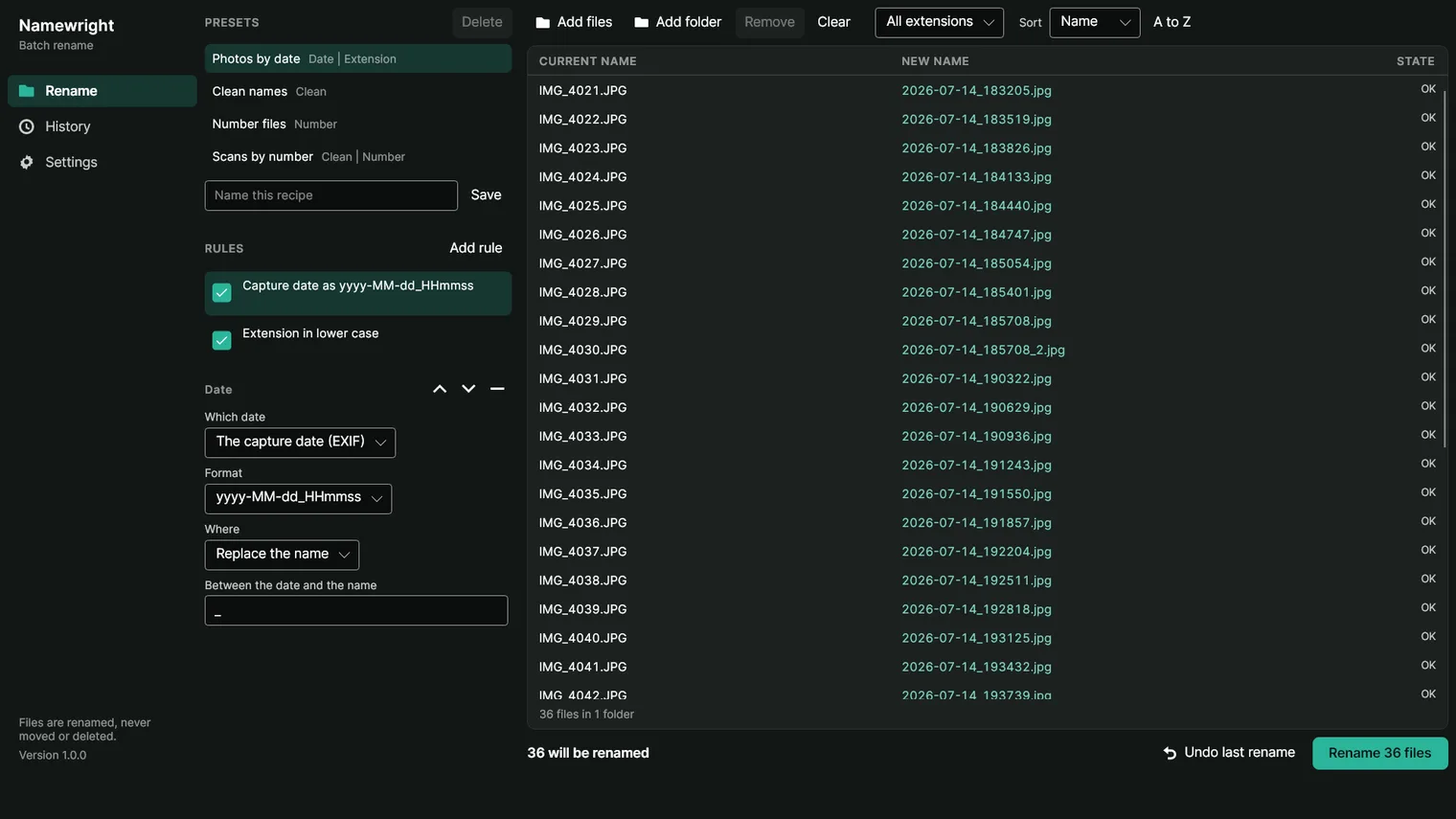
Name photos by the day they were taken 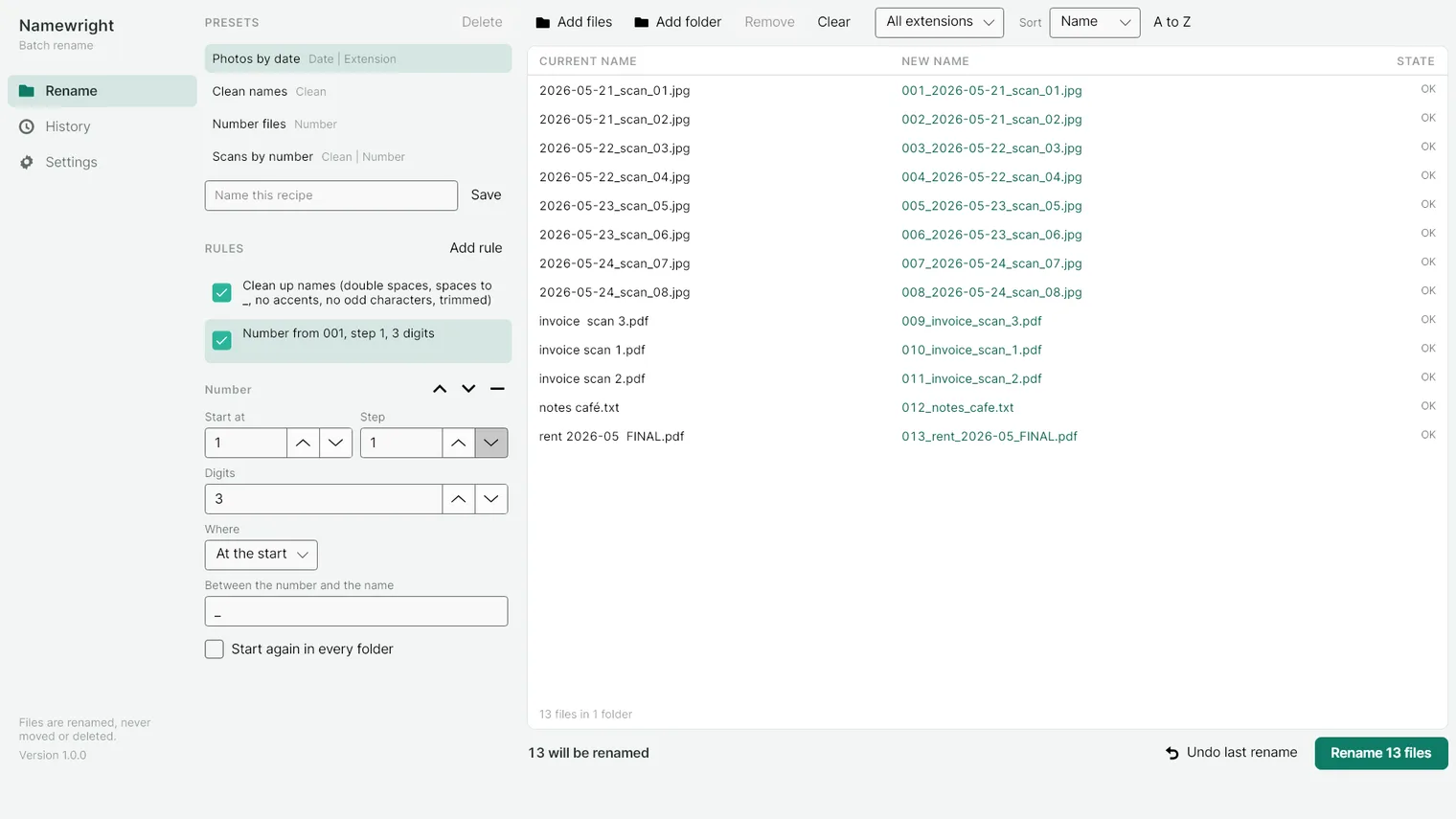
Number files with a start, a step and zeros 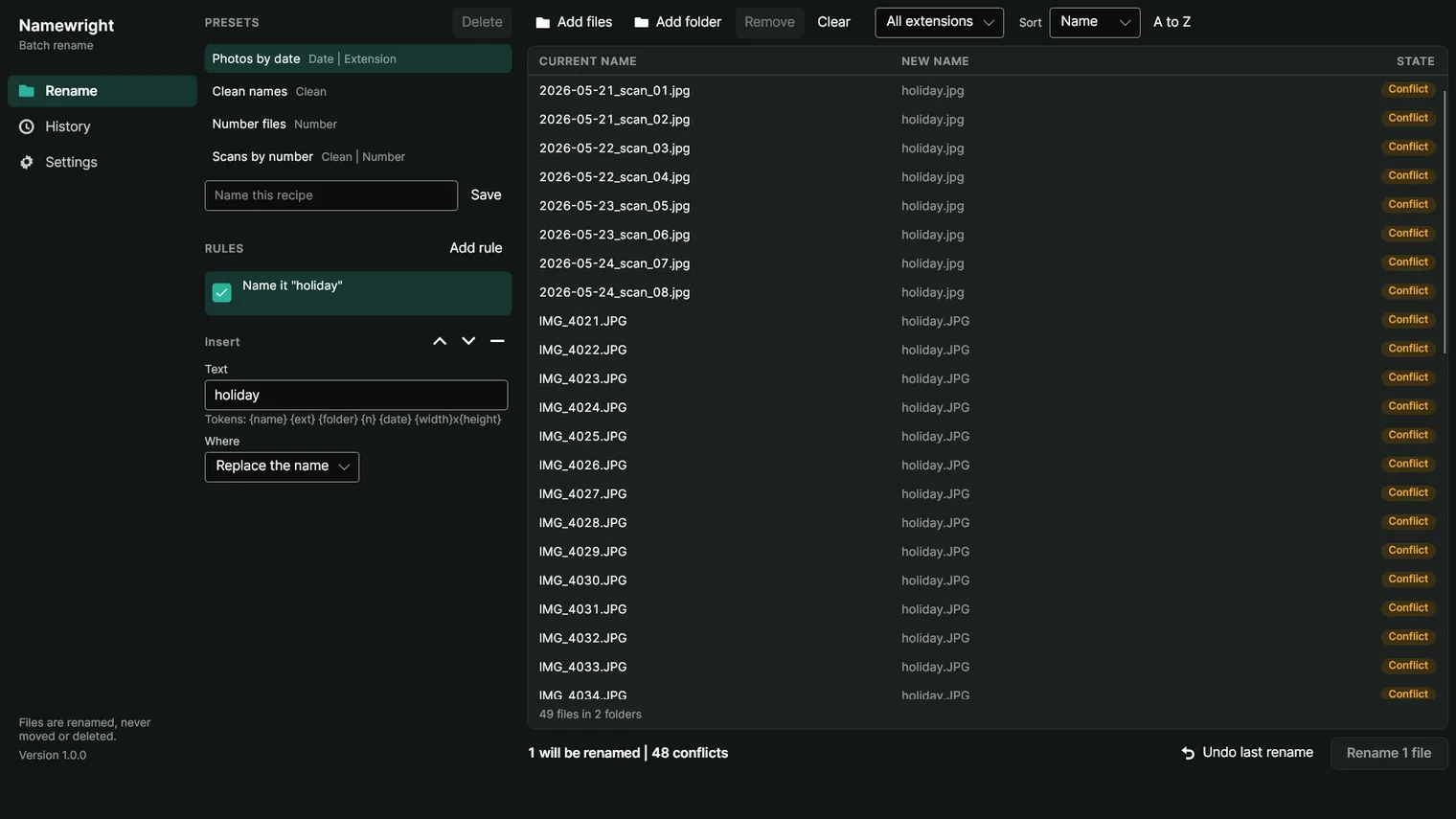
Clashing names are marked before anything runs 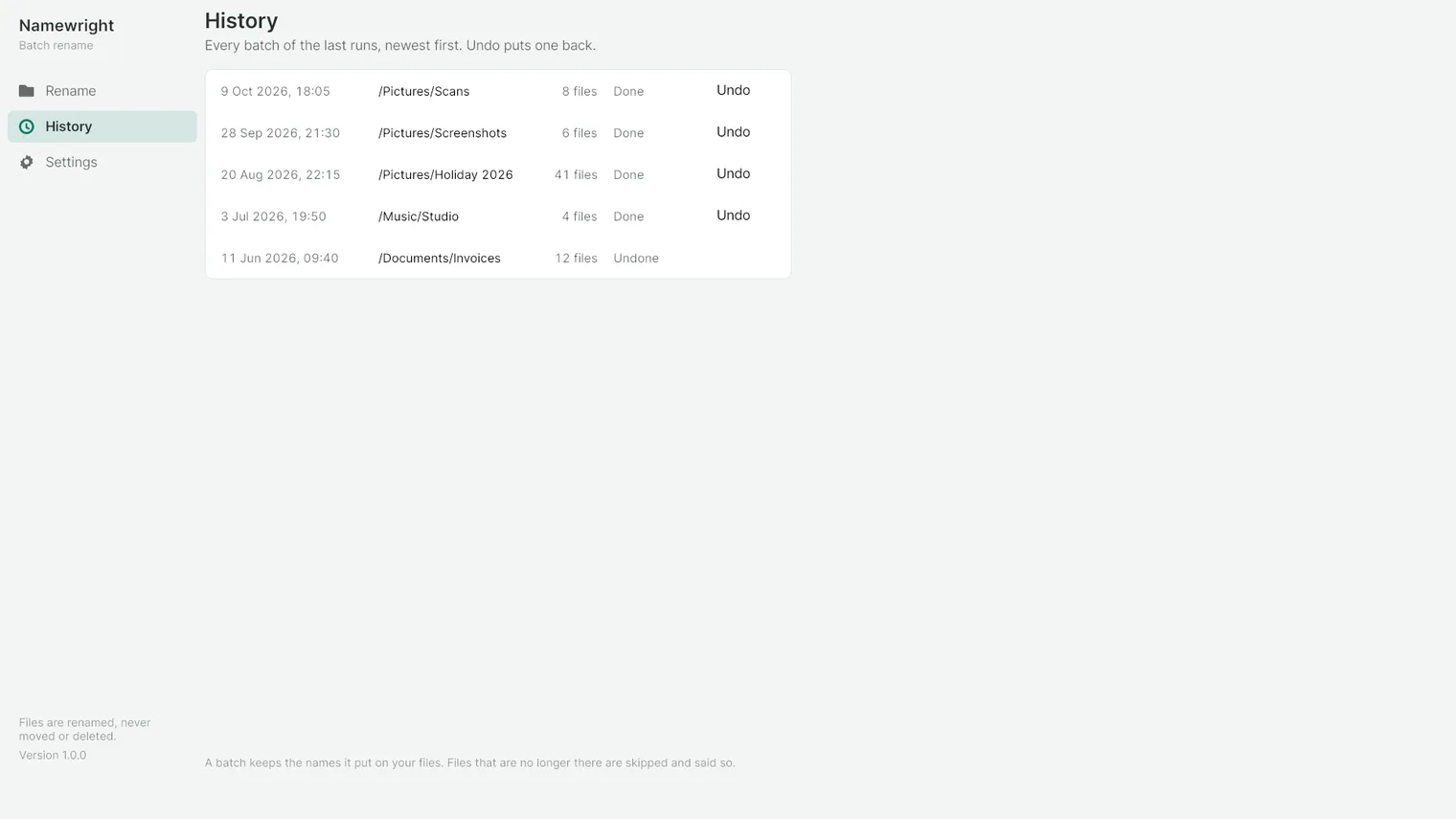
Every batch is listed, and the last one can be undone 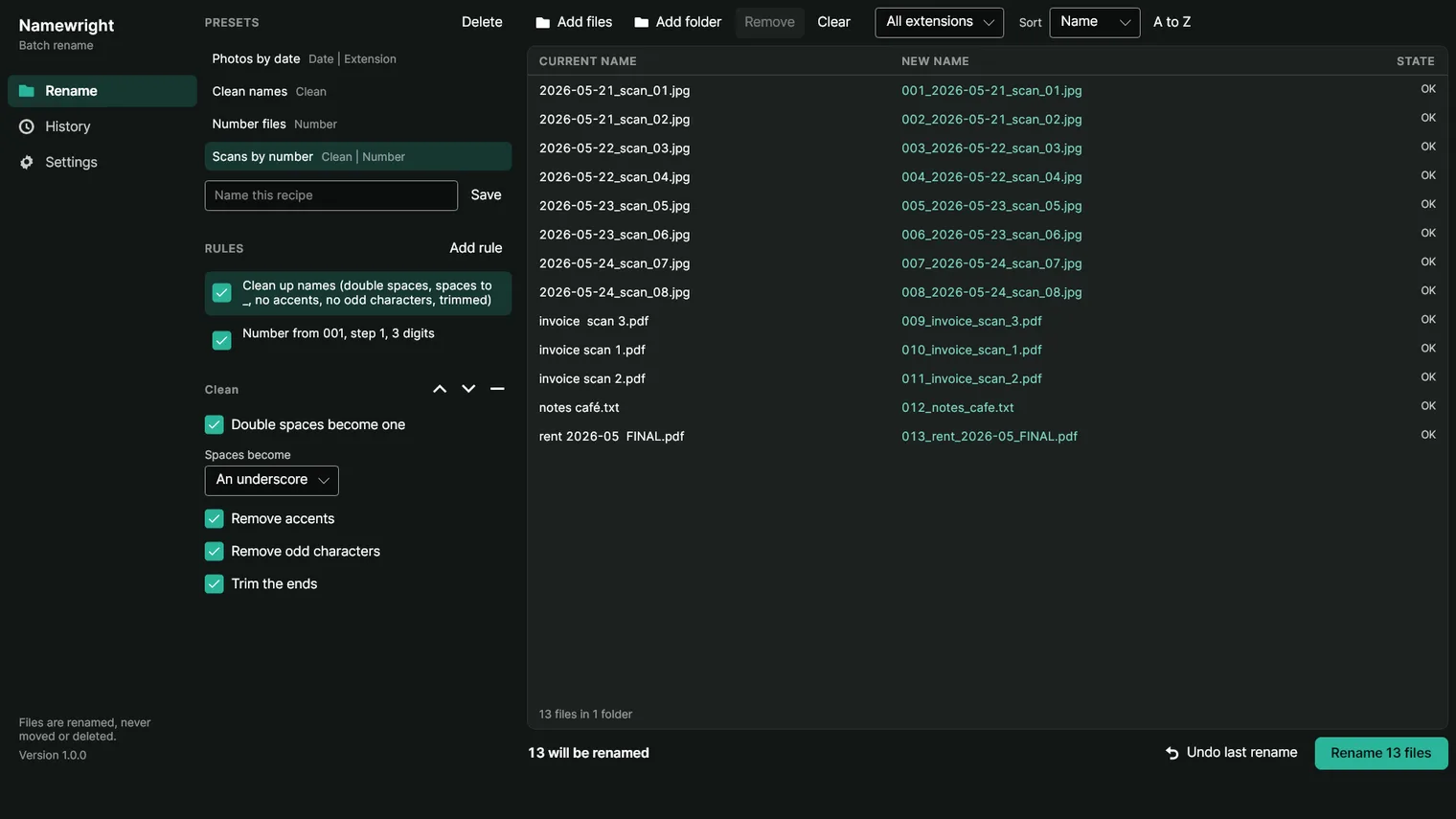
Save a list of rules as a recipe 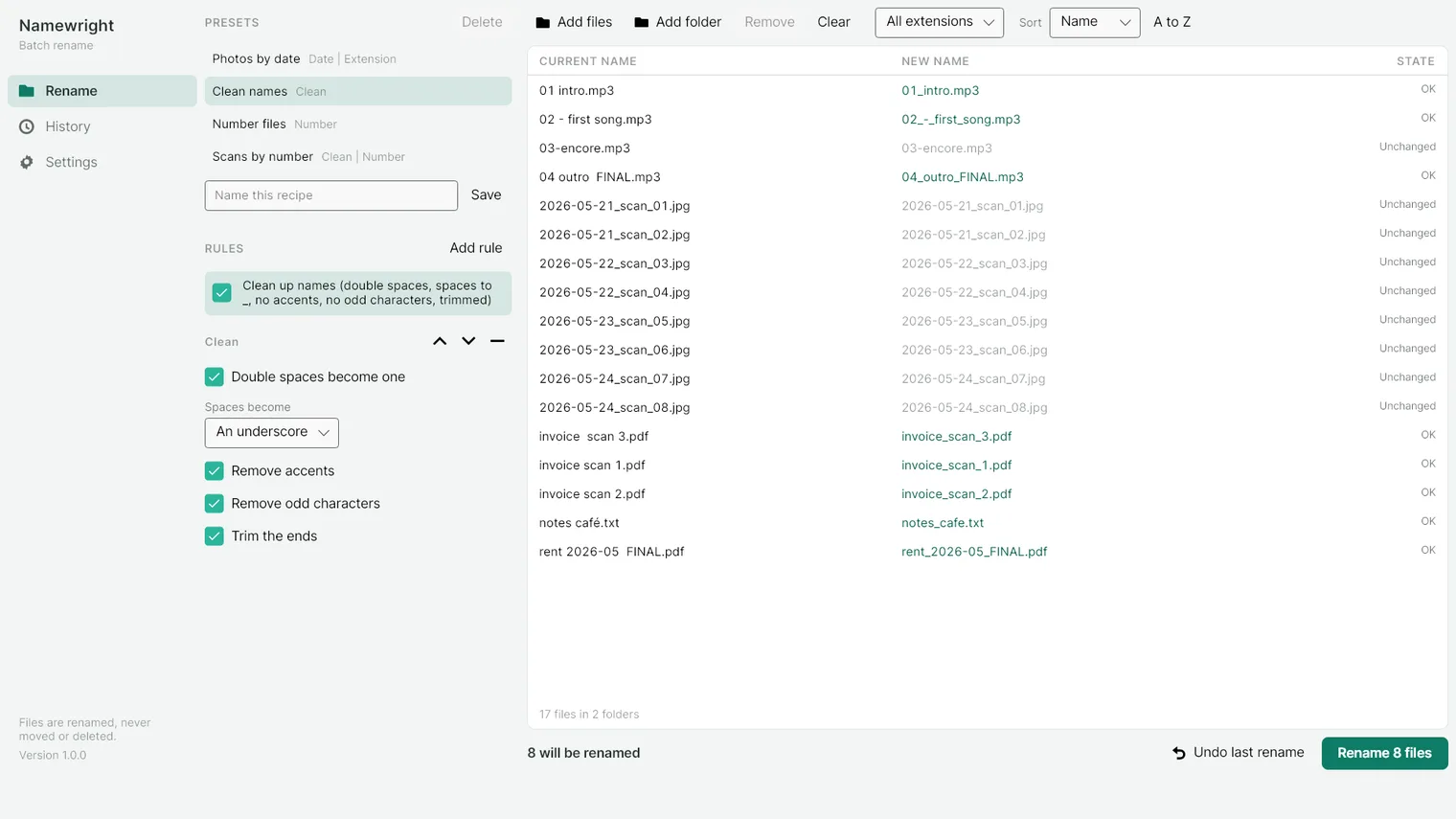
Clean up messy scan and download names
Description
See the new name of every file before anything moves. Chain rules, rename them all in one go and undo the whole batch. No account. Works offline.
For anyone back from a trip with a card full of IMG_ names, who scans invoices into a folder, or keeps a music or video collection.
It renames files, not folders. Names are changed where the files are: nothing is moved or deleted. Music tags, series databases and the Explorer right-click menu are not part of this version. A name over 260 characters needs long path support turned on in Windows.
Features
- Rules in a list, each one on or off and moved up or down. Replace, remove, insert, number, case, date, extension and clean.
- Find and replace with plain text or a regular expression, with or without case, the first match or every one.
- A live table with the current name, the new name and the state of each file, and the count of what the batch will do.
- Names that clash or that Windows refuses are marked before the batch runs, and the Rename button waits until the batch can go through.
- Photos named by the day they were taken, from the EXIF of a JPEG, a TIFF or a HEIC, or the header of an MP4 or a MOV. A file with no date says so and uses its own.
- Numbering with a start, a step, leading zeros, its own separator and a choice of where the number goes, starting again in every folder or running through all of them.
- Undo the last batch, even after closing the app. The record of a rename is written before the first file moves.
- Save a list of rules as a preset and use it again on the next folder. Three recipes come with the app.
- Files are renamed in place, never moved, never deleted, and nothing is touched until Rename is pressed.
- 100% offline. No account, no telemetry and nothing sent anywhere; the history, the presets and the settings stay in the app's own folder on this PC.
Questions
Is it a subscription?
No. You pay once in the Microsoft Store and the app is yours, with updates.
Can I try it first?
Yes. Try it free in the Microsoft Store first. If you keep it, it is a one-time purchase of 3.99 USD, no subscription.
Do I need an account?
No account and no sign-in. Only the Microsoft Store account you already use on Windows.
Does it work offline?
Yes. Everything runs on your PC. Your files are never uploaded.
What does it rename?
It renames files, not folders. Names are changed where the files are: nothing is moved or deleted. Music tags, series databases and the Explorer right-click menu are not part of this version. A name over 260 characters needs long path support turned on in Windows.