Apps / Music Tools
Music Tools
LCTR · Music
Record and mix your songs without a monthly plan.
Free 7-day trial in the Microsoft Store. After it, your files still open for free.
US price. The Store shows the price for your country.
Buy for Windows | instant .zip14-day money-back guarantee. Pay once on Gumroad and download the .zip right away. Unzip it, run the .exe, no account and no key. If Windows says «Windows protected your PC», click More info, then Run anyway: the app is new and Windows does not know it yet.
Pay once. Own it. No subscription.
No subscription. One-time payment. Works offline, no account.
$24.99 once, instead of paying every month. See all five Pro apps
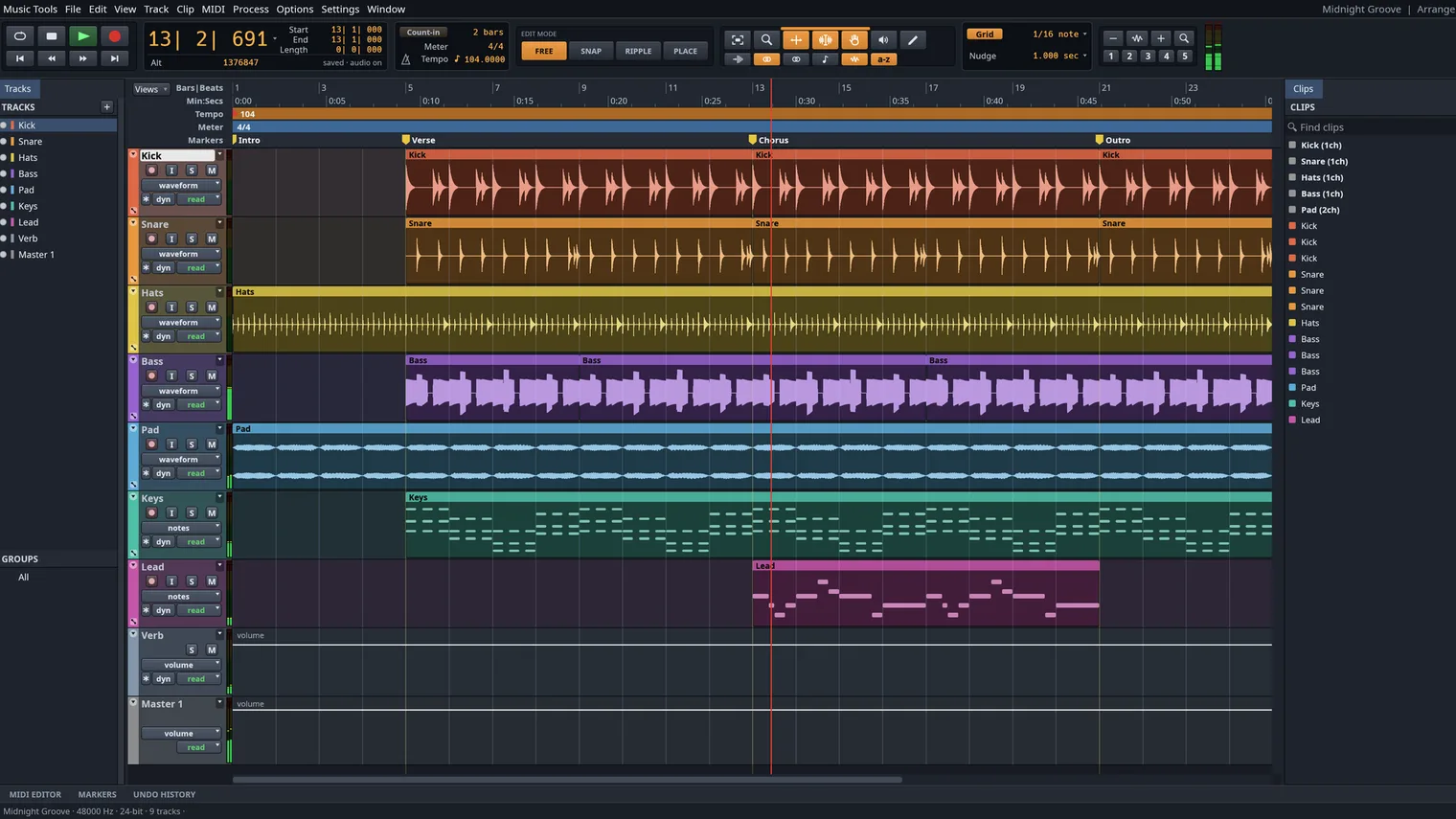
Record and edit takes on the timeline 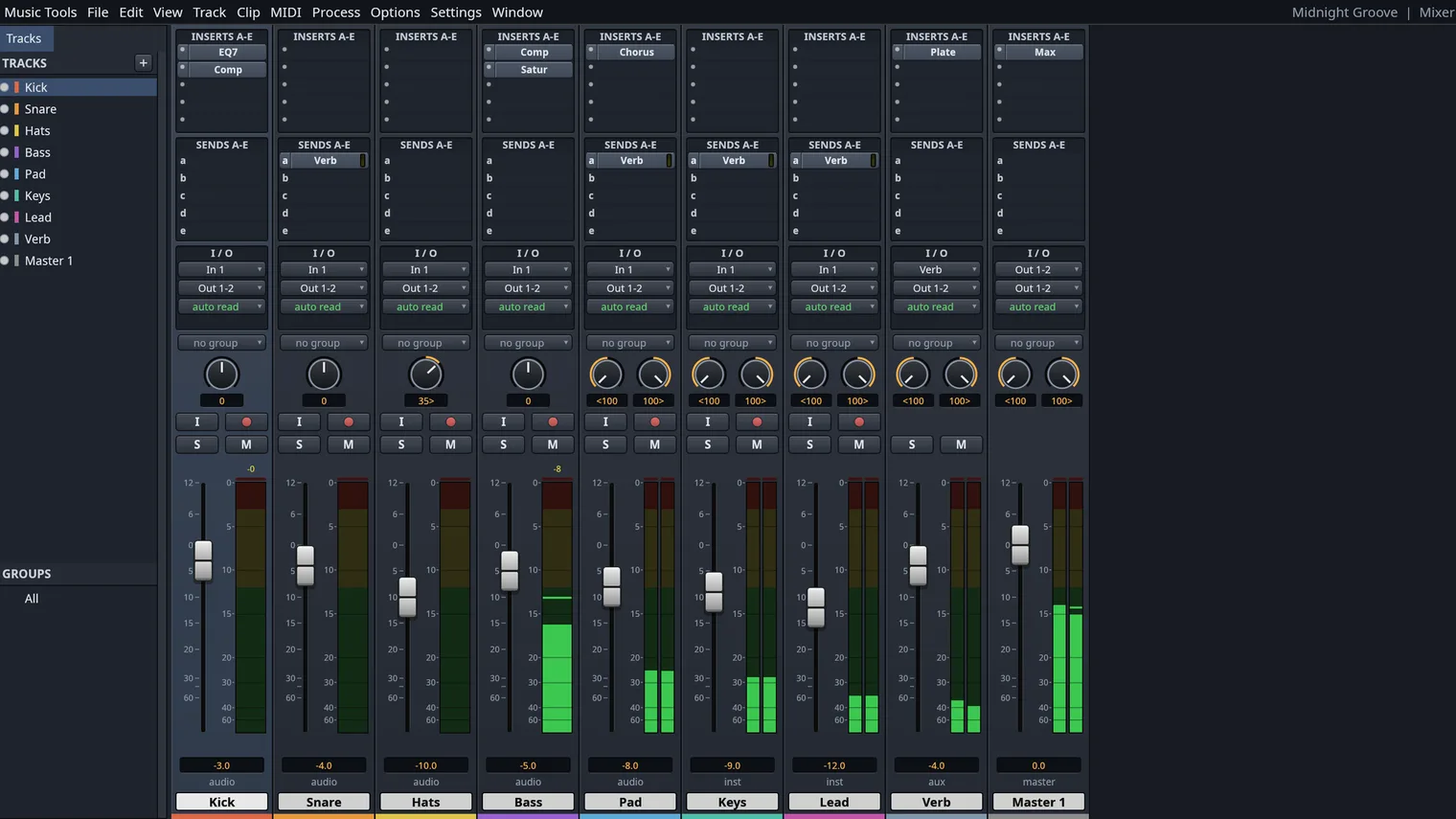
Mix with faders, sends and built-in effects 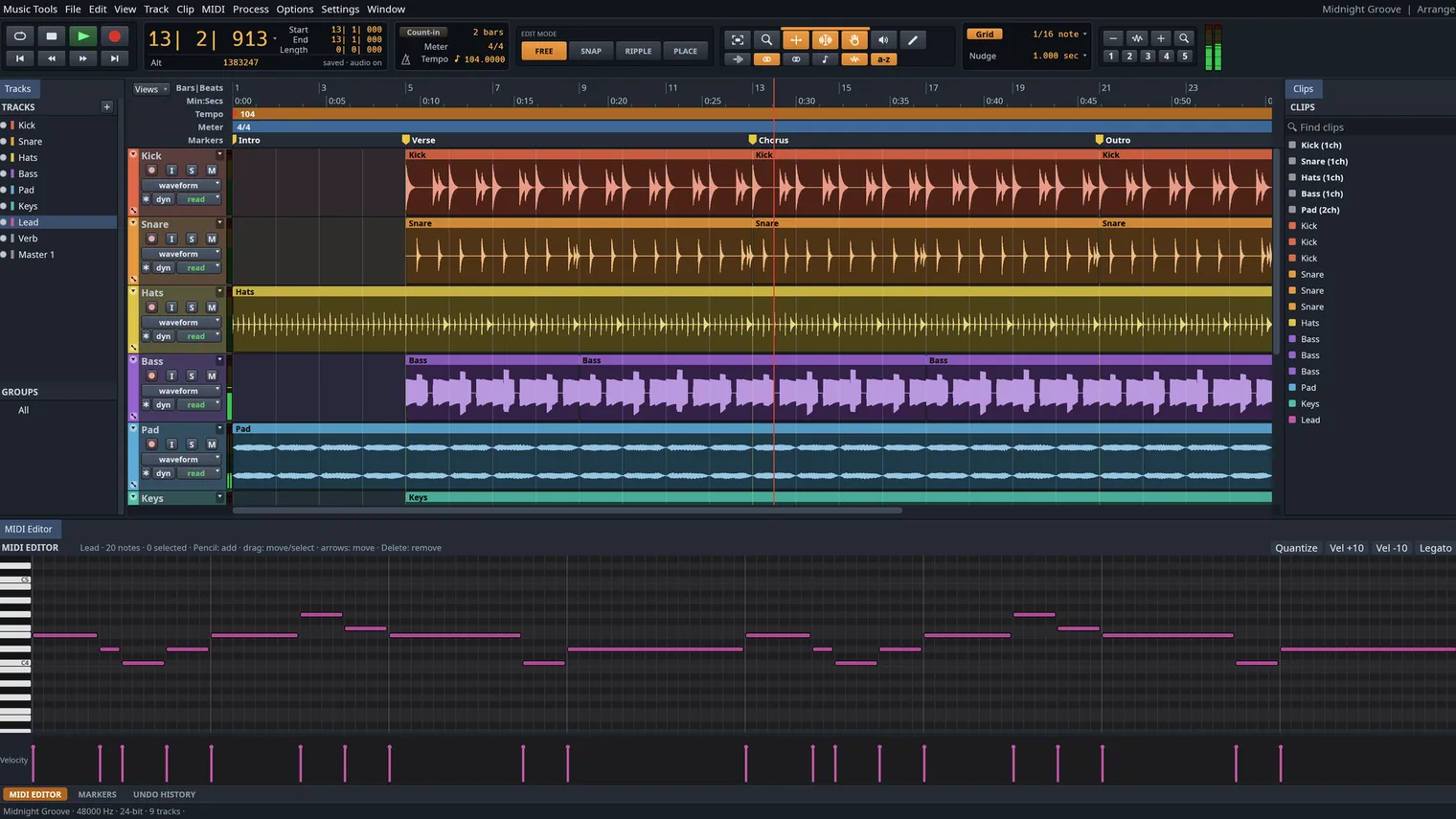
Write parts in the piano roll 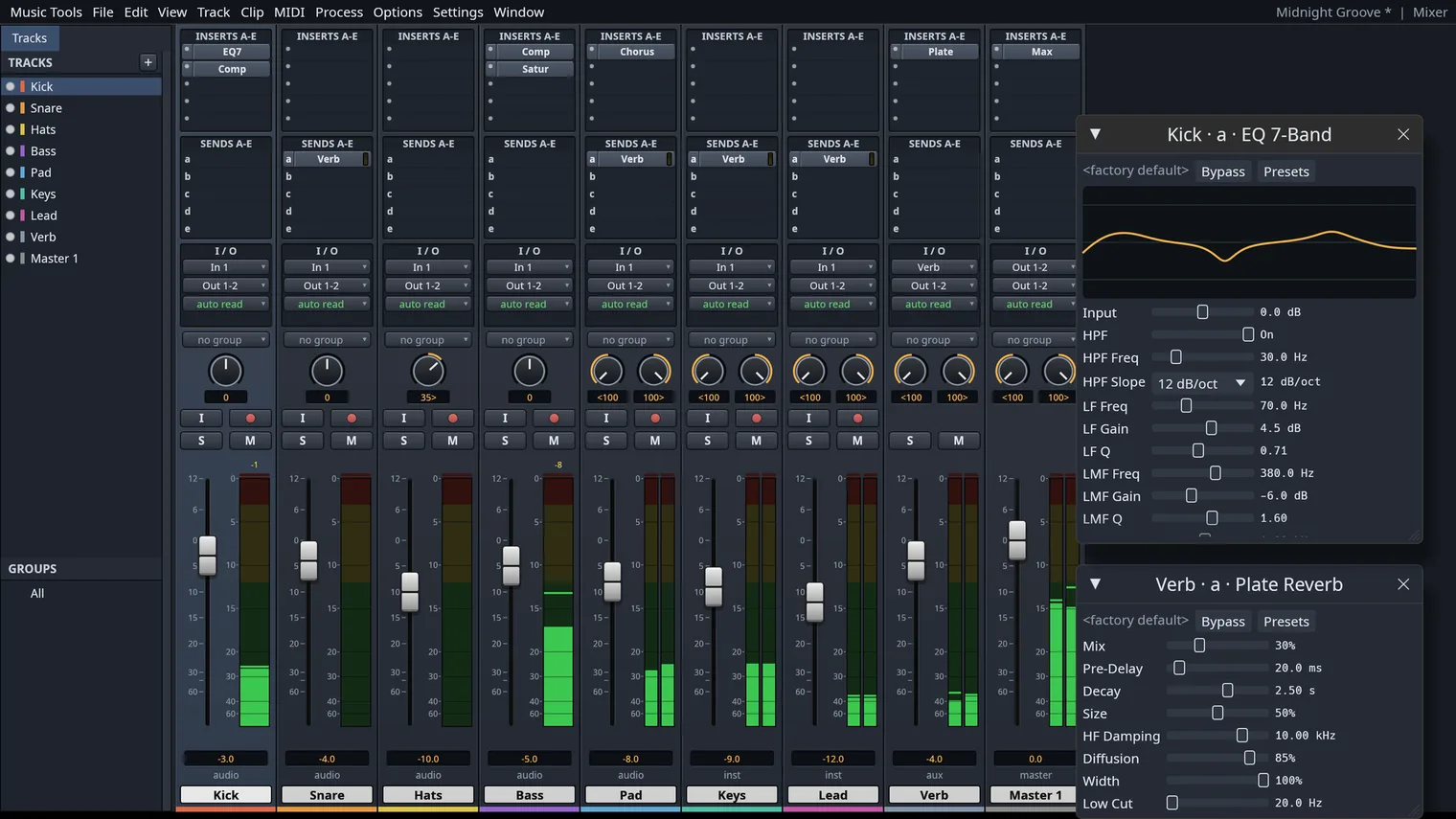
Load your own VST3 and CLAP plugins 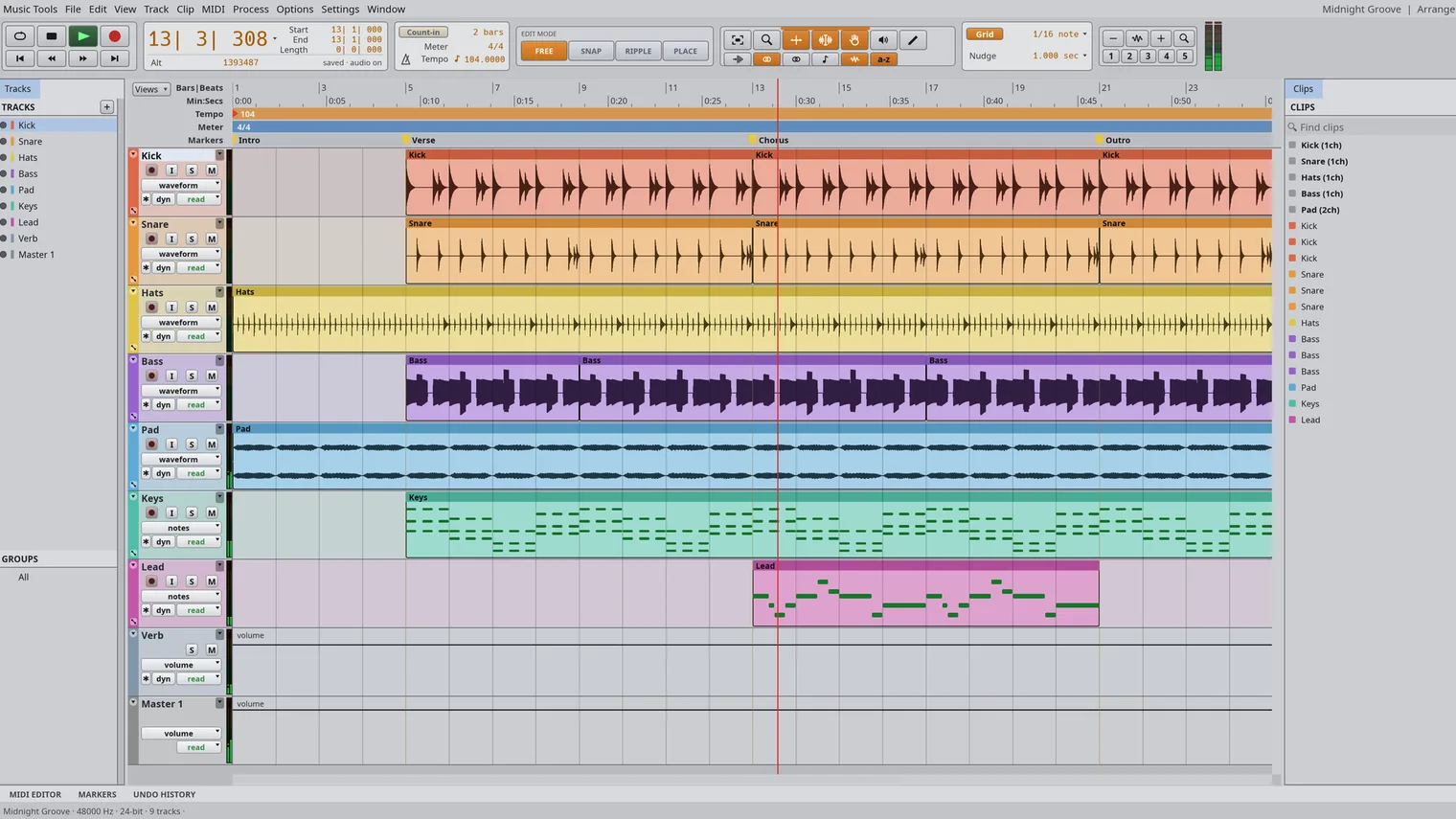
The timeline in the light theme 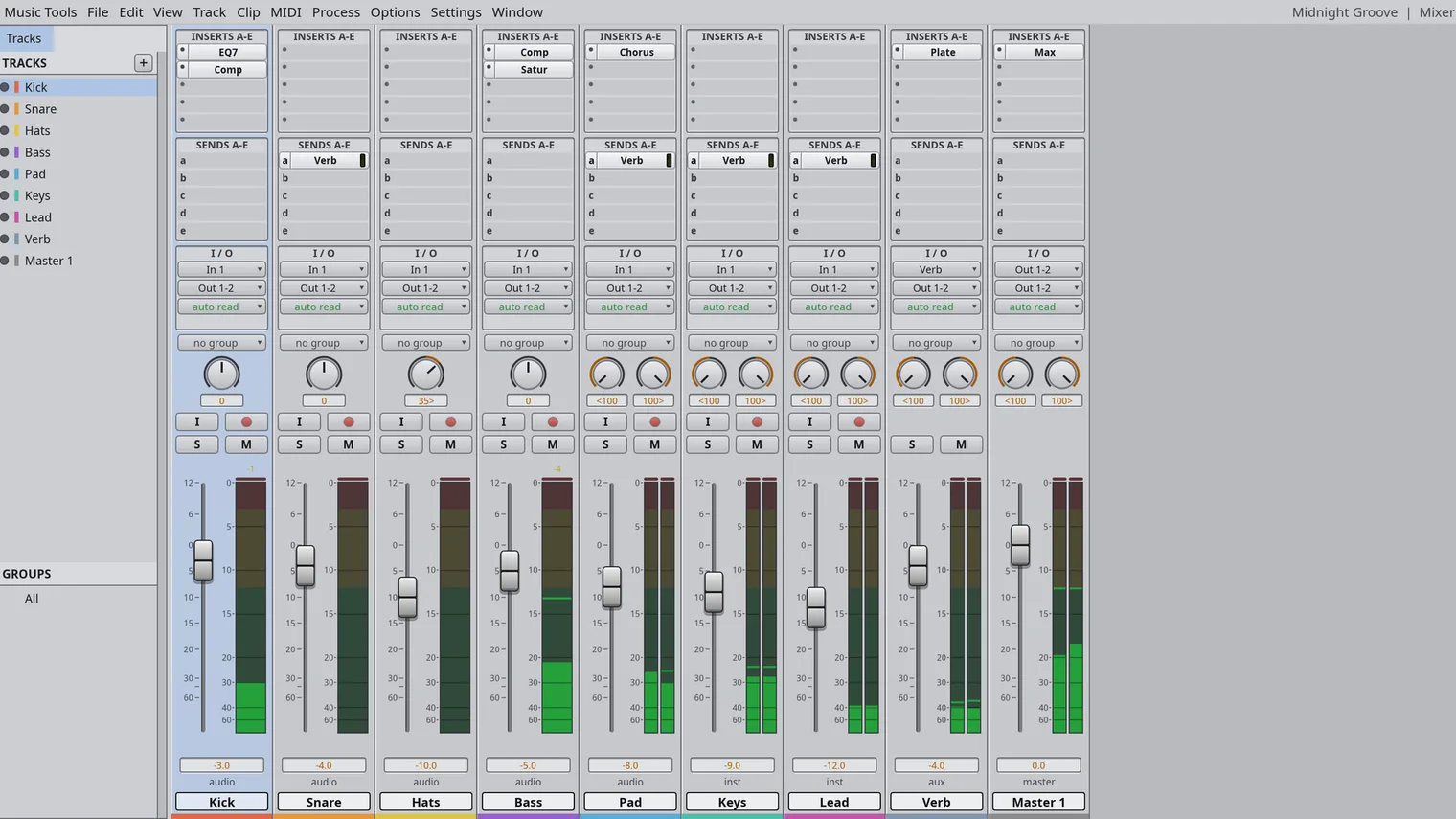
The mixer in the light theme
Description
Multitrack recording, a mixer with effects, MIDI instruments and your own VST3 and CLAP plugins. Buy once, works offline.
For home recording, podcasts, beat making and scoring to video.
Imports WAV, AIFF, FLAC, MP3, Ogg, AAC and ALAC, Standard MIDI Files and the audio of MP4 and MOV.
Features
- Records audio on several tracks from the default or a chosen input device, with punch in, pre-roll and post-roll, and loop recording that keeps each take.
- Edits clips on a timeline with cut, copy, paste, duplicate, separate, trim, fades and crossfades, clip gain, strip silence, playlists and 200 undo steps.
- A mixer with faders, pan, mute, solo, inserts, sends, busses, aux inputs, VCA masters and meters with peak hold.
- Volume, pan, mute, send and effect parameter automation, drawn with the pencil or recorded live from the faders.
- Built-in effects including EQ, compressor, limiter, gate, de-esser, reverb, delay, chorus, flanger, phaser, saturator and pitch shift. Any effect can also process selected clips offline.
- Instrument and MIDI tracks with a built-in synth, drum synth and sampler, a piano-roll editor with a velocity lane, step input, quantize and transpose, and Standard MIDI File import and export.
- A score view of MIDI tracks, printable scores and MusicXML export for notation programs.
- Tempo and meter maps, a click track, a grid in bars and beats, timecode or samples, and time stretching that keeps the pitch.
- Imports WAV, AIFF, FLAC, MP3, Ogg Vorbis, AAC and ALAC audio, and the audio of MP4 and MOV movies. Bounces the mix or stems to WAV, AIFF or FLAC with loudness readings (LUFS).
- A video track that shows a movie (H.264, ProRes, Motion JPEG) in sync with the timeline, for scoring to picture.
- Loads your own CLAP and VST3 plugins from a folder you choose, with their editors and their settings saved in the session.
- Autosaves the session and offers to recover it after a crash.
- Light and dark themes.
Questions
Is it a subscription?
No. You pay once in the Microsoft Store and the app is yours, with updates.
Can I try it first?
Yes. The Store offers a free 7-day trial with every feature.
Do I need an account?
No account and no sign-in. Only the Microsoft Store account you already use on Windows.
Does it work offline?
Yes. Everything runs on your PC. Your files are never uploaded.
Which files does it open?
Imports WAV, AIFF, FLAC, MP3, Ogg, AAC and ALAC, Standard MIDI Files and the audio of MP4 and MOV.