Apps / Garden Bed Planner

Garden Bed Planner
LCTR · Productivity
Plan your garden bed by bed and print the plan.
14-day money-back guarantee. Pay once on Gumroad and download the .zip right away. Unzip it, run the .exe, no account and no key. If Windows says «Windows protected your PC», click More info, then Run anyway: the app is new and Windows does not know it yet.
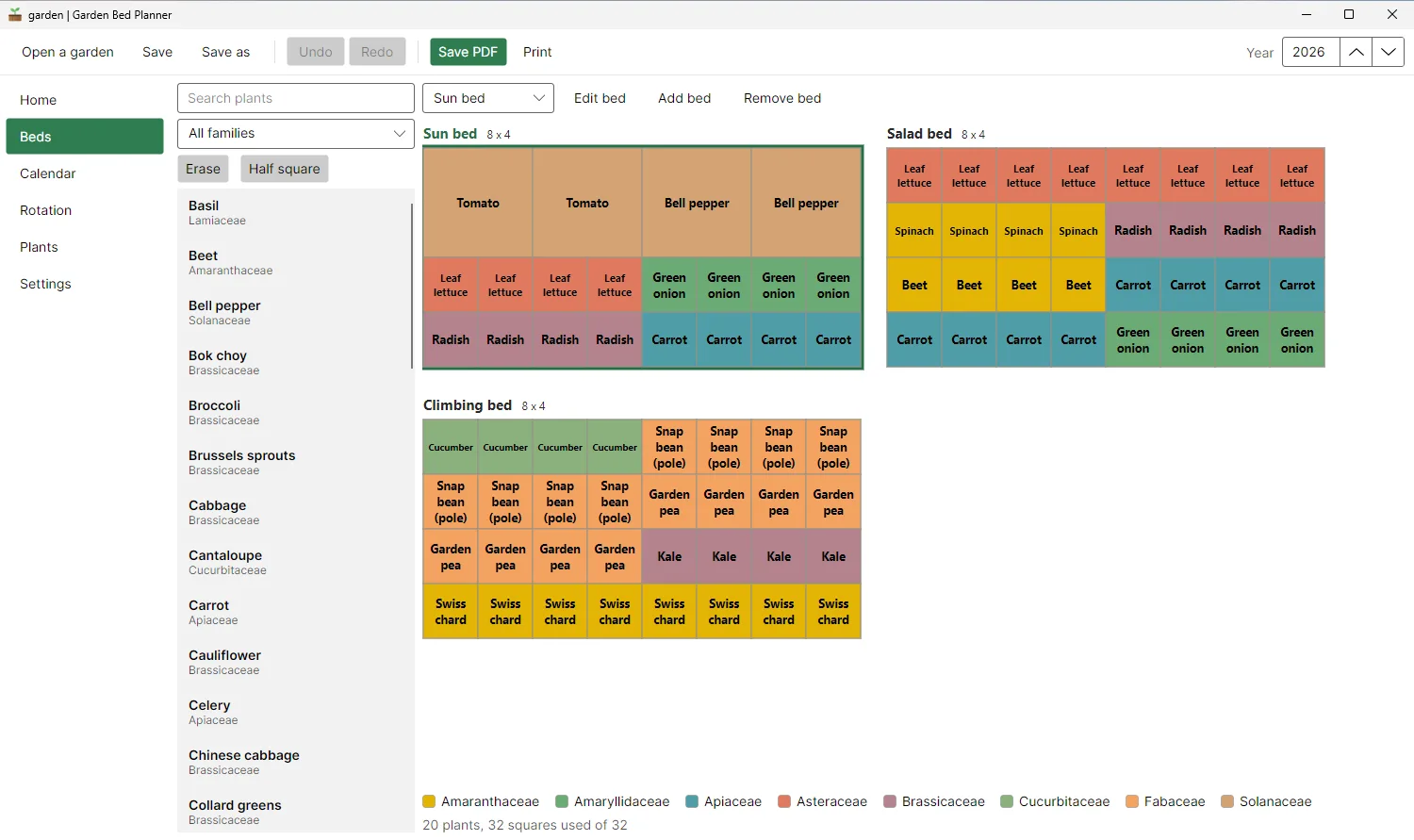
Two 4x8 ft beds, crops by square, calendar beside them 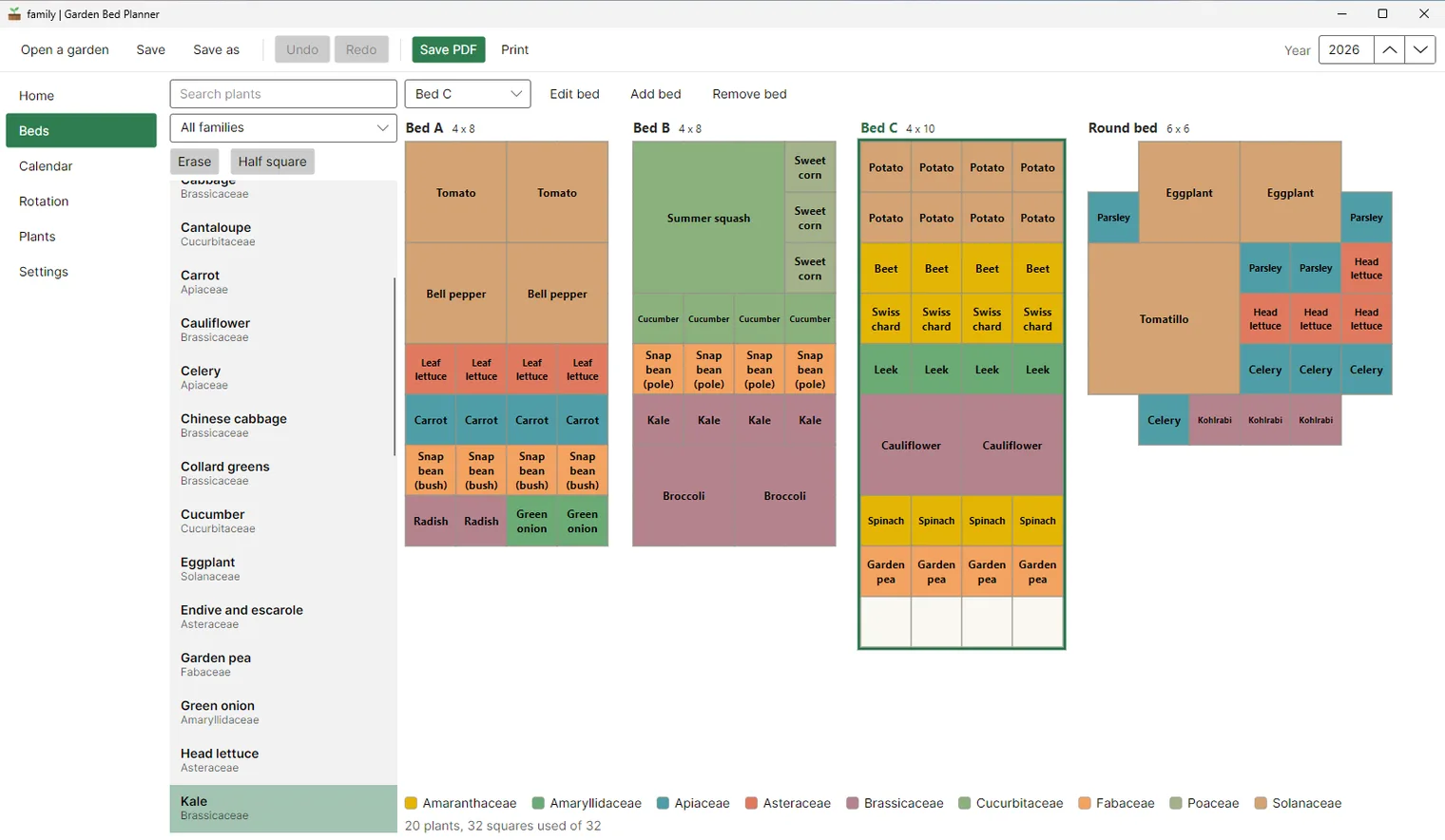
Editor with a companion planting note 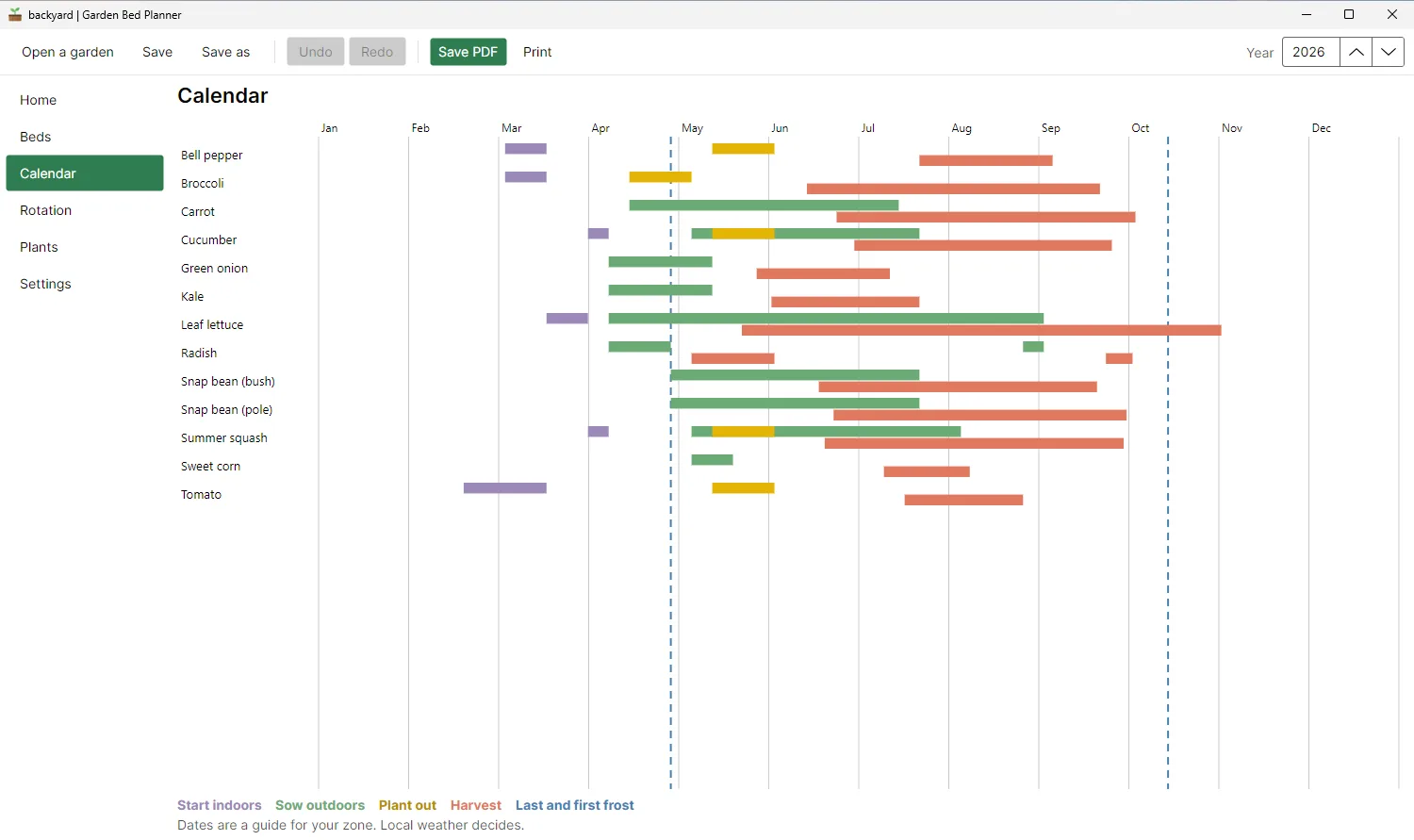
Planting calendar for your frost dates 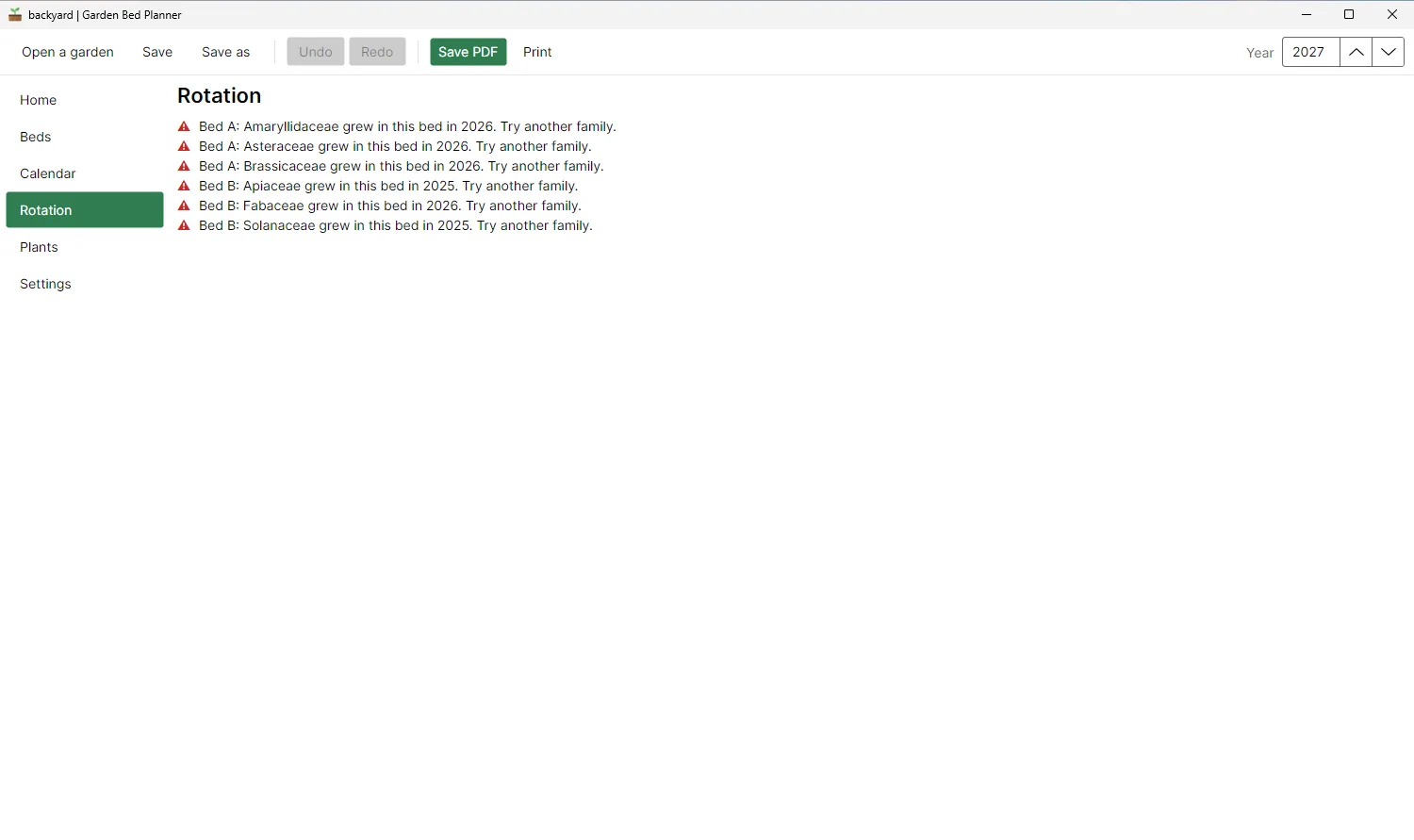
Three-year crop rotation 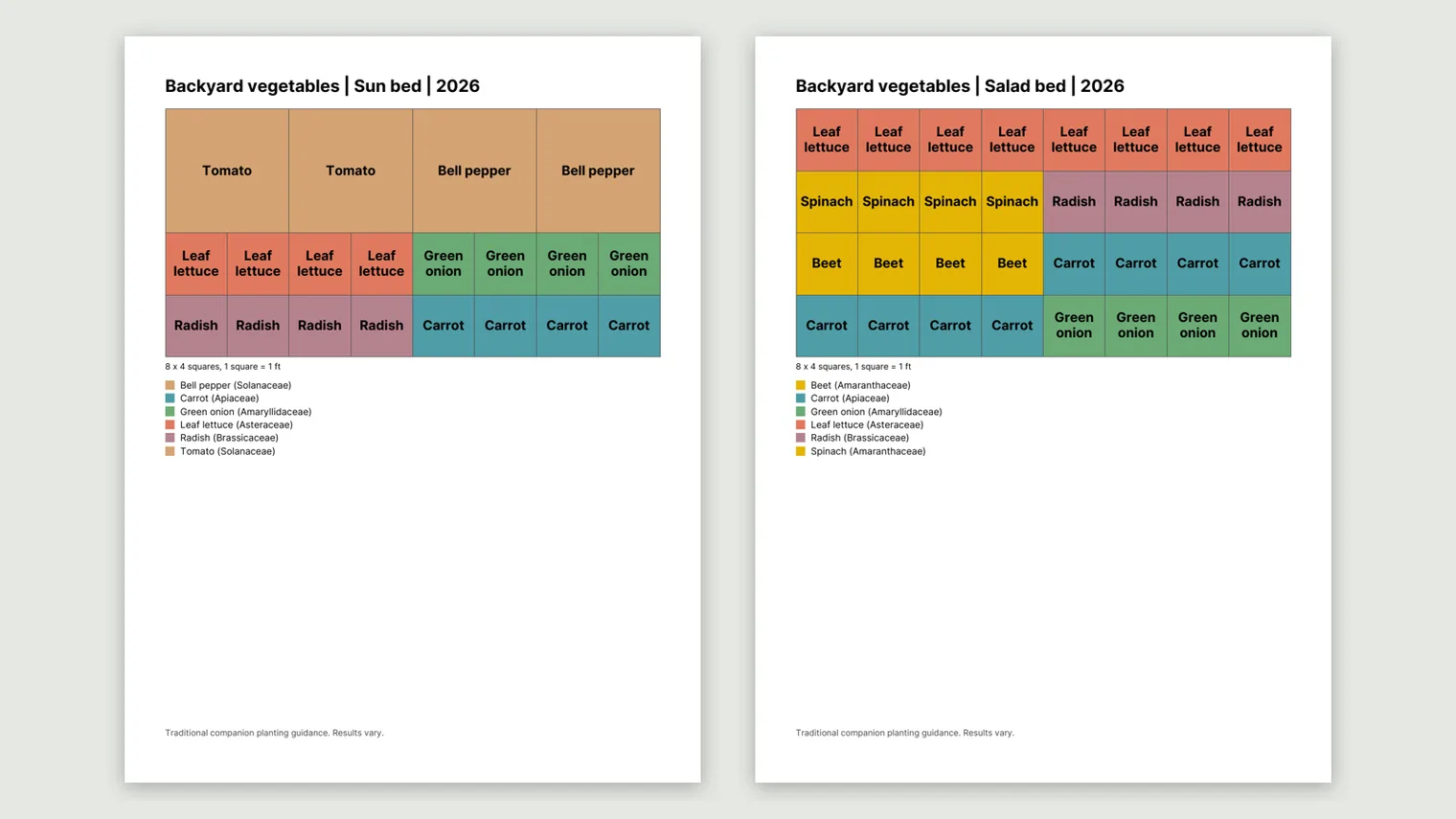
Your plan as a PDF, ready to print 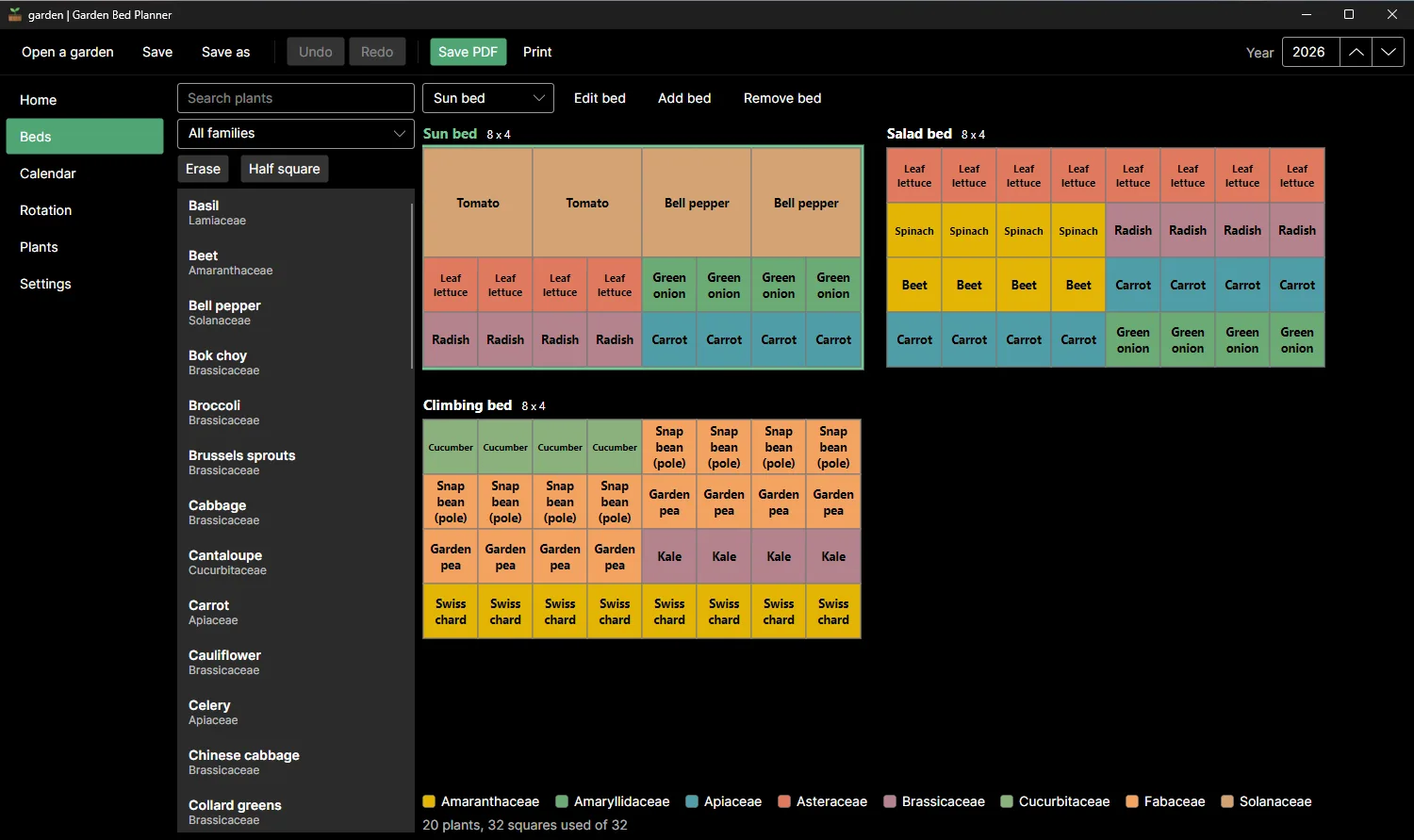
Dark mode with a large vegetable garden
Description
Lay out your beds square by square, see what to sow each month for your frost dates and print the plan. One price, no subscription, no account. Works offline.
For anyone growing in raised beds or a family garden who wants to decide what to plant and when.
Your plans are files on your computer. Save the plan as a PDF ready to print.
Features
- Several beds in one project: rectangle, L shape and circle, on a grid of 1 foot or 30 cm.
- A built-in library of common vegetables, herbs, soft fruit and flowers, with Latin names and US and UK names you can search.
- Add your own plants: set the spacing, or plant a crop in half a square.
- Monthly planting calendar for your own frost dates. Every date can be edited.
- Works in any USDA hardiness zone, 1 to 13, and in three broad regions for Germany.
- Crop rotation: a warning when the same plant family returns to a bed too soon.
- Save a PDF of your plan, ready to print. Autosave to a recovery copy every minute.
- Your plans are files on your computer. Light, Dark or Same as Windows.
Questions
Is it a subscription?
No. You pay once on Gumroad and the .zip is yours.
Do I need the Microsoft Store?
No. You download a .zip, unzip it and run the .exe.
Why does Windows show «Windows protected your PC»?
The app is new and Windows does not know it yet. Click More info, then Run anyway.
Do I need an account or a key?
No account and no key.
Does it work offline?
Yes. Everything runs on your PC. Your files are never uploaded.
Which files does it open?
Your plans are files on your computer. Save the plan as a PDF ready to print.