Apps / Convertwright
Convertwright
LCTR · Utilities & tools
Convert any file without uploading it.
Try it free for 7 days in the Microsoft Store, then buy once for 5.99 USD.
US price. The Store shows the price for your country.
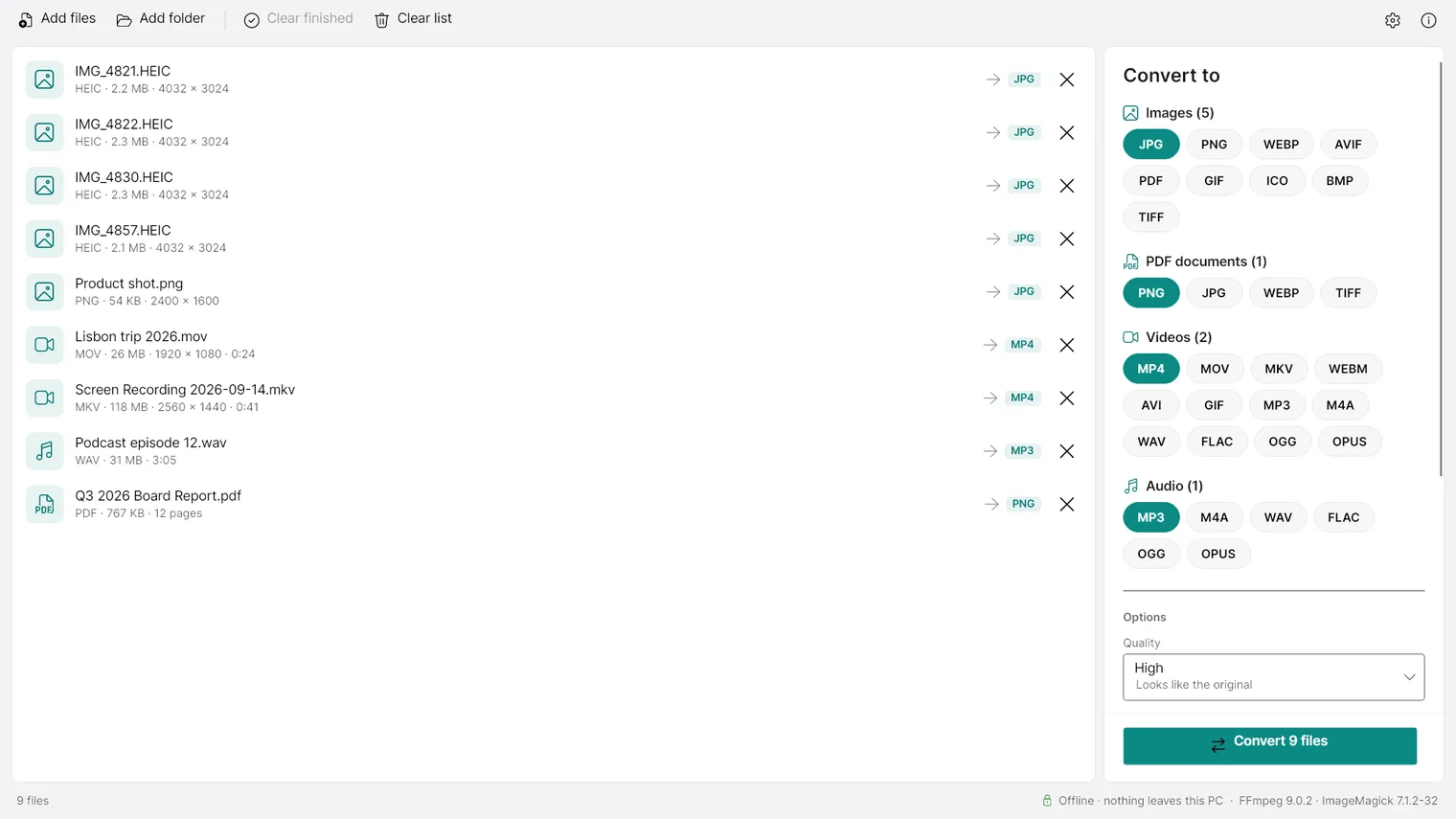
Drop in photos, videos, music or PDFs and pick the format 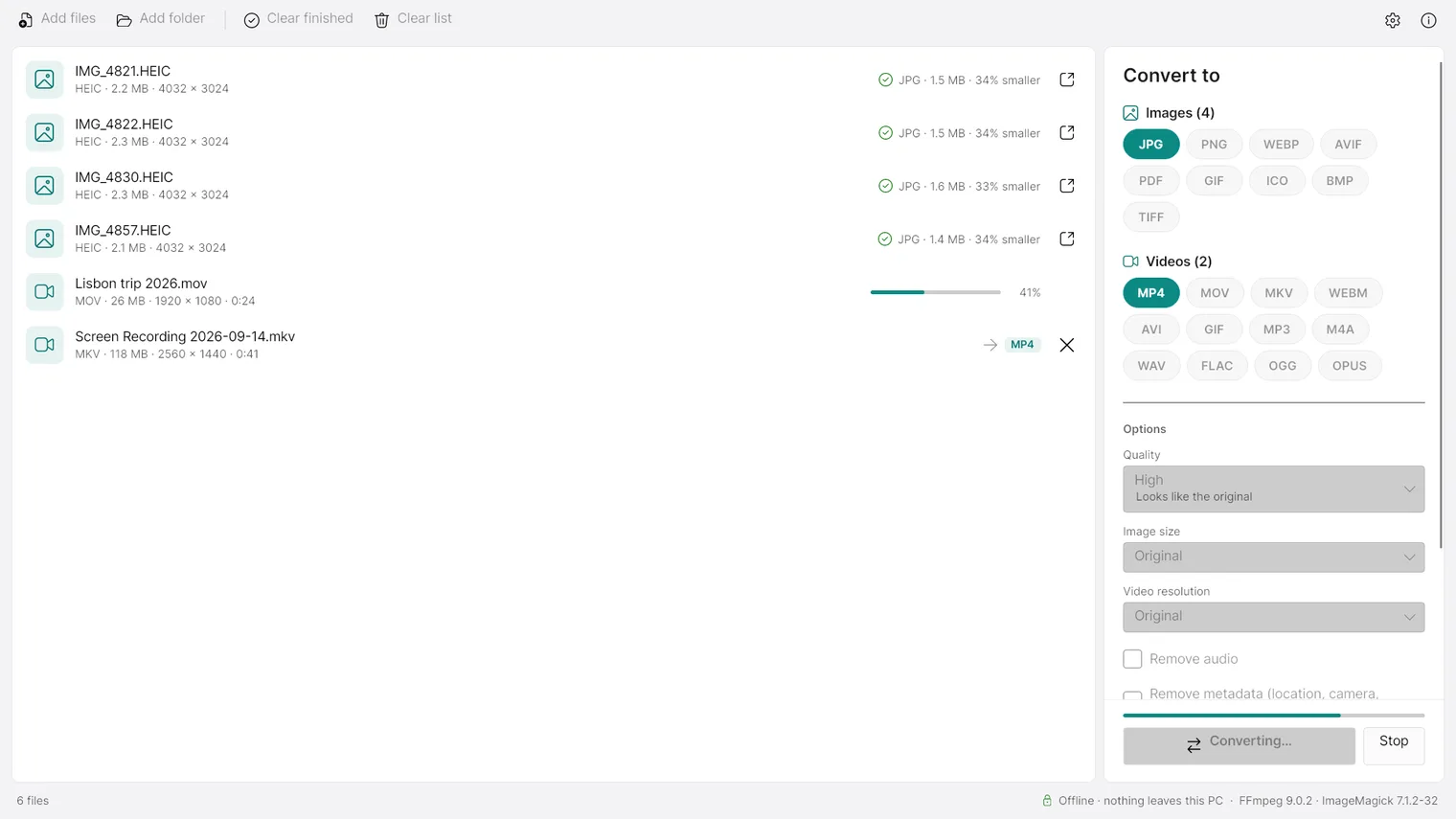
Conversion running, with progress for every file 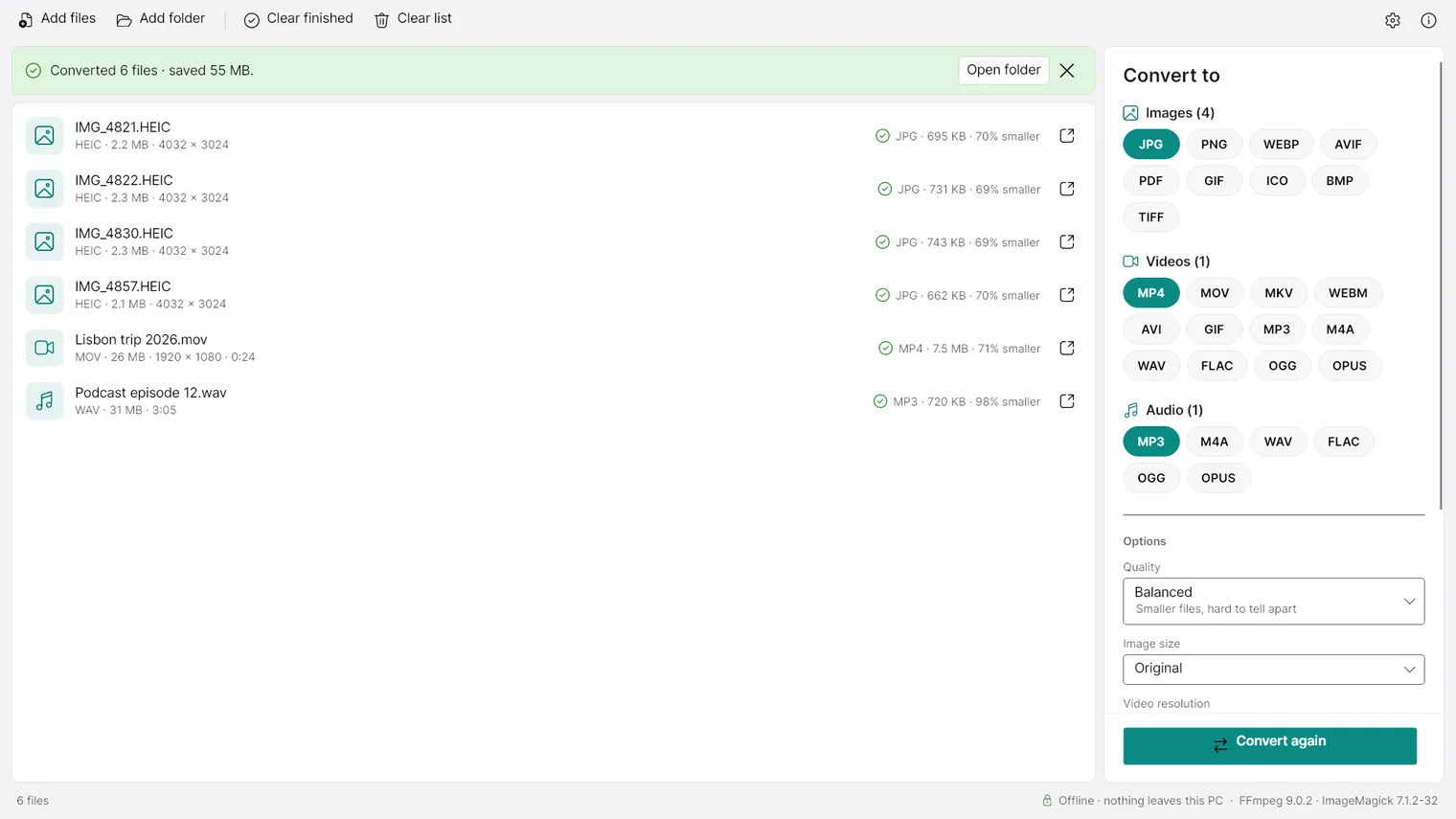
Done: new files sit next to the originals, which are never changed 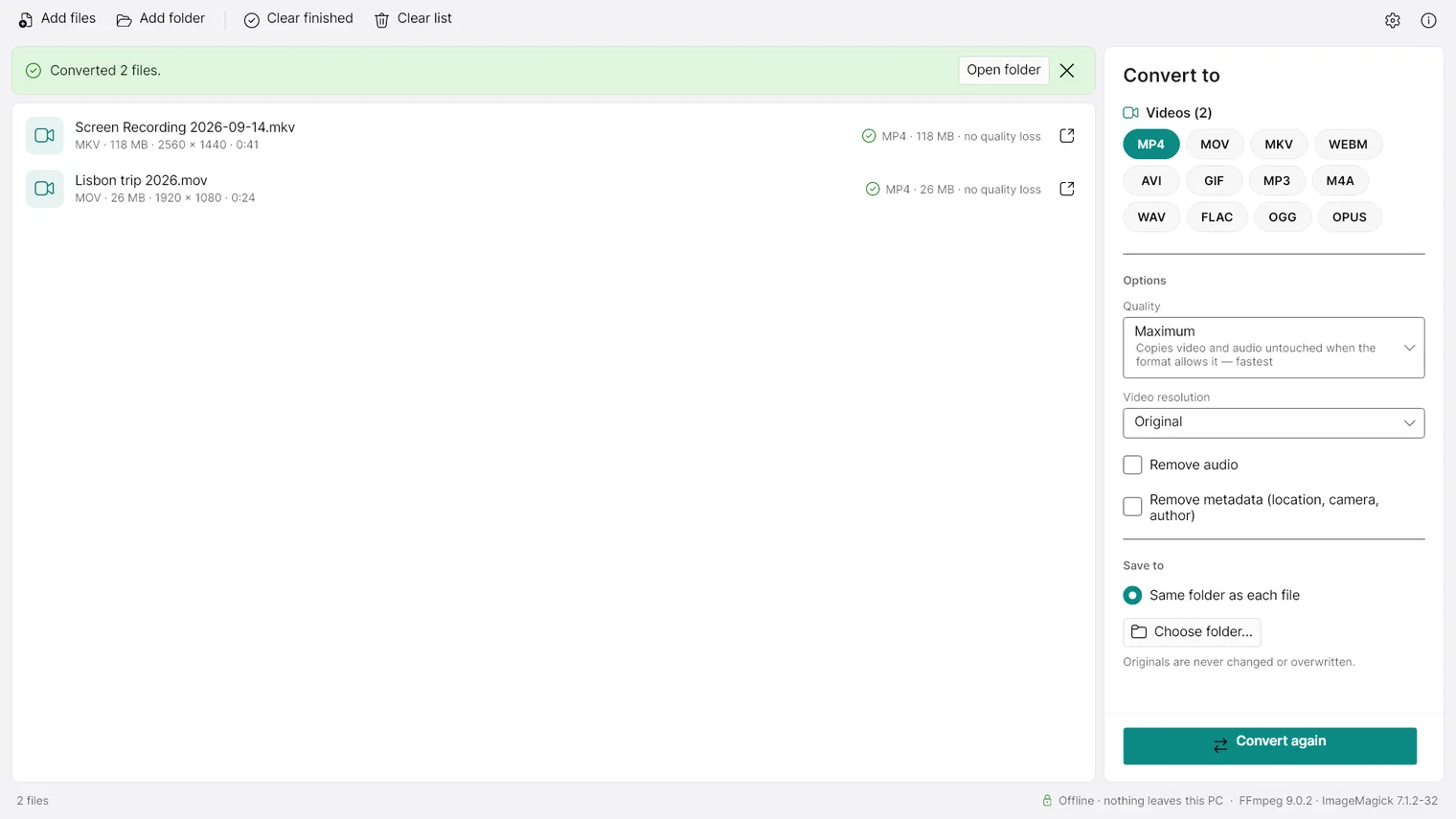
Change MKV to MP4 in seconds without re-encoding 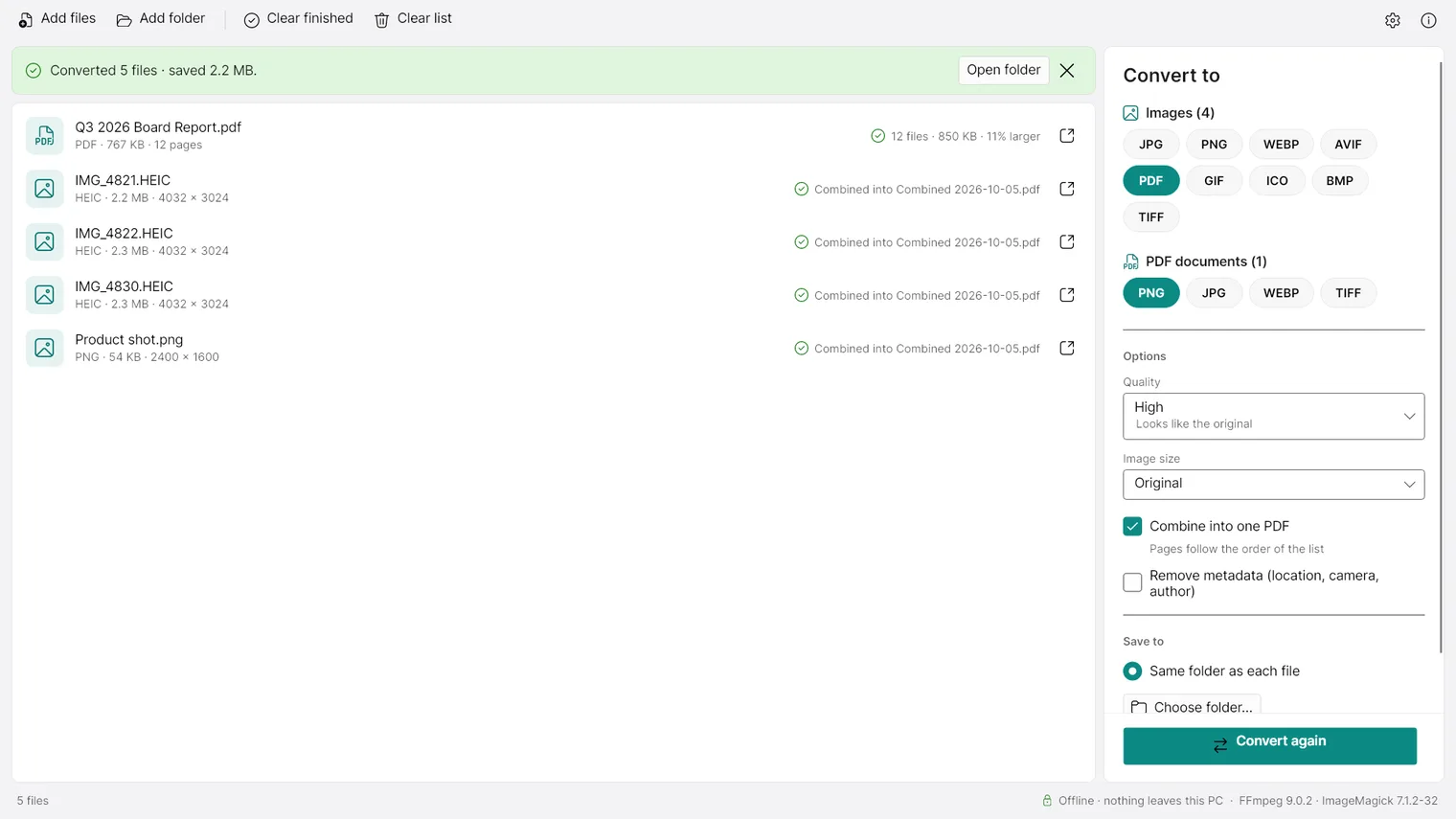
Turn every page of a PDF into an image 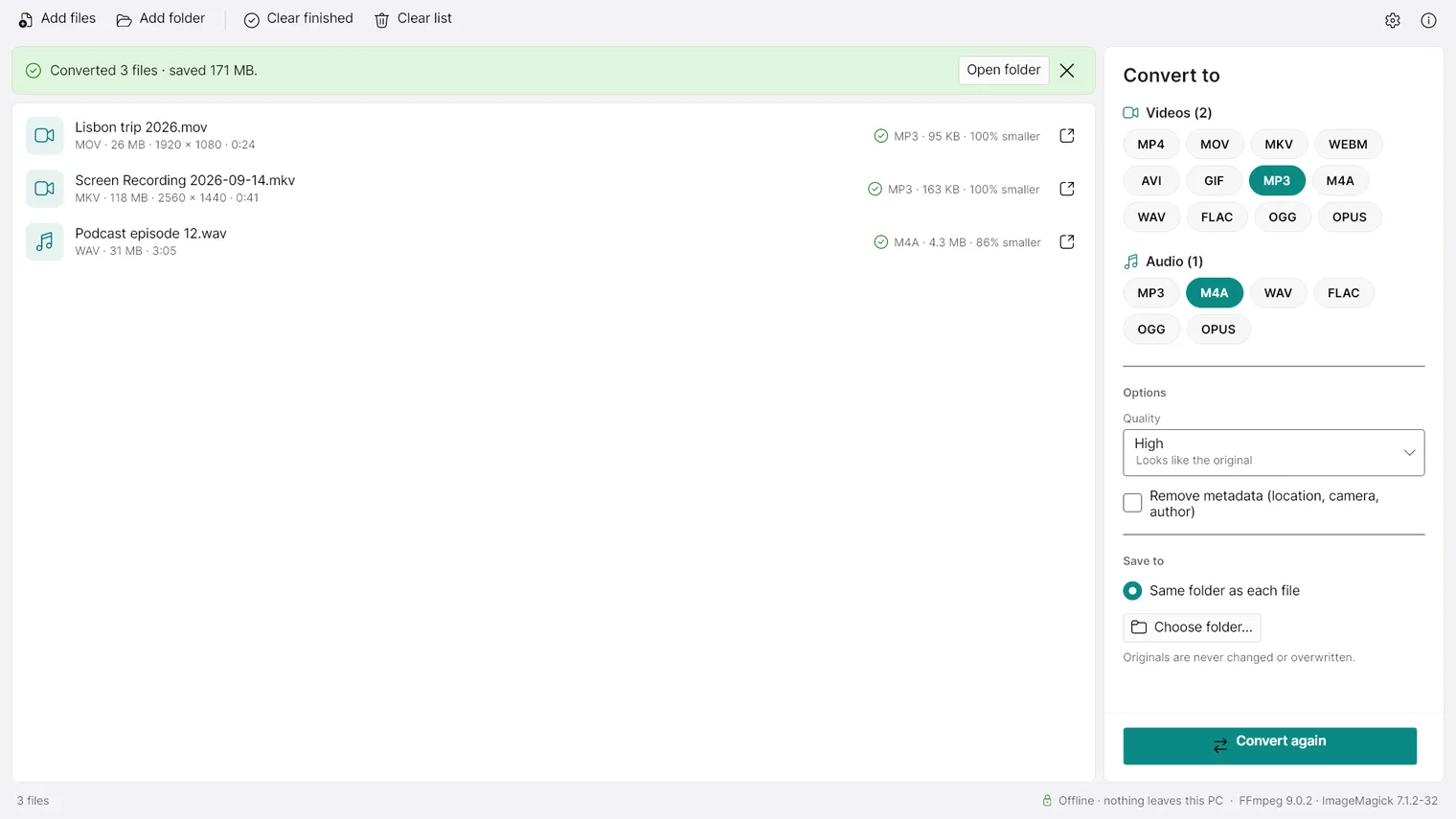
Convert audio or take the sound out of a video 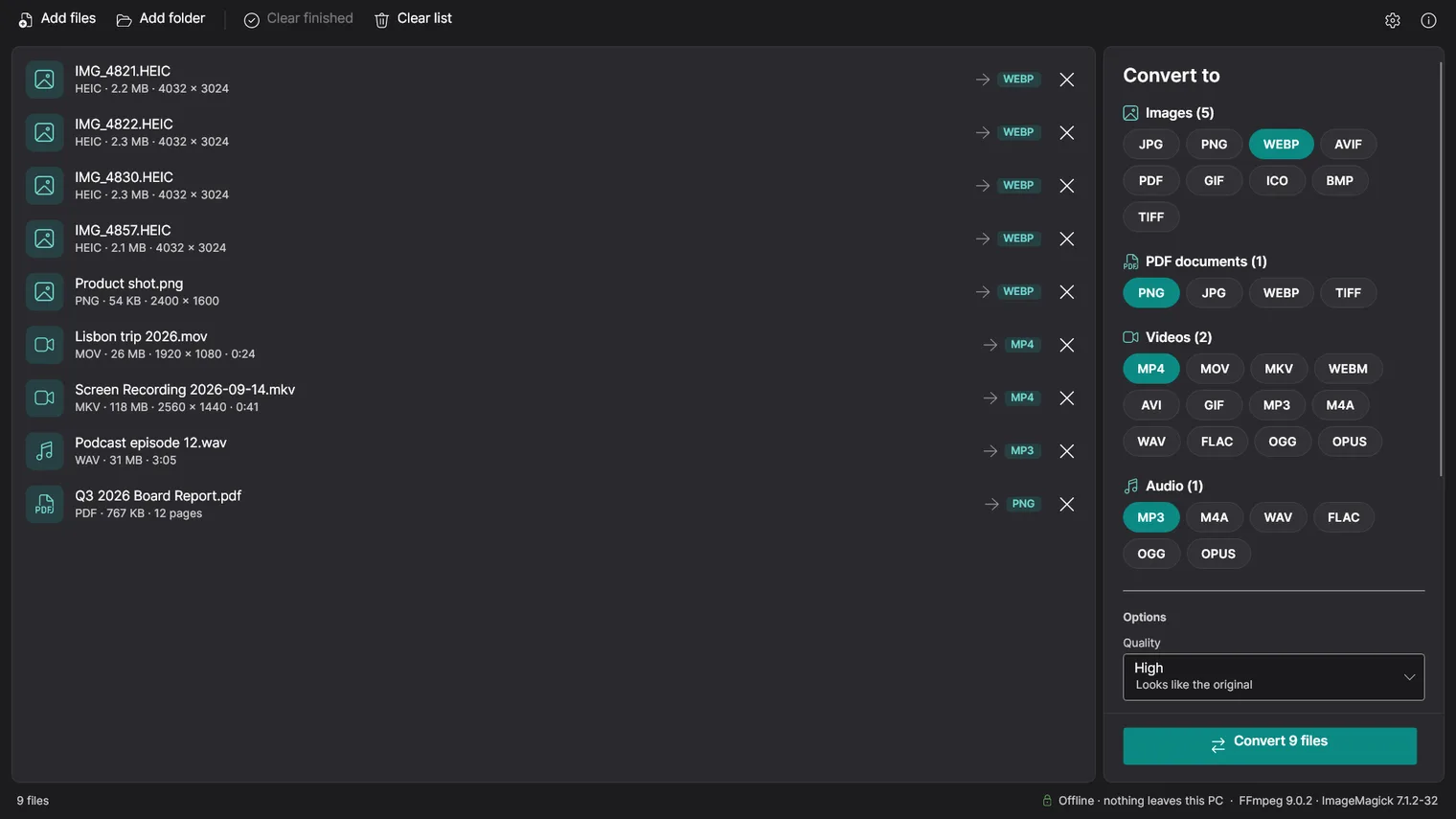
Dark mode
Description
Change photos, videos, music and PDFs to the format you need, many at a time, on your own PC. Your files never go to a website. No account. Works offline.
For anyone who needs a file in another format, a phone photo that will not open on a PC, a video small enough to send, a song from a video, PDF pages as images, without uploading private files.
Images, video, audio and PDF, using the FFmpeg, ImageMagick and PDFium engines bundled with the app. Password-protected PDFs and videos with copy protection cannot be converted. HEIC and camera RAW files can be read but not written. Your originals are never changed. Windows 11 64-bit only.
Features
- Converts images between JPG, PNG, WEBP, AVIF, GIF, BMP, TIFF and ICO, and reads HEIC/HEIF photos from iPhone, camera RAW files, PSD and SVG.
- Converts videos to MP4, MOV, MKV, WEBM, AVI and animated GIF from almost any format, including MKV, AVI, WMV, FLV and MTS.
- At maximum quality, changes the container without re-encoding when the video and audio already fit (for example MKV to MP4), which takes seconds and loses nothing.
- Converts audio between MP3, M4A, WAV, FLAC, OGG and OPUS, and extracts the sound of a video as an audio file.
- Turns every page of a PDF into a PNG, JPG, WEBP or TIFF image.
- Turns images into PDF files, one per image or combined into a single PDF in list order.
- Converts many files and whole folders at once, with a different target format for each kind of file.
- Makes files smaller with quality presets and by limiting image size or video resolution.
- Can remove metadata such as location, camera and author while converting.
- Never changes or overwrites the original files; new files get a free name next to the original or in a chosen folder.
- Uses the graphics card's video encoder (NVIDIA, Intel or AMD) when available, and Windows' own encoder otherwise.
Questions
Is it a subscription?
No. You pay once in the Microsoft Store and the app is yours, with updates.
Can I try it first?
Yes. Try it free for 7 days in the Microsoft Store first. If you keep it, it is a one-time purchase of 5.99 USD, no subscription.
Do I need an account?
No account and no sign-in. Only the Microsoft Store account you already use on Windows.
Does it work offline?
Yes. Everything runs on your PC. Your files are never uploaded.
Which files does it convert?
Images, video, audio and PDF, using the FFmpeg, ImageMagick and PDFium engines bundled with the app. Password-protected PDFs and videos with copy protection cannot be converted. HEIC and camera RAW files can be read but not written. Your originals are never changed. Windows 11 64-bit only.