Apps / CAD Tools
CAD Tools
LCTR · Productivity
Draw and plot 2D plans without a yearly CAD licence.
Free 7-day trial in the Microsoft Store. After it, your files still open for free.
US price. The Store shows the price for your country.
Buy for Windows | instant .zip14-day money-back guarantee. Pay once on Gumroad and download the .zip right away. Unzip it, run the .exe, no account and no key. If Windows says «Windows protected your PC», click More info, then Run anyway: the app is new and Windows does not know it yet.
Pay once. Own it. No subscription.
No subscription. One-time payment. Works offline, no account.
$24.99 once, instead of paying every month. See all five Pro apps
Teams: 5 seats $87.99. One payment, no subscription. Each seat is one computer of your organization. Perpetual use, updates to the current major version included. Terms in LICENSE.txt in the download.
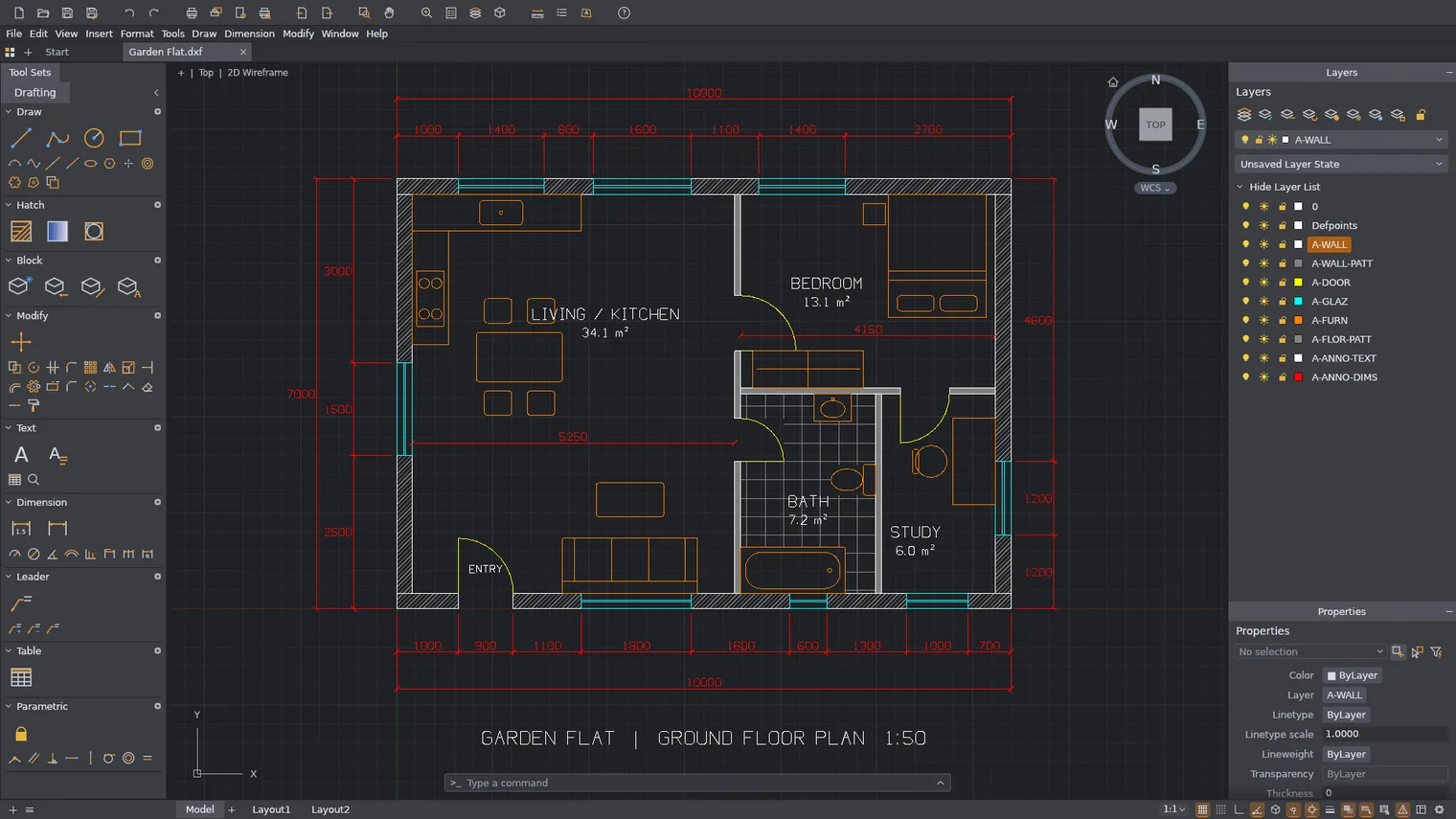
Draw a floor plan with snaps and the command line 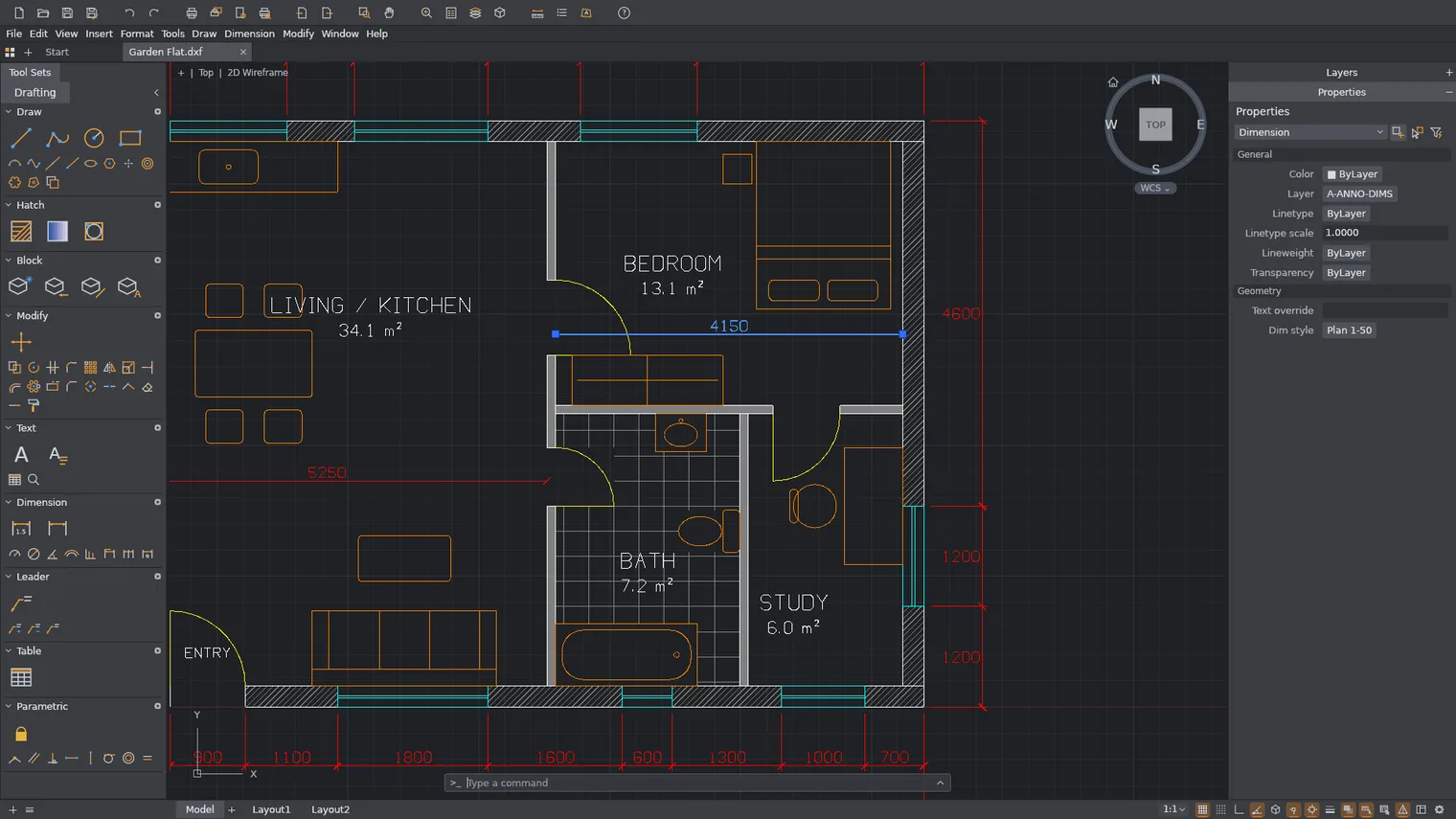
Dimension it with styles that follow the geometry 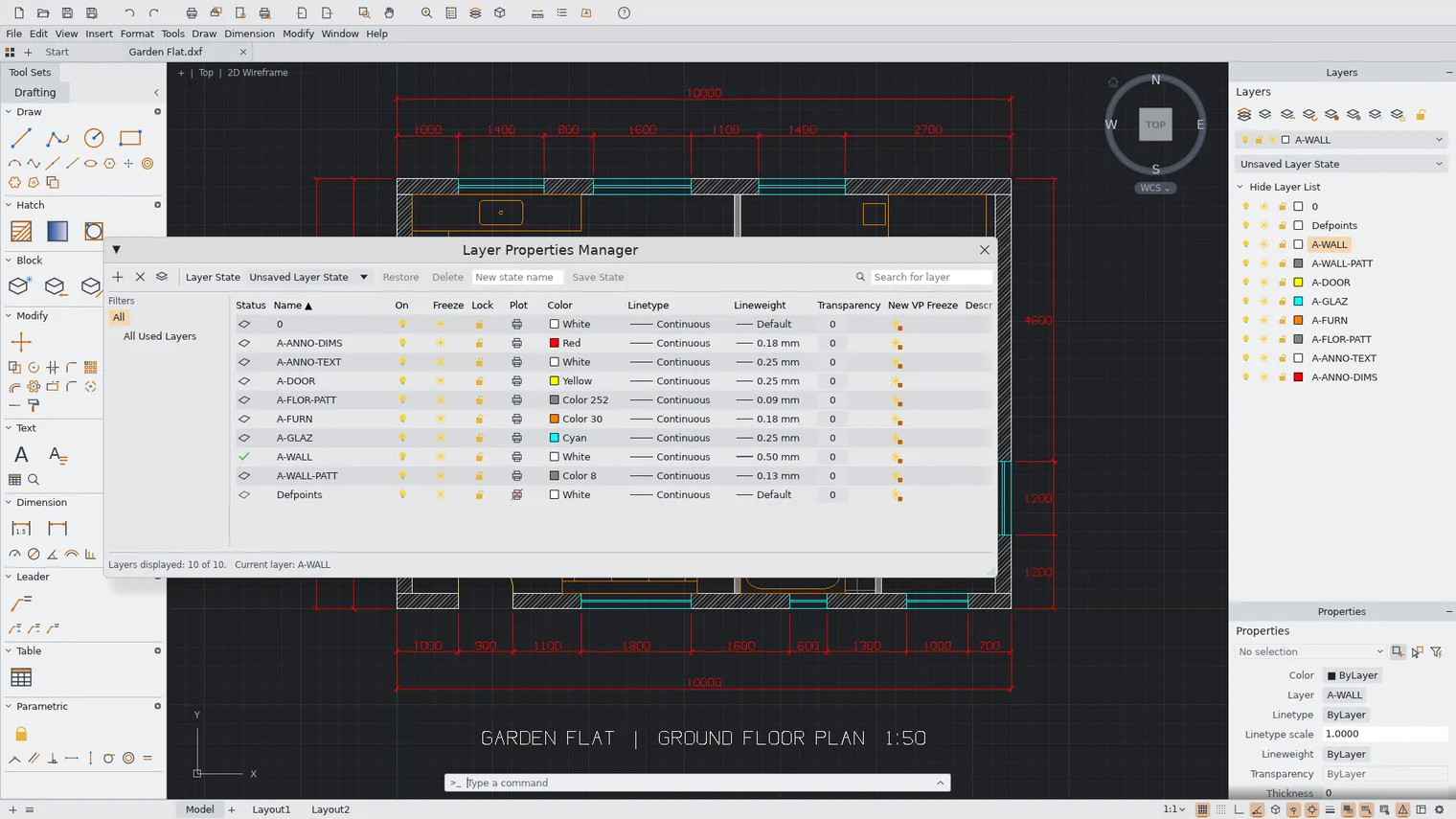
Organize the drawing in layers 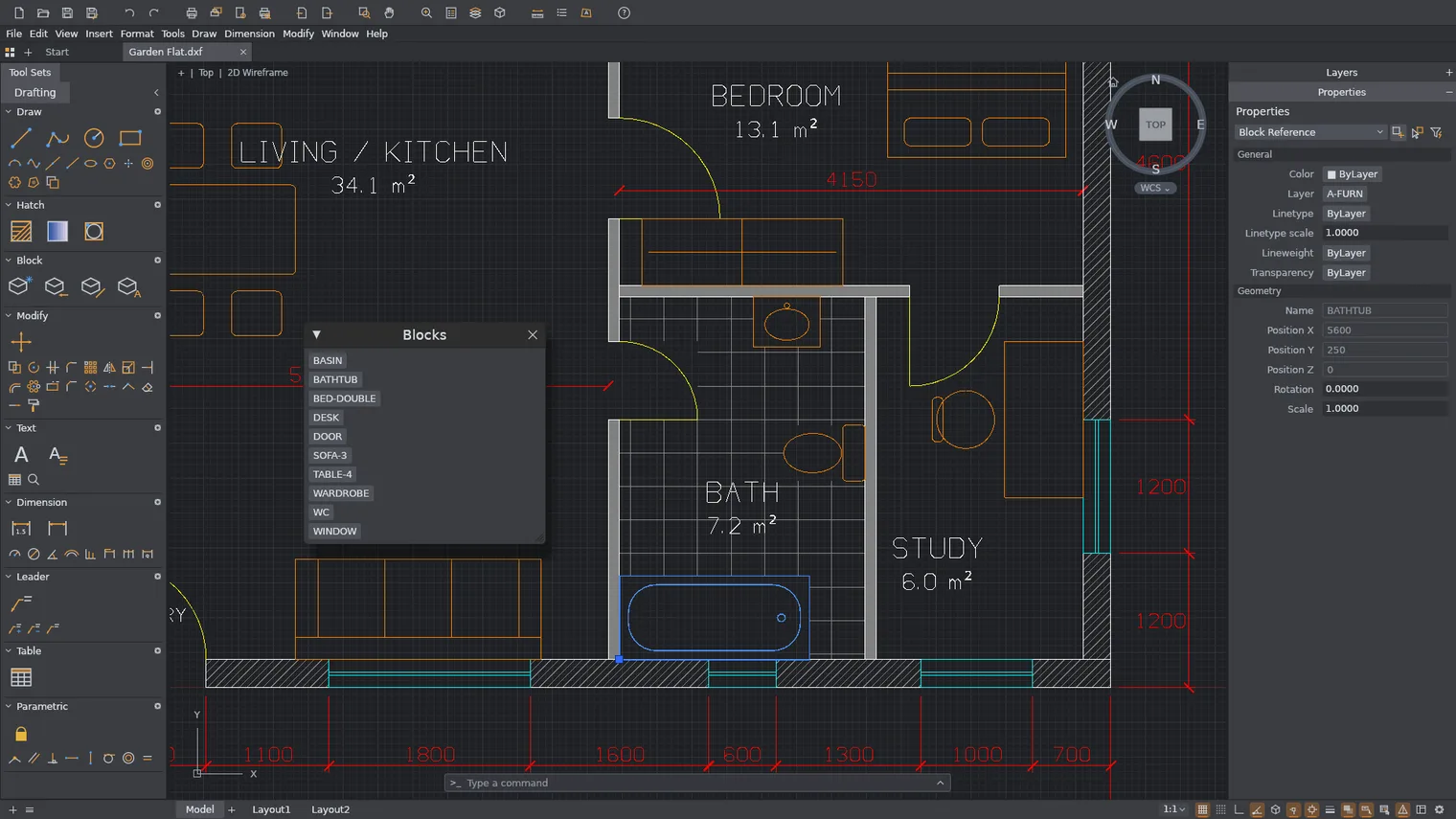
Reuse blocks and fill areas with hatches 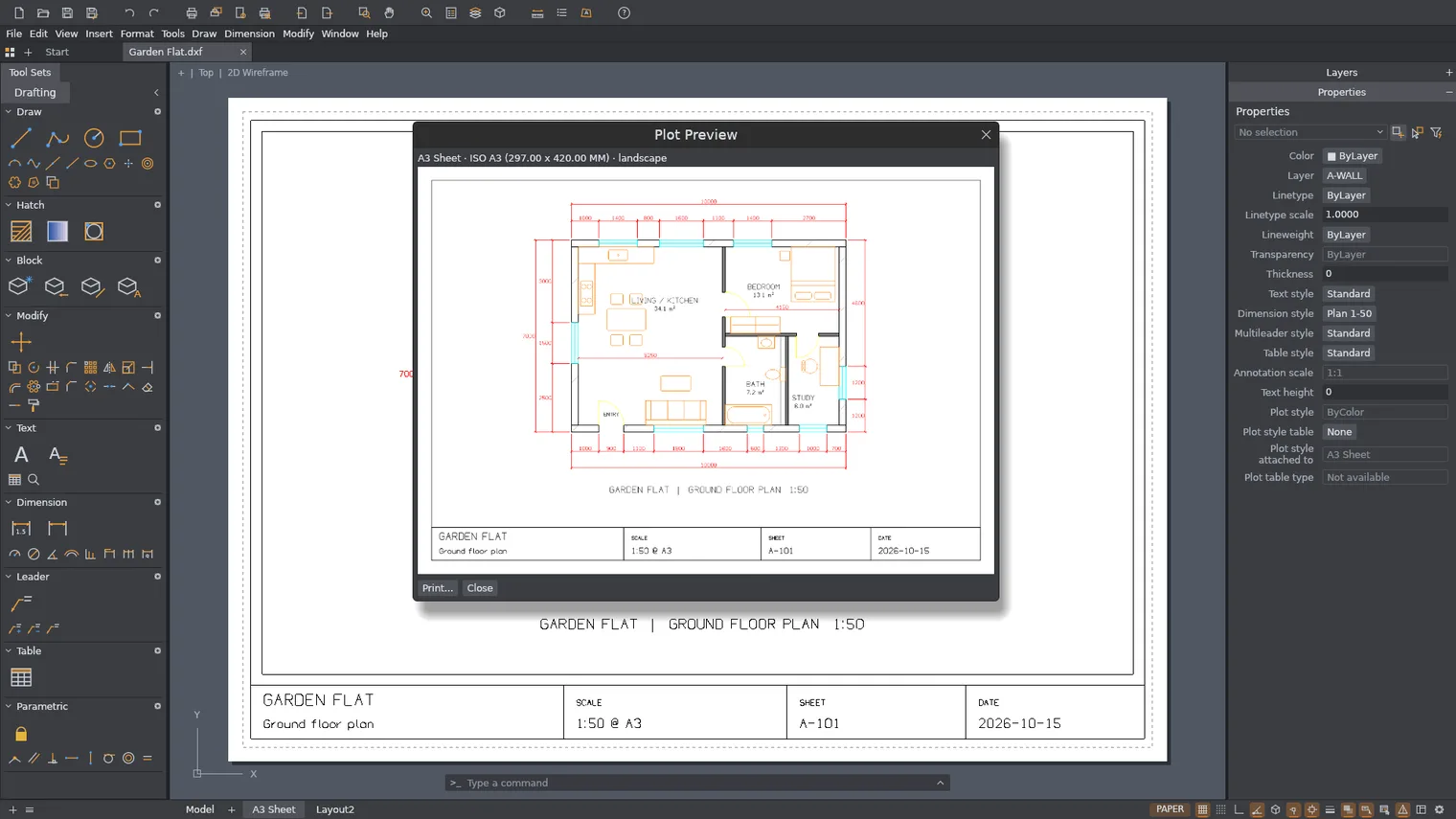
Plot a paper layout to PDF at scale 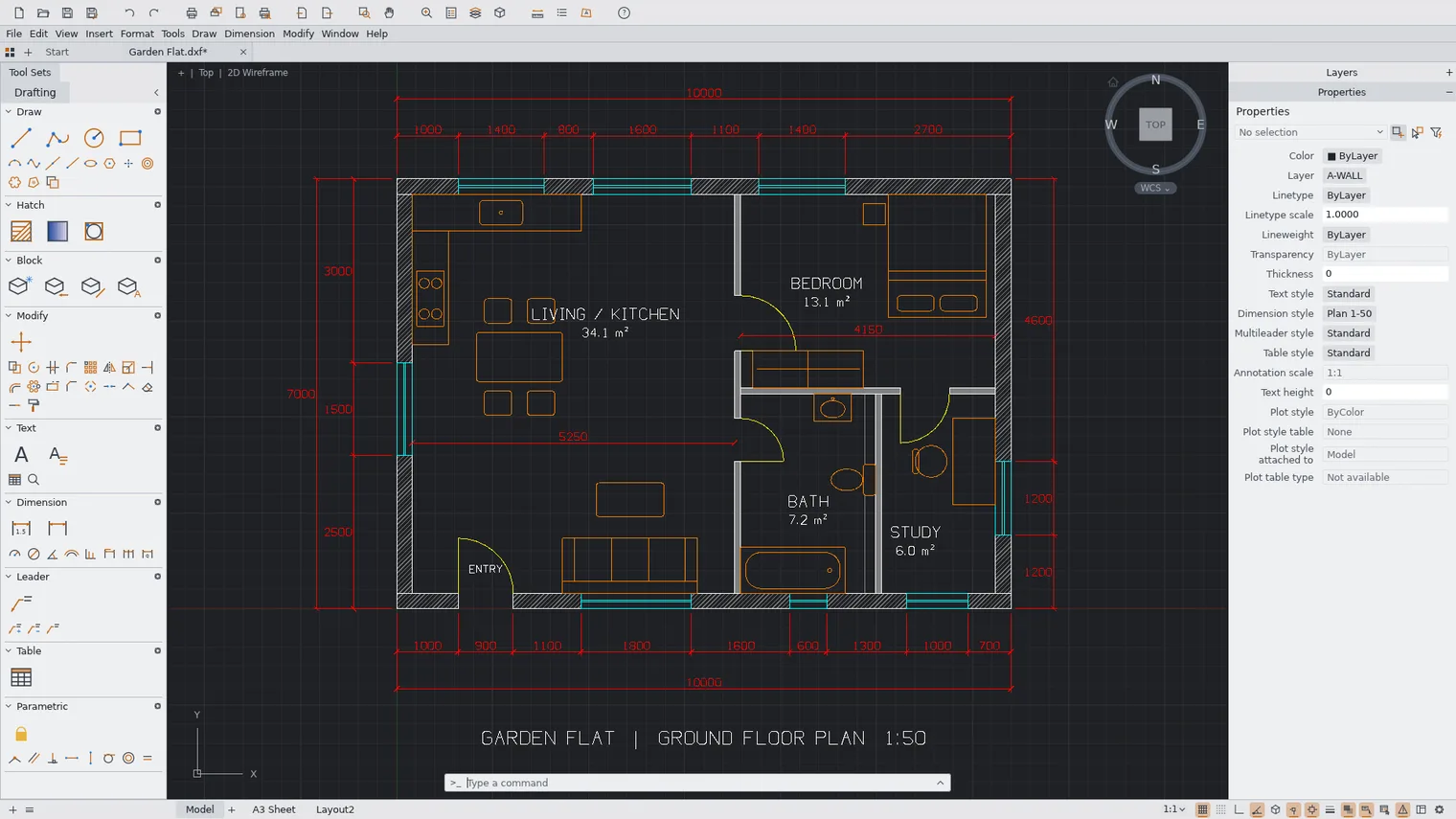
The drawing in the light theme
Description
A 2D CAD program with a command line, snaps, layers, dimensions and paper layouts. Opens DWG and DXF. Buy once, works offline.
For floor plans, workshop drawings, small offices and makers who get DWG files from others.
Opens DXF (R12 to 2018) and DWG (2000 to 2018). Saves DXF and DWG 2000. Plots to PDF, SVG and PNG.
Features
- Draws lines, polylines with arcs and widths, circles, arcs, rectangles, polygons, ellipses, splines, points, construction lines, text and multiline text.
- Moves, copies, rotates, scales, mirrors, stretches, offsets, trims, extends, fillets, chamfers, breaks, joins and explodes objects, and makes rectangular and polar arrays.
- Object snaps (endpoint, midpoint, center, intersection, perpendicular, tangent and more), polar tracking, ortho and grid snap.
- A command line with prompts, history, autocomplete and short aliases, coordinate entry such as @dx,dy and @distance<angle, and script files.
- Layers with on, off, freeze, lock, color, linetype and lineweight, and a Properties palette to edit any object.
- Linear, aligned, angular, radial and other dimensions with dimension styles that follow the geometry, leaders, tables and TrueType fonts.
- Hatches with patterns, solid and gradient fills, and blocks with attributes.
- Geometric and dimensional constraints that keep a drawing's shape when you edit it.
- Paper layouts with scaled viewports and page setups; plots to PDF, SVG and PNG files at a chosen paper size and scale.
- Opens DXF files (R12 to 2018, text and binary) and DWG files in the 2000 to 2018 formats, and saves DXF and DWG (2000 format) and DWT templates.
- Saves recovery copies automatically, so work survives a crash.
- Light and dark themes.
- The interface comes in 13 languages, including English, Spanish, French, German, Italian and Portuguese, and can follow the Windows display language.
Questions
Is it a subscription?
No. You pay once in the Microsoft Store and the app is yours, with updates.
Can I try it first?
Yes. The Store offers a free 7-day trial with every feature.
Do I need an account?
No account and no sign-in. Only the Microsoft Store account you already use on Windows.
Does it work offline?
Yes. Everything runs on your PC. Your files are never uploaded.
Which files does it open?
Opens DXF (R12 to 2018) and DWG (2000 to 2018). Saves DXF and DWG 2000. Plots to PDF, SVG and PNG.