Apps / C-LCRYPT

C-LCRYPT
LCTR · Security
Lock any file or folder with a password.
Try it free for 1 day in the Microsoft Store, then buy once for 18.99 USD.
US price. The Store shows the price for your country.
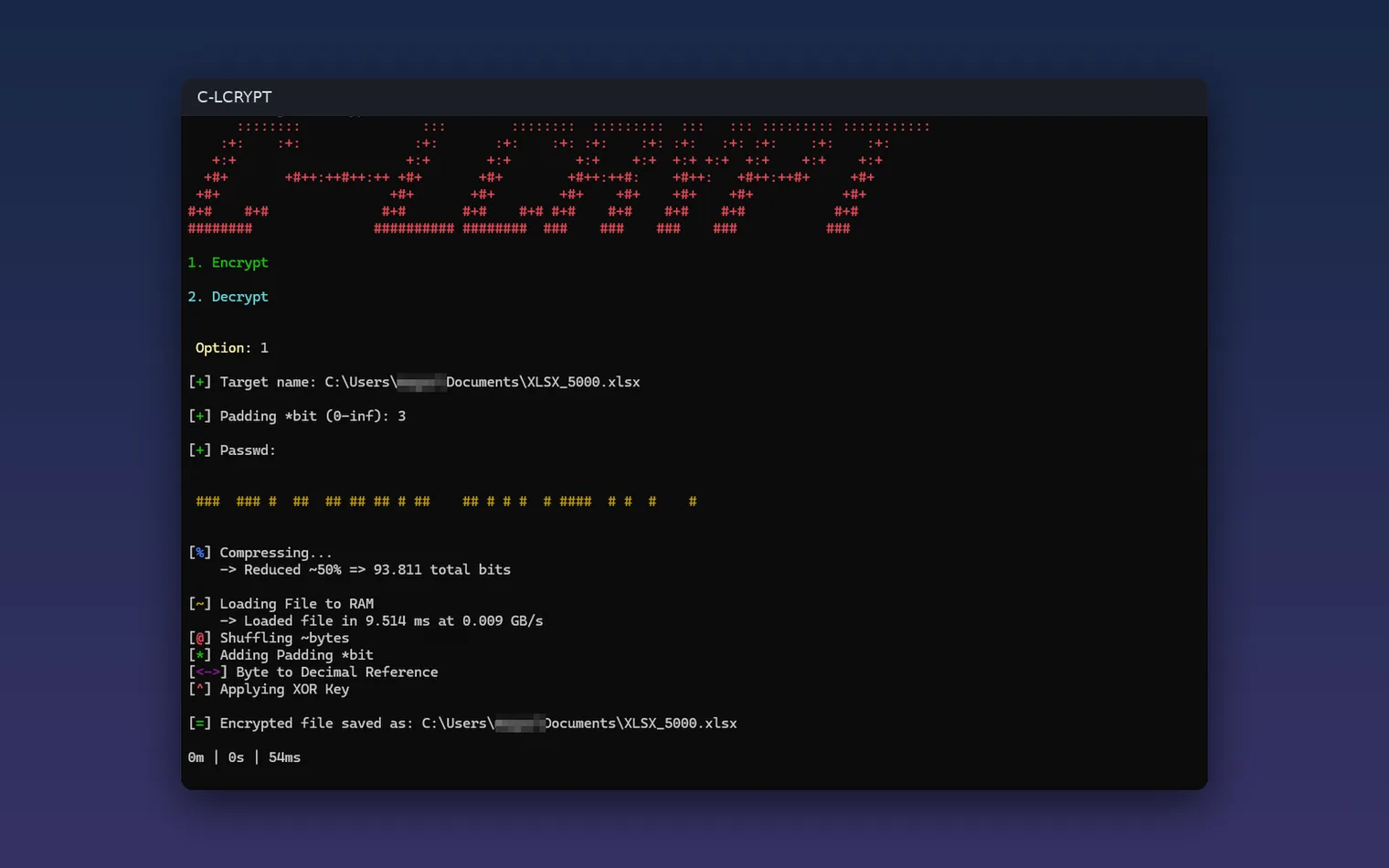
Pick Encrypt or Decrypt, type the path and a password 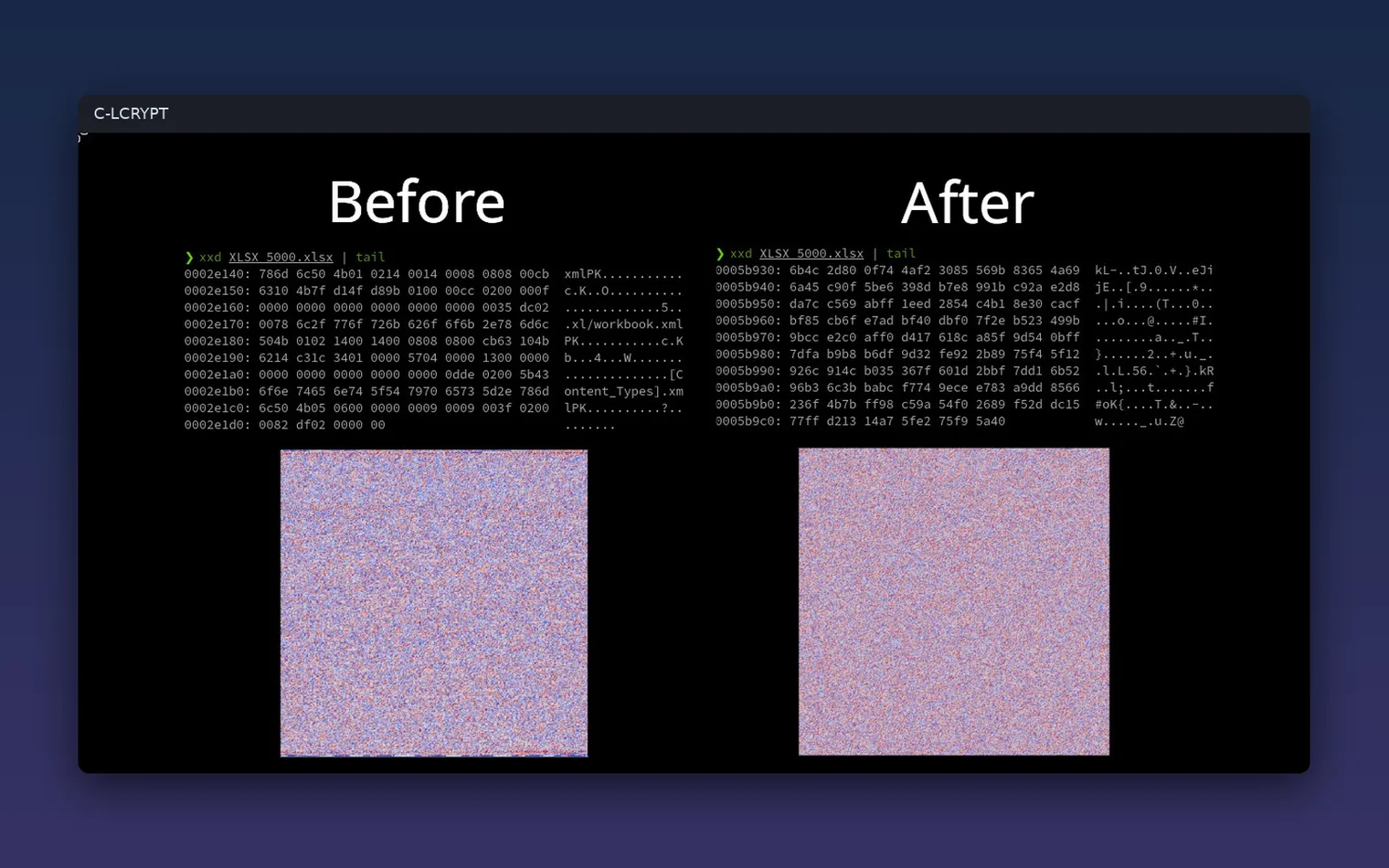
A file before and after encryption 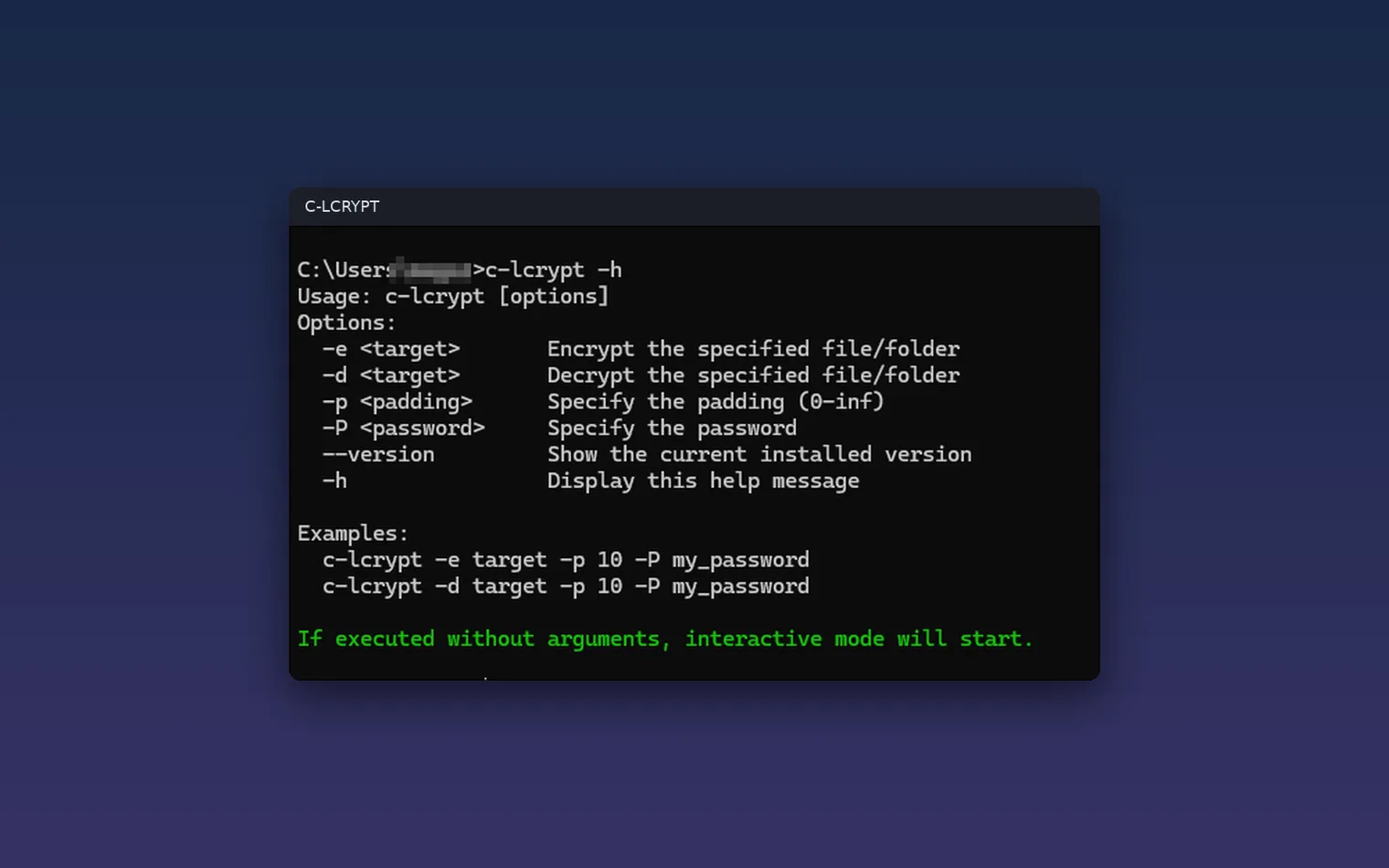
Run it from scripts with command-line options
Description
Pick Encrypt or Decrypt, type the path and your password. Folders too, in a console window, with every step on screen. Works offline.
For anyone who wants to protect a file or a folder before sending it or storing it, with a menu for quick use and command-line options for scripts.
It encrypts any single file or whole folder and decrypts it again with the same password. It runs in a console window, not a graphical one. Keep your password safe. It uses the tar tool that comes with Windows 10 and 11.
Features
- Encrypts and decrypts single files and whole folders.
- Compresses your data with Zstandard before it encrypts it, so the result is often smaller.
- Turns your password into keys with Argon2id (libsodium), four rounds deep.
- Uses all your CPU cores for the heavy steps.
- Splits very large files into parts when they do not fit in free RAM, and joins them again when you decrypt.
- Shows every step with timings, so you can see what it is doing.
- Simple menu: run it, pick Encrypt or Decrypt, type the path and your password.
- Command line for scripts: c-lcrypt -e to encrypt and -d to decrypt, with -p and -P.
- 100% offline, and it does its work in RAM.
Questions
Is it a subscription?
No. You pay once in the Microsoft Store and the app is yours, with updates.
Can I try it first?
Yes. The Store gives a free 1-day trial. If you keep it, it is a one-time purchase of 18.99 USD, no subscription.
Do I need an account?
No account and no sign-in. Only the Microsoft Store account you already use on Windows.
Does it work offline?
Yes. Everything runs on your PC. Your files are never uploaded.
What does it encrypt?
It encrypts any single file or whole folder and decrypts it again with the same password. It runs in a console window, not a graphical one. Keep your password safe. It uses the tar tool that comes with Windows 10 and 11.