Apps / Better Files

Better Files
LCTR · Productivity
Two folders. One window. Done.
Try it free in the Microsoft Store, then buy once for 19.99 USD.
US price. The Store shows the price for your country.
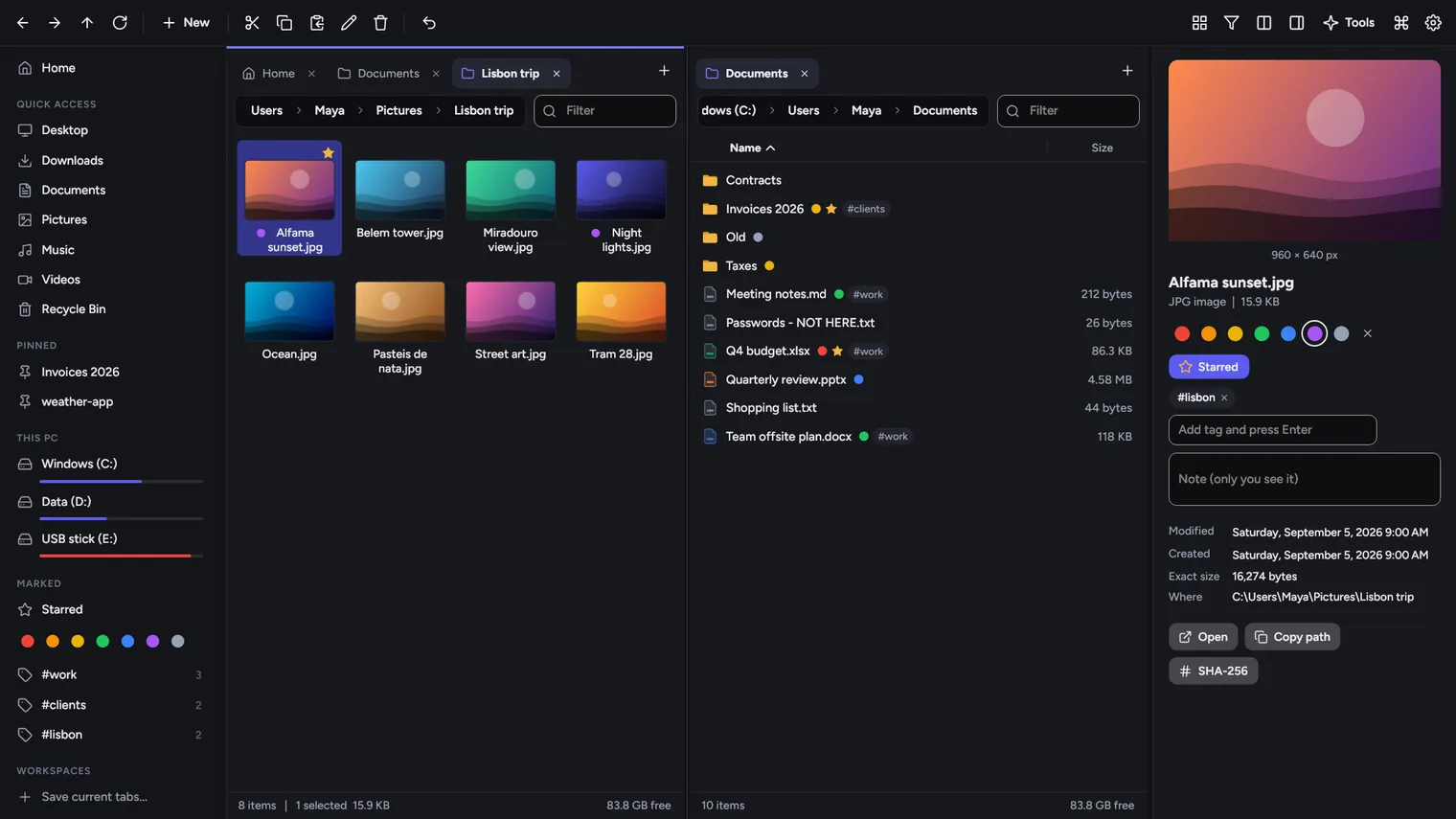
Two folders side by side, with tabs 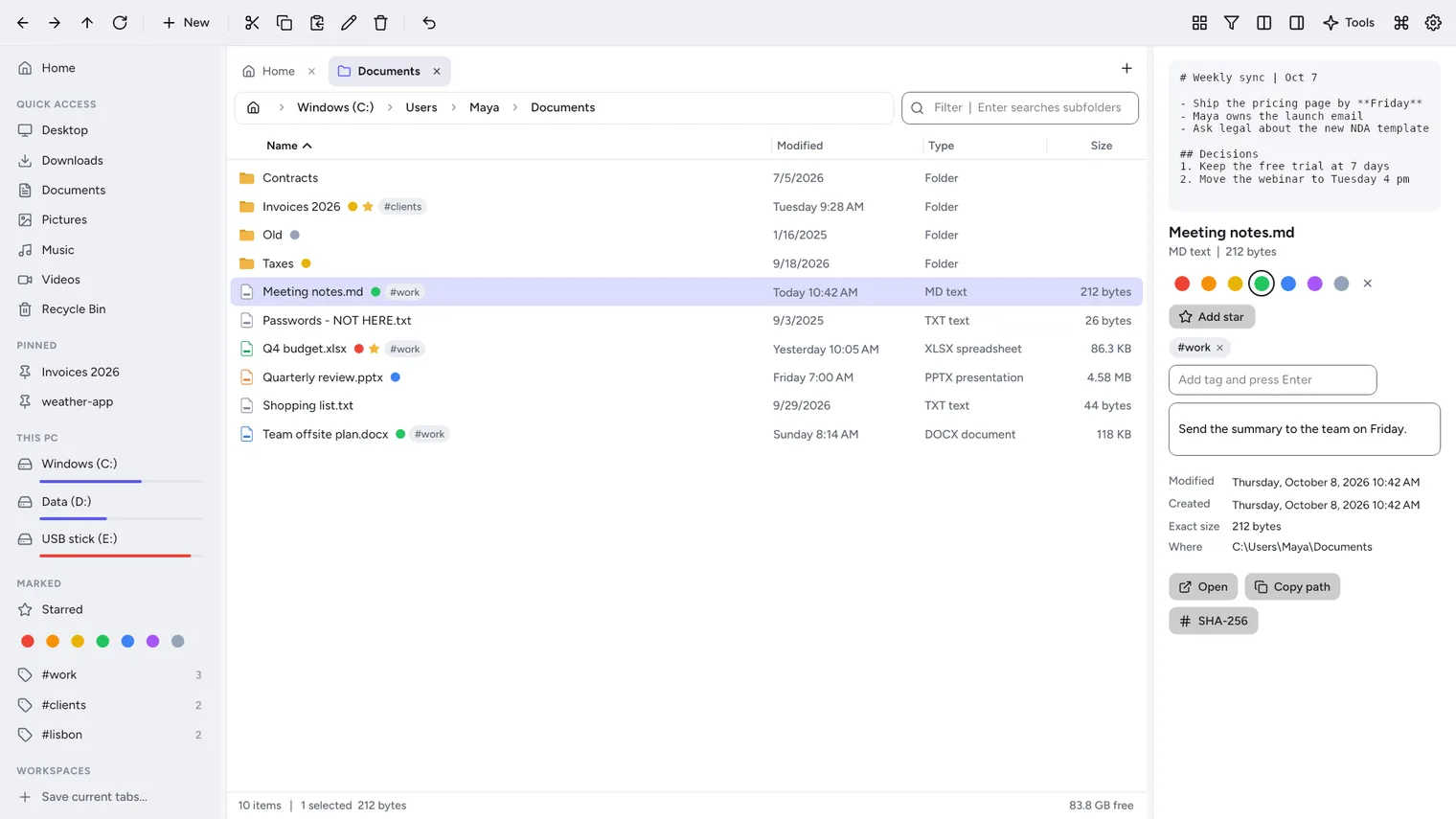
Colors, tags, stars and private notes on any file 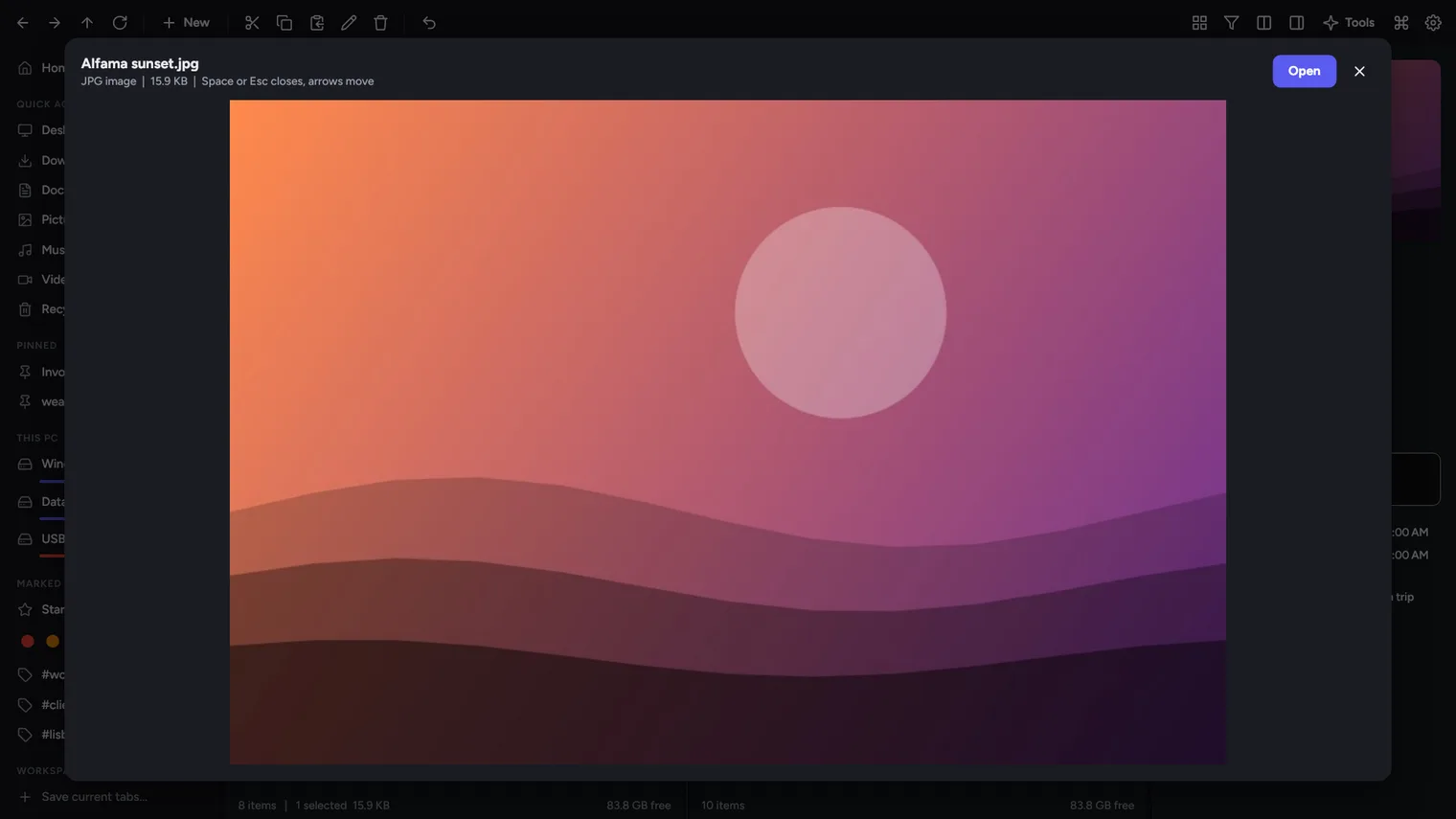
Quick look: press Space to preview 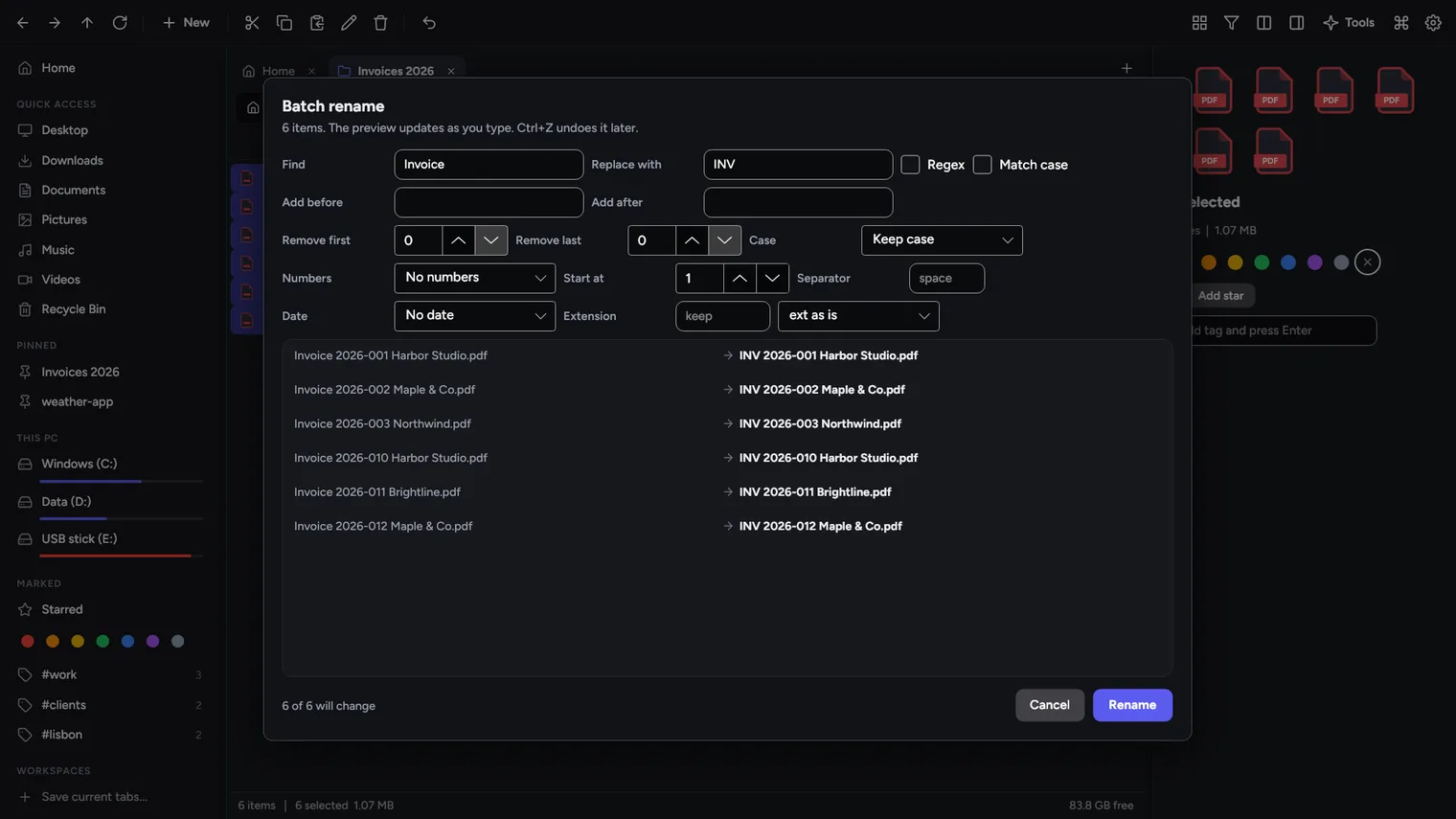
Batch rename with a live preview 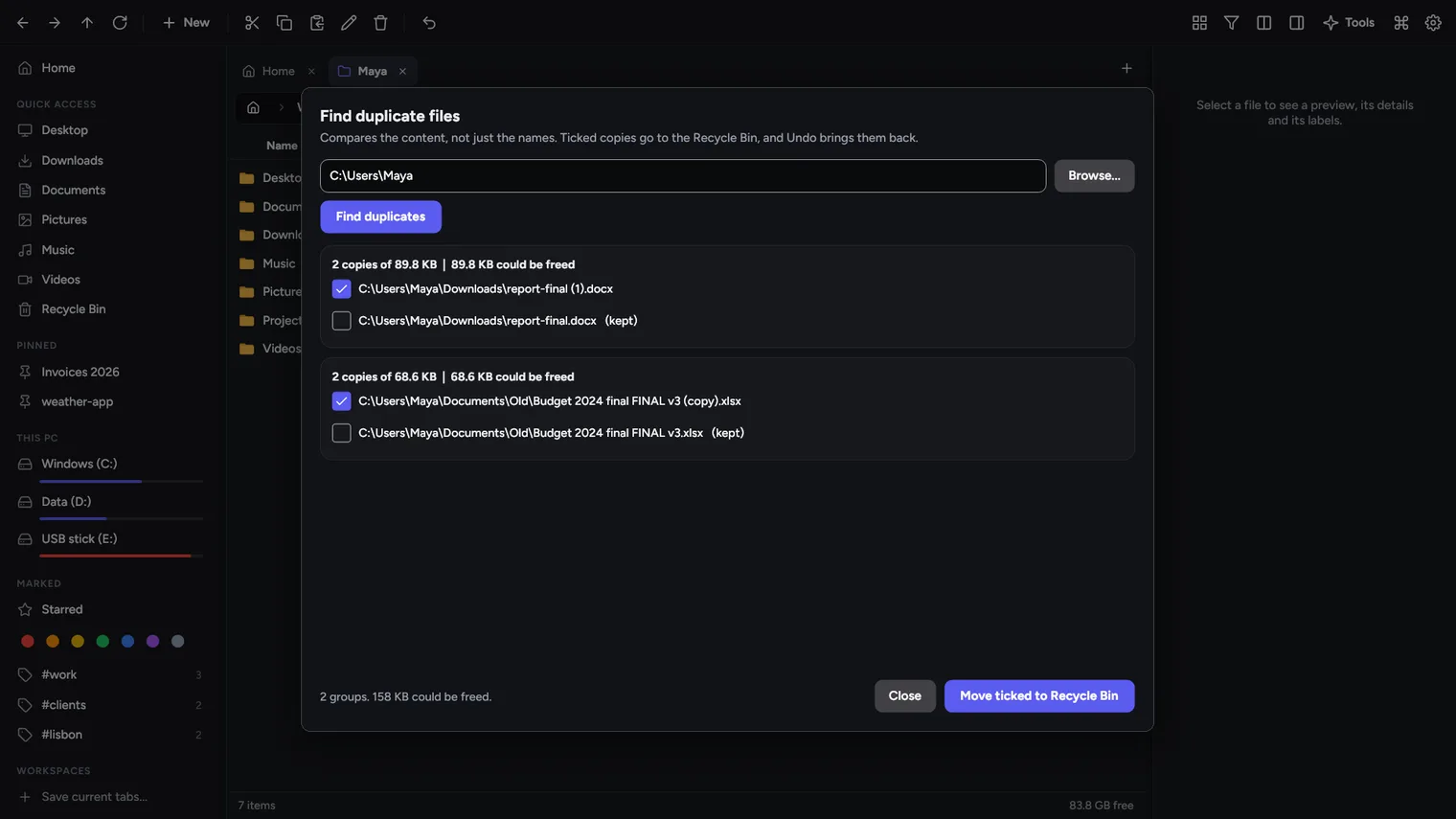
Find duplicate files by content 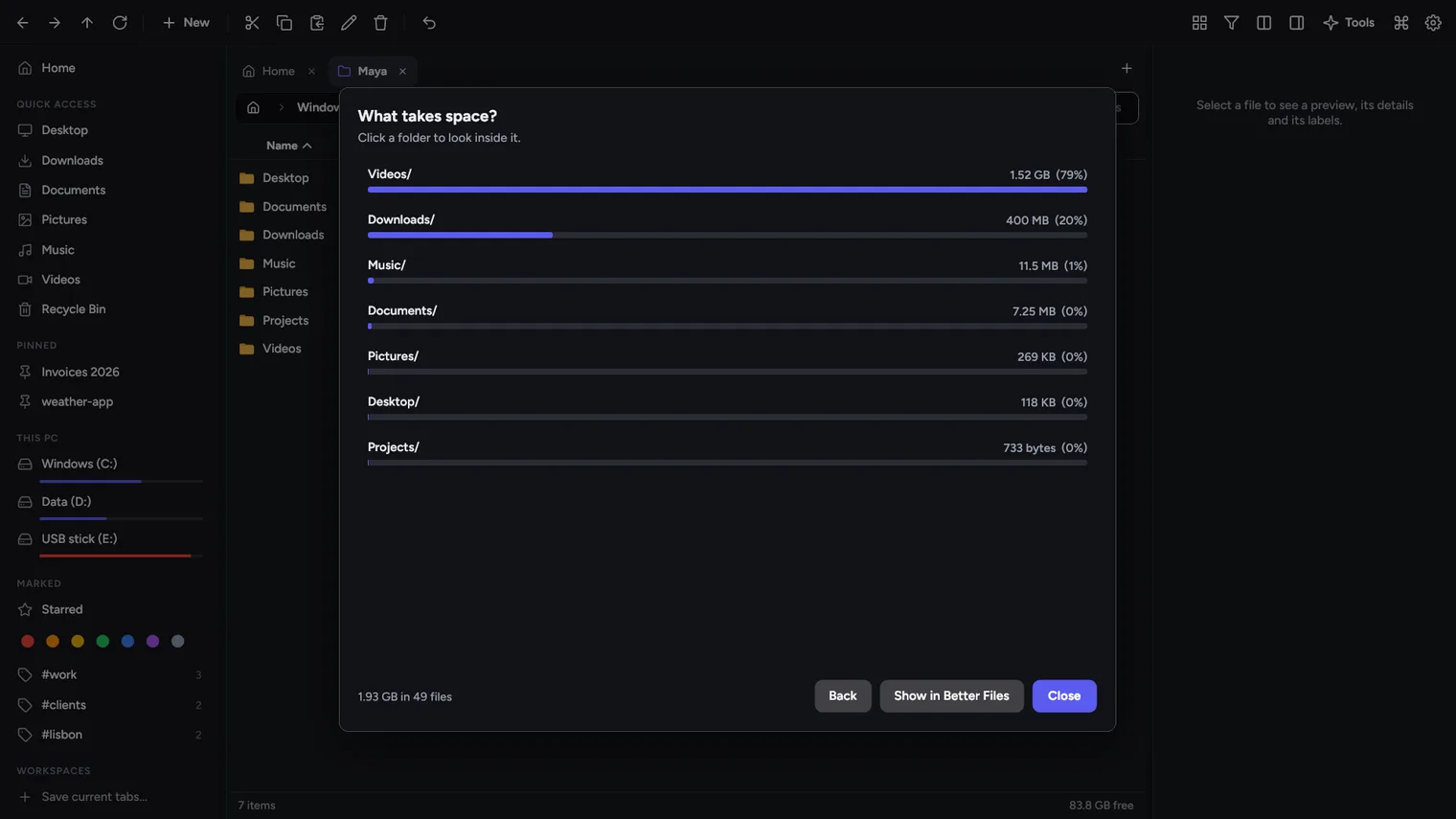
See what takes space on your disk 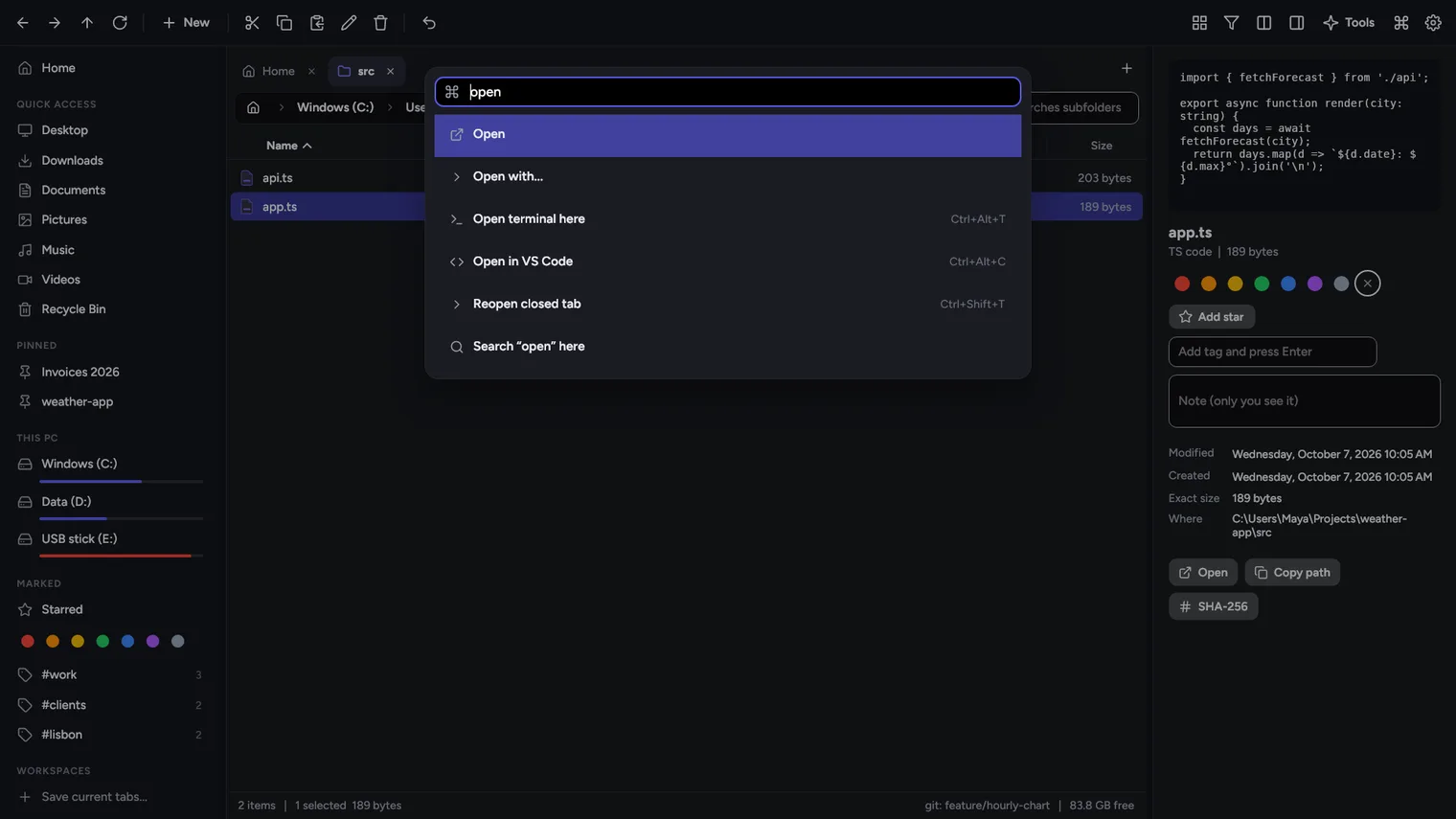
Command palette: Ctrl+K runs anything
Description
Move, sort and rename files faster: two folders side by side, tabs, previews, color labels and Ctrl+Z to undo. It opens next to File Explorer and never replaces it. No account. Works offline.
For office workers, developers, photographers and anyone who moves, sorts and renames files every day.
It does not replace File Explorer as the Windows default, and it does not appear in other apps' Open and Save dialogs. Labels, tags and notes stay in Better Files on your PC; they are not written into the files. Video and audio show as thumbnails, not played. It has no cloud accounts, FTP or network protocols of its own; OneDrive and network folders work when Windows shows them as folders.
Features
- Two folders side by side (Ctrl+Shift+S); drag files between them, or copy and move to the other pane with Shift+F5 and Shift+F6; Tab switches pane.
- Tabs in each pane that come back when you reopen the app, reopen a closed tab with Ctrl+Shift+T, and workspaces that save a set of tabs under a name.
- A preview panel and Quick look (Space) for images, text and code, the contents of zip and 7z archives, folders, and Windows thumbnails for PDF, video and Office files.
- Seven color labels, free tags, stars and a private note on any file or folder; they show in the list and the sidebar and follow the file when it is renamed or moved inside the app.
- Ctrl+Z undoes copy, move, rename, delete to the Recycle Bin and new files and folders.
- Keyboard shortcuts for everything, editable in Settings, and a command palette (Ctrl+K) to run any command, open a pinned folder or show a tag.
- Instant filter of the folder, search in subfolders with Enter, and search inside files (text and code) with Shift+Enter.
- Batch rename with find and replace, regex, add before/after, numbers, dates, case and extension, with a live preview that warns about name clashes.
- Built-in tools - find duplicate files by content, what takes space, compare two folders, checksums (MD5, SHA-1, SHA-256), who is using a file, find empty folders, change dates, unblock downloaded files.
- Compress to zip and extract zip, 7z, rar, tar and gz without another program.
- Resize, rotate and convert images (JPG, PNG, WEBP) in batches.
- Paste a screenshot or copied text straight into a folder as a file; copy a path in several formats (Windows, quoted, forward slashes, file URI, WSL).
- Open a terminal or VS Code in the current folder; the status bar shows the git branch of a project folder.
- Copy and paste and drag and drop work with File Explorer; the full Windows right-click menu is one click away.
- Larger text sizes, a simple mode that hides advanced buttons, check boxes for selecting, single-click opening, and plain-language messages.
- English and Spanish, light and dark themes.
Questions
Is it a subscription?
No. You pay once in the Microsoft Store and the app is yours, with updates.
Can I try it first?
Yes. Try it free in the Microsoft Store first. If you keep it, it is a one-time purchase of 19.99 USD, no subscription.
Do I need an account?
No account and no sign-in. Only the Microsoft Store account you already use on Windows.
Does it work offline?
Yes. Everything runs on your PC. Your files are never uploaded.
Which files does it open?
It does not replace File Explorer as the Windows default, and it does not appear in other apps' Open and Save dialogs. Labels, tags and notes stay in Better Files on your PC; they are not written into the files. Video and audio show as thumbnails, not played. It has no cloud accounts, FTP or network protocols of its own; OneDrive and network folders work when Windows shows them as folders.