Apps / AutoInput

AutoInput
LCTR · Utilities & tools
An auto clicker that is easy.
Try it free for 7 days in the Microsoft Store, then buy once for 0.99 USD.
US price. The Store shows the price for your country.
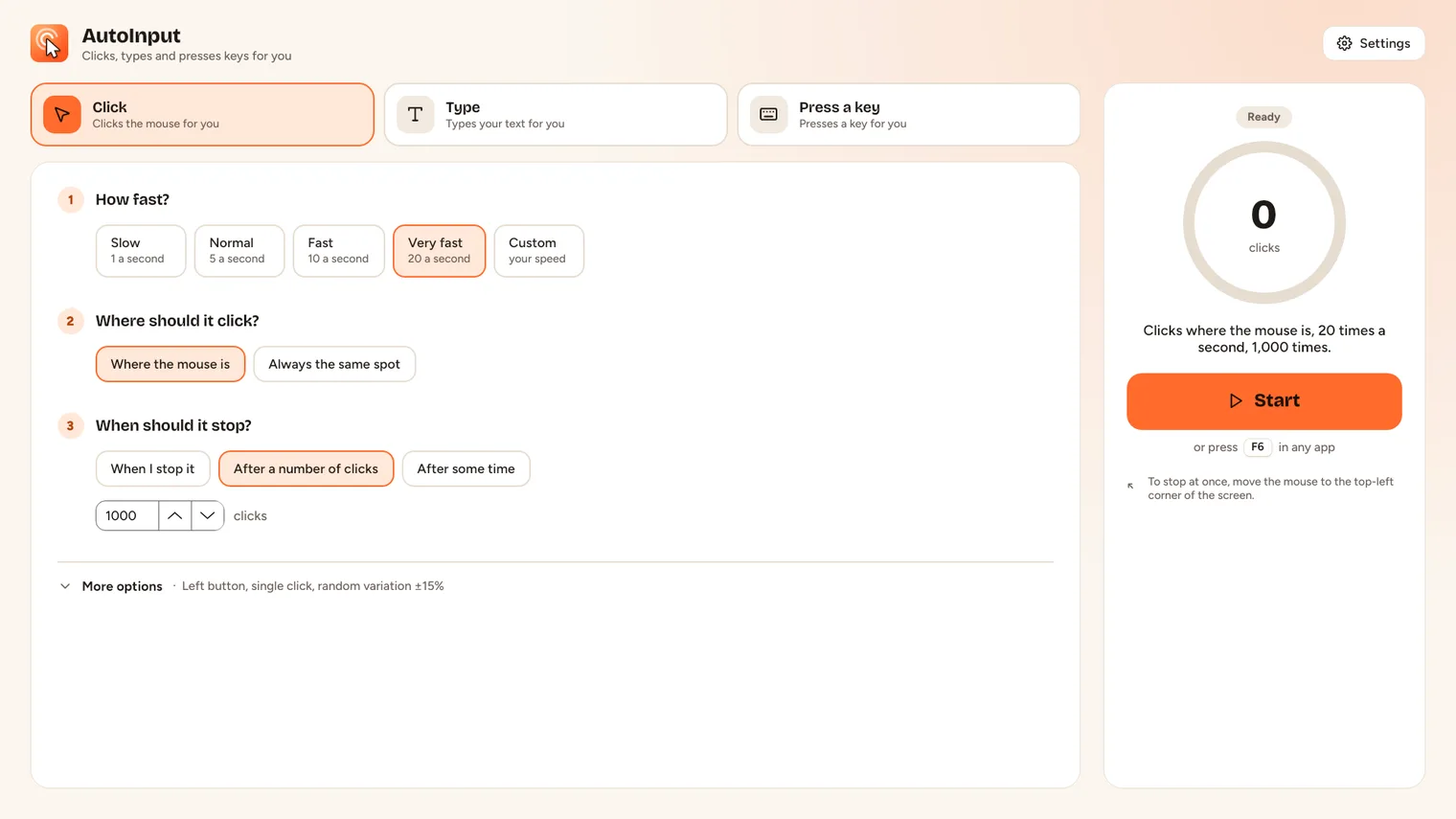
Clicker: choose the button, the speed and where to click 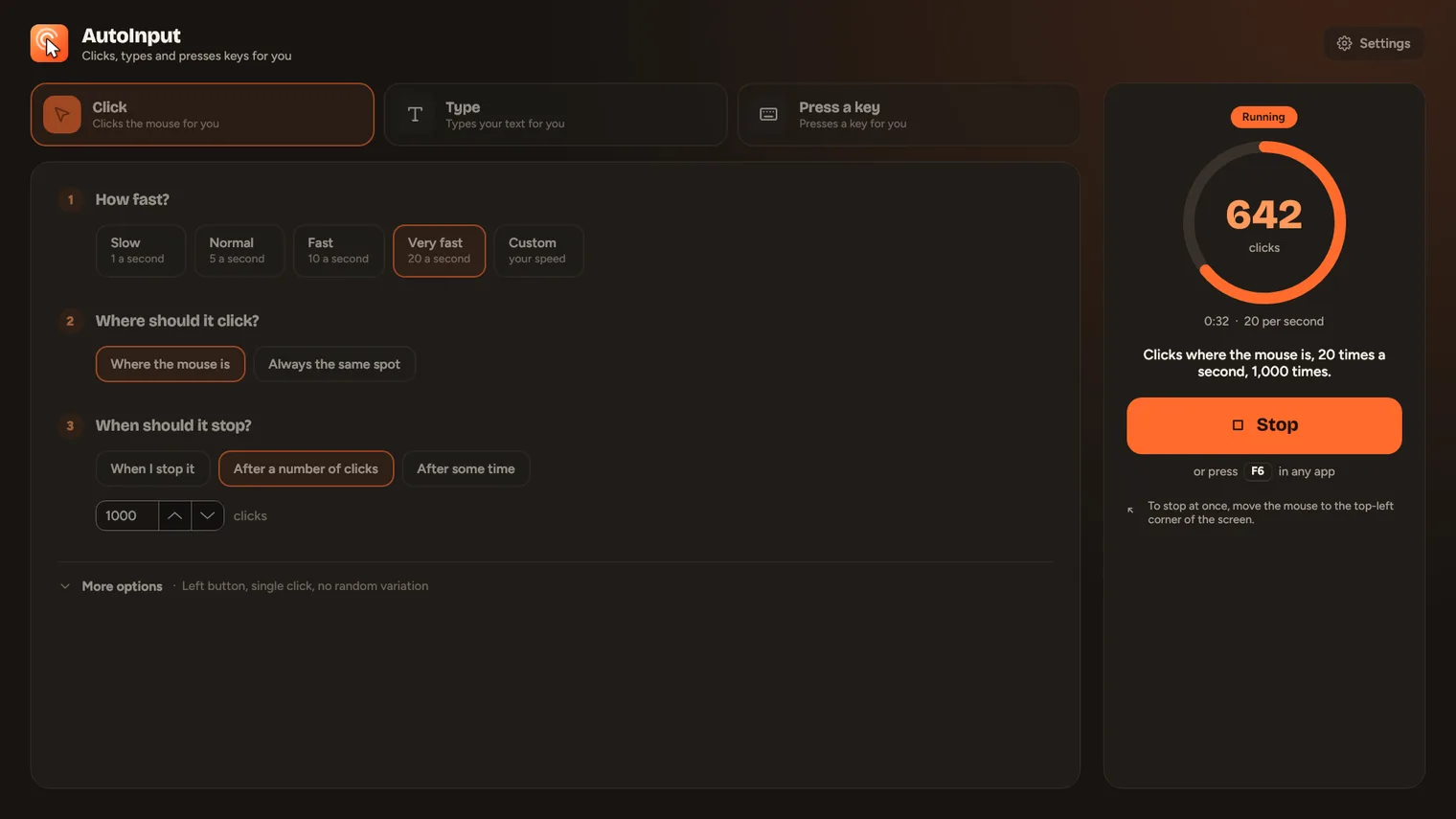
A run in progress with live count and elapsed time 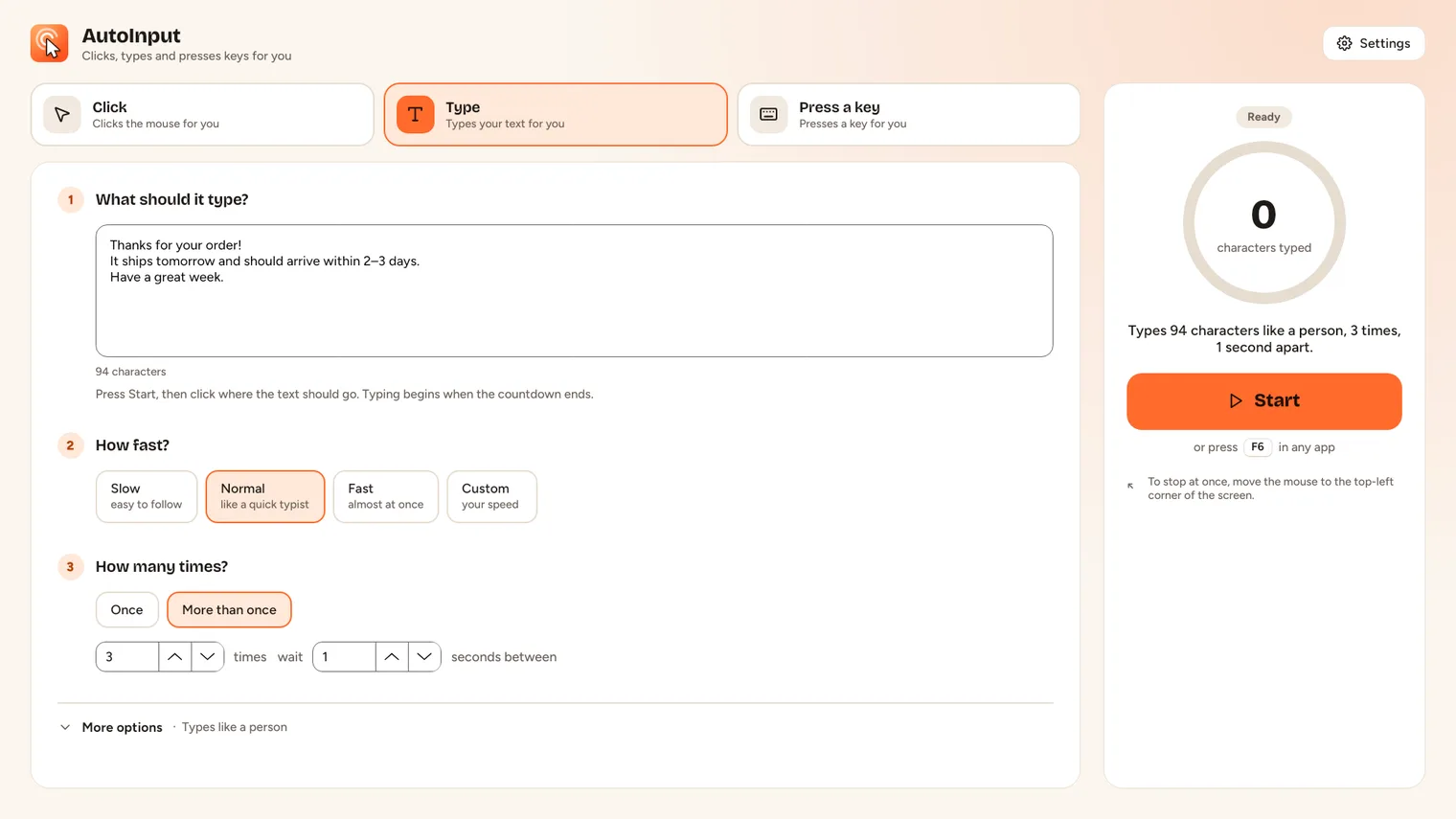
Typer: any text, emoji and accents included 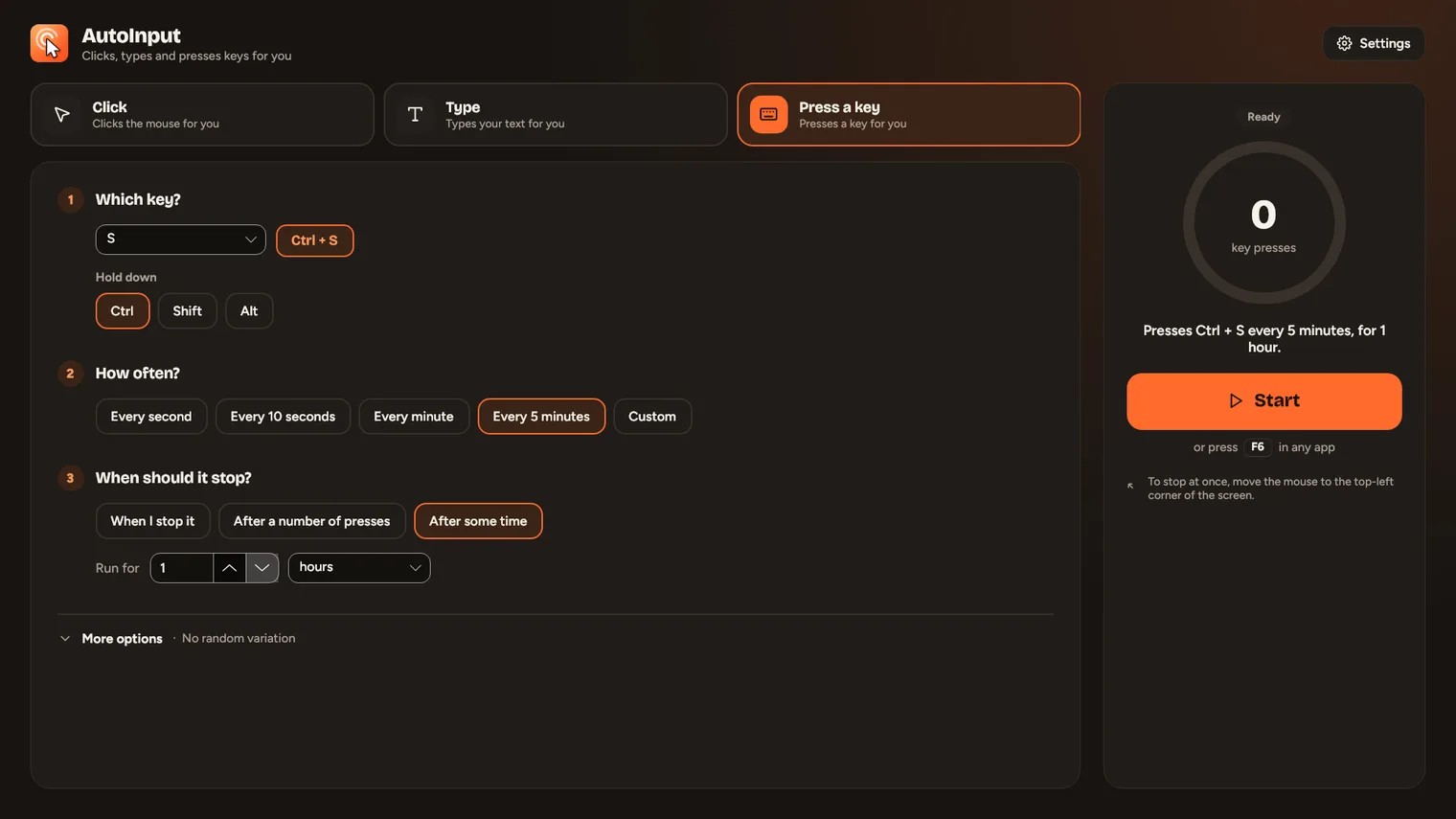
Key presser: any key, with Ctrl, Shift or Alt 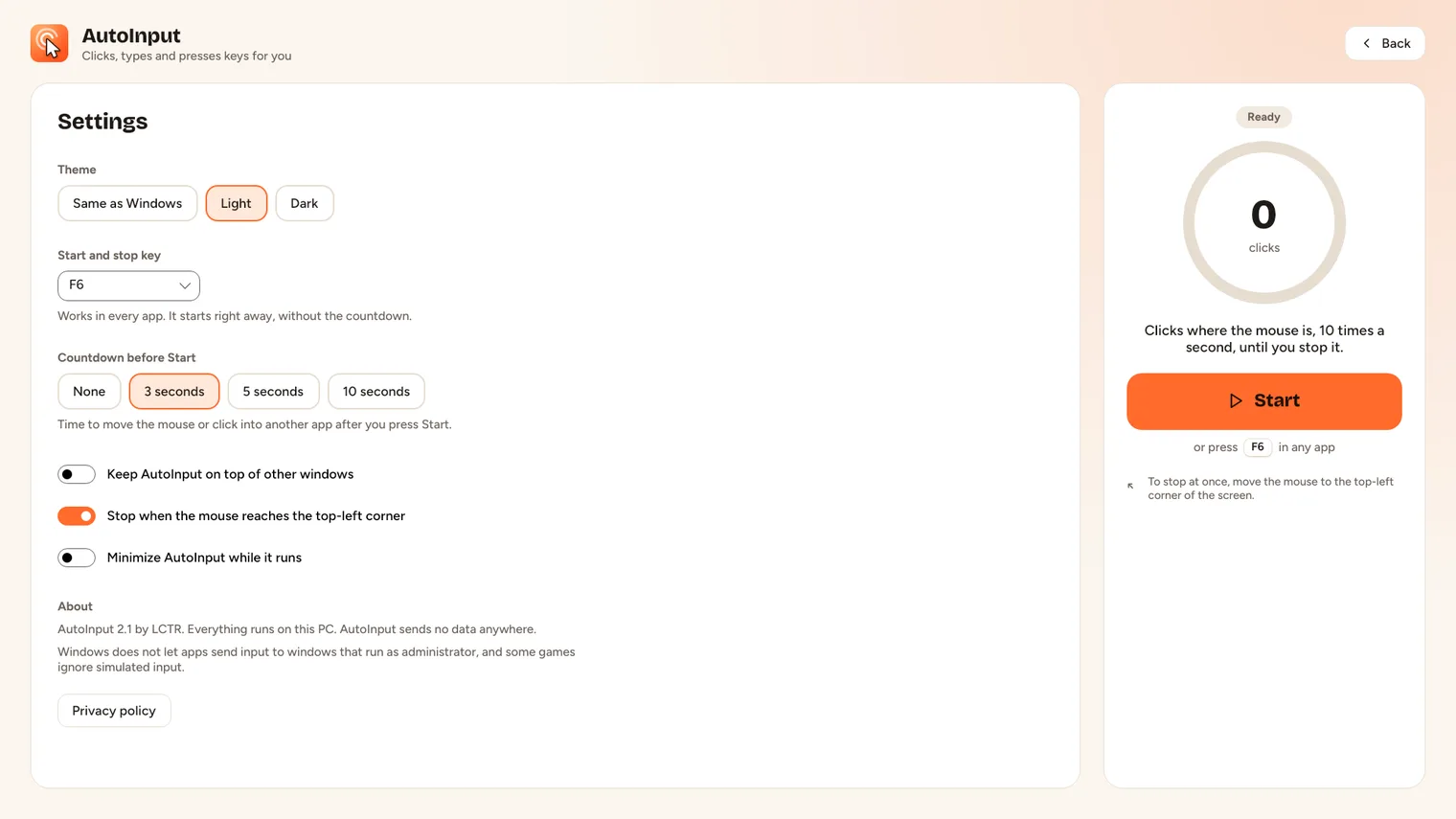
Settings: start key, countdown, theme
Description
Click, type or press a key again and again. Start and stop with one key, or move the mouse to a corner. Three plain questions, one Start button. No account. Works offline.
For testers, data entry, clicker games, form filling and anyone who repeats the same click, text or key many times.
Works in any window, with two limits: Windows does not let apps send input to windows that run as administrator, and some games ignore simulated input. It repeats one click, text or key per run; it does not record macros.
Features
- Each job is three plain questions with ready answers (Slow, Normal, Fast...), a Custom choice for any value, and one sentence that says what Start will do.
- Clicker with left, right or middle button, single or double click, at the mouse or at a fixed point you pick.
- Interval from 1 millisecond to hours, with optional random variation.
- Typer that types any text, emoji and accents included, at a speed you choose, independent of the keyboard layout.
- Key presser for any key, with Ctrl, Shift or Alt held.
- Run until stopped, a number of times, or for a set time; live count, elapsed time and progress.
- Global start/stop key (F6 to F12) that works in any app, plus a 0 to 10 second countdown.
- Failsafe that stops a run when the mouse reaches the top-left corner of the screen.
- Always on top and minimize-while-running options; light, dark or Windows theme.
Questions
Is it a subscription?
No. You pay once in the Microsoft Store and the app is yours, with updates.
Can I try it first?
Yes. Try everything free in the Microsoft Store first. If you keep it, it is a one-time purchase of 0.99 USD, no subscription.
Do I need an account?
No account and no sign-in. Only the Microsoft Store account you already use on Windows.
Does it work offline?
Yes. Everything runs on your PC. Your files are never uploaded.
Which files does it open?
Works in any window, with two limits: Windows does not let apps send input to windows that run as administrator, and some games ignore simulated input. It repeats one click, text or key per run; it does not record macros.